
TL;DR

Get art and craft supplies delivered free with Prime
- Fast, free delivery on millions of items
- Prime Video, Amazon Music and more included
- Member-only deals all year
Google Pics is a web app for creating and editing images with text prompts, available to Google AI Pro and Ultra subscribers. A Lifehacker review found it useful for quick designs and targeted edits, but said its limited manual controls leave room for Canva and Photoshop. Google has not clearly specified usage limits.
Google has launched Google Pics, a web app for making and editing images with text prompts, for subscribers to Google AI Pro and Google AI Ultra. The app adds image tools to Google’s Workspace lineup, but a Lifehacker review found that its quick, AI-assisted edits do not replace the manual controls available in Canva or Photoshop.
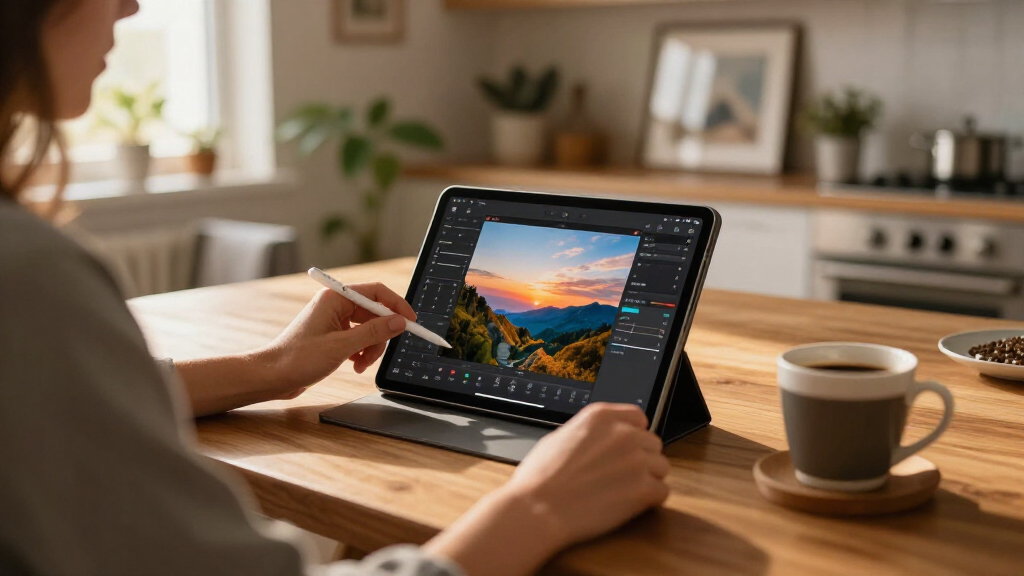
Google Pics works as a standalone app and can also appear within other Google Workspace apps, according to the source material. It uses Google’s Nano Banana image-generation model. Users can describe an image to create, choose a visual style reference, set an aspect ratio, or upload an image from a device, Google Drive or Google Photos for editing.
For a new image, the app presents four or five generated options as thumbnails. Users can request four more, which may add to their usage. The Lifehacker reviewer said a detailed prompt for a birthday flyer produced several usable designs within seconds. The review also described applying styles such as watercolor or comic effects to uploaded photos, while cautioning that results were not consistently polished.
Editing is also prompt-led. Google Pics can identify elements in an image for selection, or users can draw a box around an area and describe a change, such as recoloring an object or removing a person. The reviewer found that edits could be combined and that text in a design could be selected and changed directly. More complex removals, including vehicles in detailed scenes, were harder for the app to handle.
AI Image Editing · Product Brief
How Google’s New Image Editor Compares With Canva And Photoshop
Google Pics makes image creation and targeted edits prompt-led. It can speed up simple designs, while Canva and Photoshop keep an edge when precise hands-on control matters.
The takeaway
Fast ideas and quick edits, with fewer tools for detailed control.
Based on a Lifehacker reviewWhat Google Pics Does
A standalone web app for making images and editing uploads with natural language prompts, with connections to Google Workspace apps.
01 · Generate
Describe a design
Enter a prompt, choose a visual style reference and set an aspect ratio. The app returns four or five thumbnail options; users can ask for four more.
02 · Edit
Change an image
Upload from a device, Google Drive or Google Photos. Ask for a style treatment, select an element or box an area and describe the change.
03 · Refine
Target details
Combine edits and select text in a design to change it directly. Complex removals in detailed scenes can be harder to get right.
Prompt or upload
Start from an idea or an existing image.
Set the look
Choose a style, ratio or specific edit.
Review options
Compare generated variations in seconds.
Refine by prompt
Request changes to an area or element.
Quick Work vs. Hands-On Control
The review describes a useful tool for straightforward creative tasks, with a narrower set of manual editing controls.
| Workflow need | Google Pics | Canva | Photoshop |
|---|---|---|---|
| Prompt-based image creation | ✓ Core feature | Not assessed in source | Not assessed in source |
| Fast poster or flyer concepts | ✓ Useful in review | Alternative for design work | Alternative for design work |
| Localized edits by description | ✓ Prompt-led | Not assessed in source | Not assessed in source |
| Layers and manual retouching | ✗ Not available | More conventional controls | More conventional controls |
| Precise, detailed corrections | ~ Can be difficult | Useful for controlled work | Useful for controlled work |
This is a practical summary of the source review, not a standardized feature, performance or price comparison across all three products.
Access and Usage: What’s Known
Google Pics is tied to paid subscriptions. The source leaves key questions about plan differences and usage allowances unanswered.
Google AI Pro
$19.99 / month
Listed subscription price in the source material. The source does not specify how many images or edits are included.
Google AI Ultra
$99.99 or $199.99 / month
Two prices are listed, but the source does not explain regional, billing or plan differences.
Usage guidance
Limits remain unclear
Google says access is “higher” through February 2027. The review says resolution may affect how quickly users reach limits.
Where Results May Vary
Early review findings suggest a fit for quick, prompt-driven tasks. Precision and consistency remain task dependent.
Works well for
Quick concepts and simple edits
A detailed birthday flyer prompt produced several usable designs within seconds. Style changes such as watercolor or comic effects were also tested on uploaded photos.
Needs clearer expectations
Complex scenes and allowances
Removing vehicles from detailed photographs was harder. Google has not clearly stated total image and edit limits or whether allowances differ by plan.
The Practical Decision
Choose the tool around the work: fast prompt-based iteration or a workflow that depends on manual precision.
For frequent use, check Google’s latest plan allowances and how it counts generated images and edits before building the app into a regular workflow.
Fast Edits, Fewer Manual Tools
Google Pics lowers the effort needed for simple posters and image adjustments: users can describe a design or a localized edit instead of assembling every element themselves. Its Workspace connections may also make image creation more convenient for people already working in Google’s apps, although the source does not detail which features are available in each app.
The tradeoff is control. The review describes a limited set of conventional editing controls: users can undo edits, zoom and change aspect ratio, but there are no layers or drawing and retouching tools. Canva and Photoshop therefore remain relevant for work that depends on precise layout, detailed corrections or hands-on control. The review offers a practical comparison, not a full feature-by-feature or price comparison of the three products.
Google Adds Images to Workspace
Google Pics joins Google Docs, Slides and Sheets in the company’s Workspace environment, according to the source material. Its role combines two uses that often involve different tools: producing graphic designs such as event flyers and making edits to existing photographs. The app’s main interface centers on prompts, with uploads and style references providing inputs for generation or editing.
Access is tied to paid subscriptions: the source lists Google AI Pro at $19.99 a month and Google AI Ultra at either $99.99 or $199.99 a month. It does not explain why two Ultra prices are listed or specify regional, billing or plan differences. Google describes access as “higher” through February 2027, but the review says its usage limits are not clearly defined and may depend on factors such as image resolution.
Limits and Editing Precision
Google Pics’ exact usage limits remain unclear from the source material. Google’s “higher access” wording does not say how many images or edits subscribers can make, and the review says resolution can affect how quickly users reach limits. The source also does not set out whether limits differ between AI Pro and Ultra.
Editing quality varies by task. The review reports mostly acceptable results for its tests, but more involved removals from detailed photographs could be difficult. It does not provide a standardized comparison against Canva or Photoshop, nor does it establish how the app performs across a wider range of images or professional workflows.
More Detail on Access Needed
Google Pics is available to eligible Google AI Pro and Ultra subscribers, and Google’s stated “higher access” period runs through February 2027. The source does not give a date for further product changes or a more detailed usage policy. Subscribers will need clearer information from Google about allowances, plan differences and how usage is counted to judge how often the app can serve as part of their workflow.
Key Questions
Who can use Google Pics?
The source says it is available to subscribers of Google AI Pro and Google AI Ultra, listed at $19.99 a month and either $99.99 or $199.99 a month, respectively. It does not explain the two Ultra prices.
What can Google Pics do?
It can generate images from text prompts and edit uploaded images through described changes. The source also says users can choose a style reference, adjust aspect ratio and make direct edits to selected text.
Does Google Pics replace Canva or Photoshop?
The Lifehacker review presents it as useful for quick, prompt-based designs and edits, but says it lacks layers and manual drawing or retouching tools. Those limits leave Canva and Photoshop useful for more controlled work.
How many images can subscribers generate?
The app shows four or five initial options and lets users request four more. Google’s overall usage limits are not clearly specified in the source, and image resolution may affect how quickly users reach them.
Source: Lifehacker
Halloween Picks
halloween
As an affiliate, we earn on qualifying purchases.