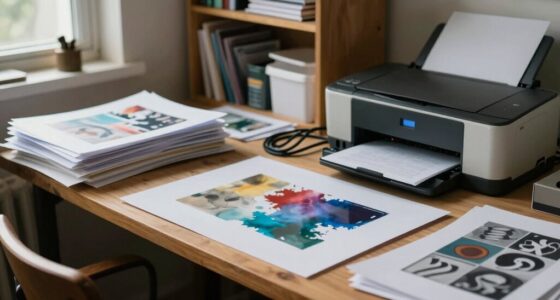
To choose your portfolio printing workflow, start by selecting suitable paper that enhances your images and suits your message. Maintain a consistent process by calibrating your printer and using color profiles to guarantee color accuracy. Record your settings for different paper types and create templates for efficiency. Regularly test and refine your profiles to keep results predictable. If you keep these steps in mind, you’ll develop a reliable system that produces professional, high-quality prints every time.

Get art and craft supplies delivered free with Prime
- Fast, free delivery on millions of items
- Prime Video, Amazon Music and more included
- Member-only deals all year
Key Takeaways
- Assess the types of images and desired final look to select suitable paper and printing techniques.
- Develop standardized templates and presets for different paper types to ensure consistency.
- Use proper digital color management and calibration to match on-screen images with printed outputs.
- Keep detailed records of paper brands, settings, and color profiles for reproducibility.
- Regularly test and refine your workflow through sample prints to improve accuracy and efficiency.
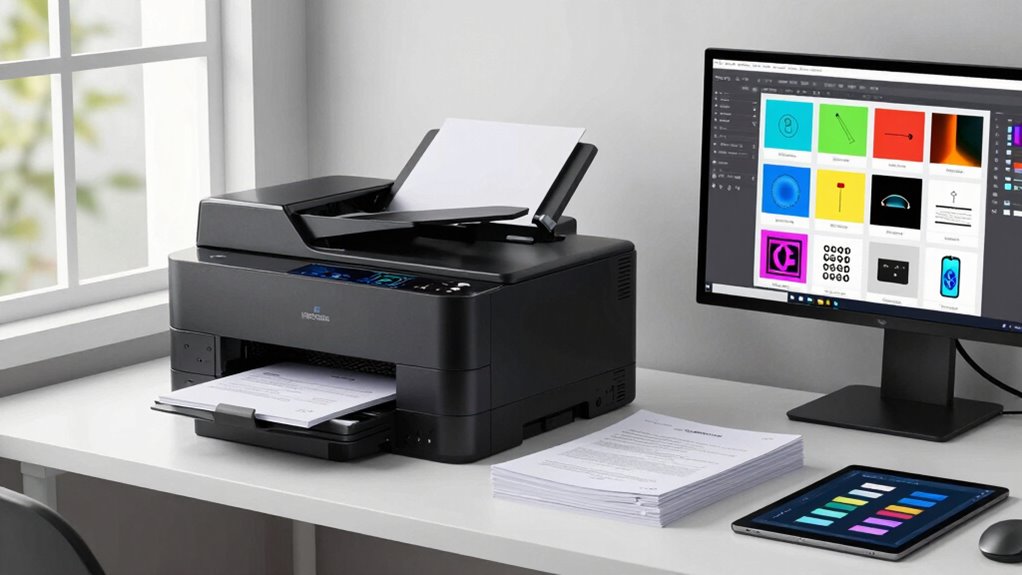
Are you unsure how to streamline your portfolio printing process for consistent, high-quality results? The key lies in establishing a clear workflow that balances digital color management and paper selection. When printing your portfolio, digital color plays a critical role in ensuring your images look vibrant and true to your vision. You want to make sure your digital files are calibrated properly, so what you see on your screen matches the printed output. Using color profiles and proofing your images beforehand helps prevent surprises and guarantees color accuracy. Alongside digital color, paper selection profoundly impacts the final look and feel of your portfolio. Different papers have distinct textures, finishes, and weight, which can influence how your images are perceived. For example, a smooth, glossy paper might make colors pop, perfect for high-impact images, while matte or textured papers lend a more sophisticated or artistic touch, ideal for detailed illustrations or portraits.
Choosing the right paper isn’t just about aesthetics; it also affects how easily you can reproduce your work consistently. When developing your workflow, consider the type of images you’re printing and the message you want to convey. Keep a record of the paper brands, finishes, and settings used for each project, so you can replicate results reliably. Consistency is essential, especially if you’re producing multiple copies for clients or exhibitions. Once you’ve selected the appropriate paper and calibrated your digital color settings, you’ll want to streamline the actual printing process. This means setting up your printer properly, using high-quality inks, and maintaining your equipment regularly. Proper maintenance prevents issues like color shifts or paper jams, saving you time and ensuring every print meets your standards. Additionally, understanding the importance of digital color management ensures your printed images match your creative vision precisely.
Integrating these steps into a cohesive workflow involves planning ahead and testing frequently. Always run test prints on your chosen paper to fine-tune your color profiles and ensure your printer settings match your expectations. It’s also helpful to create standardized templates and presets for different paper types, so switching between projects becomes quicker and more consistent. Establishing a reliable workflow helps you achieve predictable results and saves you from costly reprints. To further enhance your process, exploring print calibration techniques can significantly improve output accuracy. By paying close attention to digital color management and paper selection, and by establishing a repeatable process, you’ll find your portfolio prints become more predictable, professional, and aligned with your creative vision. This approach not only saves you time but also elevates the quality of your work, making your portfolio stand out with vibrant, true-to-life images on the perfect paper.
Popular right now

Samsung The Frame Pro LS03HW 65-inch Neo QLED TV with 27-Month Axiom Care

Ninja Mega Kitchen System Blender and Food Processor, 1500W, 72-oz Pitcher, 8-Cup Bowl, Black (BL770)

De'Longhi Rivelia Fully Automatic Espresso Machine with Milk Frother, White
As an affiliate, we earn on qualifying purchases.
Frequently Asked Questions
What Are the Latest Trends in Portfolio Printing Workflows?
You’ll find that the latest trends in portfolio printing workflows focus on digital portfolios and sustainable printing. You’re increasingly adopting digital formats for easy sharing and reduced environmental impact. When printing, you prioritize eco-friendly materials and energy-efficient processes. Seamless integration of digital and print workflows helps you produce high-quality portfolios efficiently while supporting sustainability. Staying updated on these trends guarantees your portfolio stands out and aligns with modern, eco-conscious practices.
How Do I Integrate Digital and Traditional Printing Methods?
You can seamlessly blend digital integration with traditional methods by carefully selecting compatible equipment and software. Start by digitizing your traditional artworks and using digital tools for editing and layout. Then, combine both by printing through digital processes for speed and consistency, while incorporating traditional techniques like hand-finishing or specialty inks for unique touches. This blend creates a dynamic workflow that highlights your skills and caters to diverse project needs.
What Software Options Are Best for Managing Print Workflows?
You should consider software that excels in print management and workflow automation, like EFI Fiery or Kodak Prinergy. These programs streamline your processes, reduce errors, and enhance efficiency by automating tasks from file prep to printing. Look for options that integrate well with your existing systems, offer robust job tracking, and support both digital and traditional printing methods, ensuring a seamless, productive workflow tailored to your needs.
How Can I Ensure Color Consistency Across Prints?
You can guarantee color consistency across prints by practicing proper color calibration and managing colors effectively. Regularly calibrate your monitors and printers to keep color profiles accurate. Use consistent color management settings in your software to maintain uniform color reproduction throughout your workflow. Additionally, proof your prints with test sheets before final runs. These steps help you achieve reliable, predictable color results, ensuring your portfolio looks professional and true to your vision.
What Is the Cost Difference Between Various Printing Workflows?
You’ll find that the cost difference between printing workflows can be a real apples-to-oranges comparison, depending on factors like equipment, materials, and labor. Digital workflows usually save money with faster turnaround and less waste, boosting workflow efficiency. On the other hand, traditional offset printing might cost more upfront but offers better economies for large runs. Weigh your needs carefully to balance quality, speed, and budget.
Conclusion
Choosing the right portfolio printing workflow can considerably impact your final product’s quality and efficiency. By understanding your needs and options, you make smarter choices that save time and deliver impressive results. Did you know that 78% of print professionals say that optimizing workflows reduces costs and improves customer satisfaction? Keep experimenting and refining your process to stay ahead. Ultimately, the right workflow empowers you to showcase your work at its best, making every project a success.