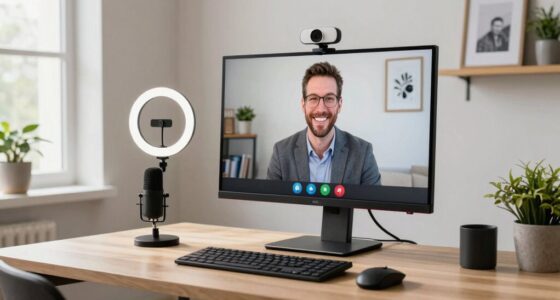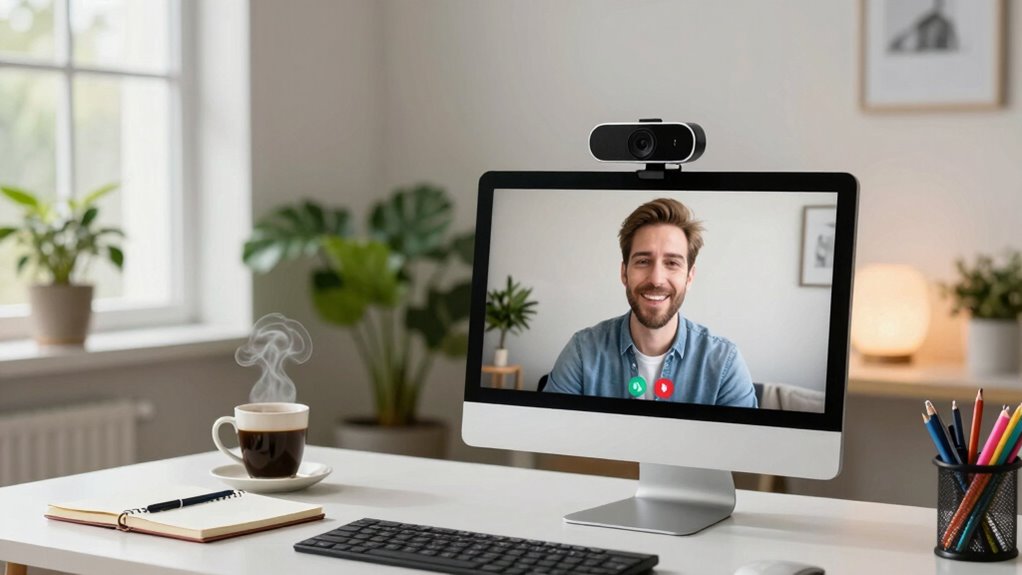

To choose webcam call quality for your workflow, focus on a camera with at least 1080p resolution for sharp visuals. Make certain your lighting is well-balanced, or invest in a webcam with automatic light correction for better clarity in varying conditions. Check that your internet connection is stable and offers enough bandwidth to prevent lag. Consider models with good audio features or external mics for clear sound. Keep these tips in mind, and you’ll discover more ways to optimize your video calls effectively.
Key Takeaways
- Prioritize webcams with at least 1080p resolution for clear, professional visuals.
- Ensure the webcam has adjustable lighting features or works well in various lighting conditions.
- Check compatibility with virtual backgrounds and platform requirements for seamless integration.
- Maintain a stable internet connection with sufficient bandwidth to support high-quality video.
- Opt for webcams with good audio features or built-in microphones for comprehensive call clarity.

When selecting a webcam for your calls, understanding how to evaluate call quality is vital. Your choice impacts how you appear on screen, how professional your presence feels, and how smoothly your communication flows. One of the key factors to weigh is resolution. Look for webcams that offer at least 1080p, which provides clear, sharp images suitable for professional meetings or content creation. Higher resolution cameras can improve your appearance, especially if you often share visual materials or need to convey detail. Additionally, resolution quality plays a significant role in how well your video communicates clarity and professionalism. Ensuring your webcam supports video clarity features can further enhance your overall call experience. Lighting adjustments are equally important. Even the best camera can struggle in poor lighting conditions, resulting in grainy or dull images. Choose a webcam that performs well in various lighting environments and consider whether it has automatic or manual adjustments. Some webcams come with built-in light correction features that adapt to your surroundings, reducing shadows and enhancing clarity. To maximize call quality, invest in good lighting in your workspace, ensuring your face is well-lit and evenly illuminated. Proper lighting helps your webcam produce a more natural and professional appearance, which is essential during important meetings. Good lighting can also help mitigate poor lighting conditions that might otherwise diminish your video quality. Additionally, understanding your internet bandwidth requirements is crucial, as insufficient bandwidth can cause lag and reduce overall video quality. Using bandwidth management techniques can help prioritize your video traffic and maintain a stable connection. Virtual backgrounds are a popular feature that can elevate your video calls, especially if your environment isn’t camera-ready or you want to maintain privacy. When selecting a webcam, check whether it supports virtual backgrounds seamlessly. A camera with good autofocus and background separation capabilities will make virtual backgrounds look more realistic and less distracting. Keep in mind that some virtual backgrounds require powerful processing or specific software, so choose a webcam compatible with your preferred platform. Using virtual backgrounds can help you maintain a professional look, hide clutter, or add a touch of creativity to your calls. Beyond visual quality, consider audio features if your calls often involve voice communication. Some webcams include built-in microphones with noise reduction or stereo sound, which can improve overall call clarity. However, for the best audio experience, you might still want to invest in an external microphone.
As an affiliate, we earn on qualifying purchases.
Frequently Asked Questions
How Does Lighting Affect Webcam Call Quality?
Lighting greatly influences your webcam call quality. A good lighting setup guarantees your face is well-lit and clear, avoiding shadows or glare. Natural illumination works best when you face a window, providing soft, even light. Avoid harsh backlighting, which can make you appear dark or silhouetted. Proper lighting helps your camera capture better detail, making your video look professional, vibrant, and easy to see, enhancing overall communication.
What Is the Ideal Webcam Resolution for Professional Calls?
For professional calls, a webcam resolution of at least 1080p is ideal, as it provides clear, sharp images that convey confidence. You should also focus on webcam placement—position it at eye level—and minimize background clutter to maintain a professional appearance. Notably, studies show that clear video quality improves perceived credibility by up to 30%. Prioritize high resolution, proper placement, and a tidy background to make a strong impression.
How Can I Improve Audio Quality During Webcam Calls?
To improve audio quality during webcam calls, start by adjusting your audio settings for clarity and noise reduction. Make certain your microphone is positioned correctly—close enough to pick up your voice clearly but not so close that it causes distortion. Use a dedicated microphone if possible, and minimize background noise. Testing your setup beforehand helps identify issues, so you can make quick adjustments and maintain professional, crisp audio throughout your calls.
Do I Need a High-Speed Internet Connection for Good Video Quality?
Think of your internet connection as the highway your video travels on; a high-speed lane guarantees smooth traffic. Yes, you need a high-speed internet connection for good video quality because adequate bandwidth requirements prevent your footage from pixelating or freezing. Faster internet speeds allow your webcam to transmit clearer images, making your calls feel more like in-person conversations. Without it, your video quality suffers, leaving your audience guessing what you’re saying.
Which Webcam Features Are Most Important for Workflow Efficiency?
You should prioritize a webcam with a high frame rate and excellent lens quality for workflow efficiency. A higher frame rate guarantees smoother video during calls, reducing lag and motion blur, while superior lens quality provides sharper images and accurate colors. These features help you communicate clearly and professionally, minimizing distractions. Opt for webcams with at least 30 fps and quality lenses to enhance your overall video experience and productivity.
webcam with automatic light correction
As an affiliate, we earn on qualifying purchases.
As an affiliate, we earn on qualifying purchases.
Conclusion
Choosing the right webcam call quality is like tuning an instrument—you want it to be just right, not too sharp or too dull. When you find that perfect balance, your workflow flows seamlessly like a gentle stream, and communication becomes a smooth melody. Trust your needs, experiment a little, and let your setup shine like a lighthouse guiding your ideas to others. With the right choice, every call becomes a clear, bright note in your symphony of work.
external microphone for clear audio
As an affiliate, we earn on qualifying purchases.
As an affiliate, we earn on qualifying purchases.
webcam with virtual background support
As an affiliate, we earn on qualifying purchases.
As an affiliate, we earn on qualifying purchases.