

You shape stronger user experiences by understanding how cognitive load affects how easily users can process information. When interfaces are cluttered or complicated, users experience frustration or forgetfulness, leading to abandonment. By reducing unnecessary complexity, using clear labels, and designing with natural information flow in mind, you help users focus and feel confident. Incorporating visual aids like icons and breaking content into manageable chunks makes experiences more accessible. Keep exploring to uncover more ways you can create intuitive, memorable digital environments.
Key Takeaways
- Reducing cognitive load helps users process information more efficiently, leading to improved understanding and satisfaction.
- Simplified interfaces prevent overload, making navigation intuitive and encouraging continued engagement.
- Applying cognitive principles aligns design with natural information processing, enhancing usability and trust.
- Chunking information and using visual aids ease mental effort, improving memory retention and comprehension.
- Designing adaptable, progressive disclosure interfaces accommodates diverse cognitive capacities, fostering loyalty and positive experiences.

Understanding how your brain processes information is essential for creating effective user experiences. When you design digital interfaces or products, you need to contemplate how users absorb and retain information. Cognitive load—the mental effort required to process information—directly impacts memory retention and overall usability. If a task demands too much mental effort, users can become overwhelmed, leading to frustration or abandonment. Conversely, when you minimize cognitive load, users can focus more easily, remember key details better, and navigate your product with confidence.
Reducing unnecessary complexity is a primary way to ease cognitive load. For example, cluttered layouts or confusing navigation increase mental effort, forcing users to think harder to find what they need. When you streamline these elements, you make it easier for users to process information quickly. Clear labels, logical flow, and minimal distractions help your audience conserve mental effort, enabling them to remember important features or instructions more effectively. This improved memory retention builds trust and encourages continued engagement. Additionally, understanding cognitive principles enables designers to develop interfaces that align with how the brain naturally processes information. For instance, applying working memory capacity considerations can help prevent overload by limiting the amount of information presented at once.
Another way to manage cognitive load is by chunking information into manageable segments. Instead of overwhelming users with long lists or complex instructions, break content into smaller, digestible parts. Think about how you’d explain a process to a friend—keeping it simple and sequential. When users encounter information in bite-sized pieces, they are less likely to feel mentally exhausted. This approach also enhances memory retention because the brain can more easily store and recall smaller units of data. Moreover, leveraging visual aids such as icons, diagrams, or videos can further reduce mental effort and improve comprehension. They serve as quick references that support textual information. When you incorporate visuals thoughtfully, you make complex ideas more accessible, helping users grasp concepts faster and remember them longer. This synergy between visuals and text reduces the cognitive load associated with deciphering dense or abstract information, making your experience more intuitive.
Finally, anticipate the cognitive limits of your users. Not everyone processes information at the same pace, so designing adaptable interfaces—like adjustable settings or progressive disclosure—can accommodate varying mental efforts. When you respect these boundaries, users feel less strained, which directly improves their memory retention and overall satisfaction. By intentionally reducing cognitive load, you craft user experiences that are not only easier to navigate but also more memorable, fostering loyalty and positive perceptions of your product.
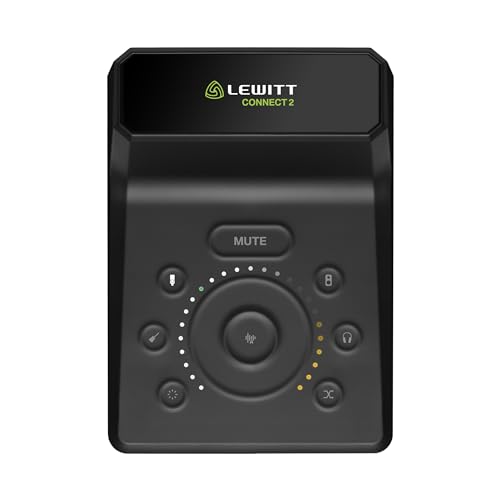
CONNECT 2 – The most user-friendly Audio Interface with XLR and Hi-Z input – Sound sensational with just a few Clicks – Autosetup, Clipguard, Compressor, Denoiser – 3 Preamp Sounds
- Sensational Sound with Few Clicks: Easy and fun recording experience
- AutoSetup for Quick Configuration: Finds optimal settings in seconds
- User-Friendly Sound Tools: Includes Autogain, Denoiser, and Compressor
As an affiliate, we earn on qualifying purchases.
As an affiliate, we earn on qualifying purchases.
Frequently Asked Questions
How Can Developers Measure Cognitive Load in Real-Time?
You can measure cognitive load in real time by monitoring cognitive load indicators like eye movement, pupil dilation, and heart rate variability. Use specialized sensors or software that track these indicators continuously. Integrate these tools into your user testing to gather instant feedback, allowing you to adapt your design dynamically. This approach helps you understand users’ mental effort, ultimately creating more intuitive and user-friendly experiences.
What Are Common Signs of Excessive Cognitive Load in Users?
When users’ minds are overwhelmed, they often show signs of user stress and mental fatigue—like a tangled web of confusion or a fog settling over their thoughts. You might notice hesitation, increased errors, or impatience as they struggle to process information. Their attention wanes, and frustration bubbles up, signaling the cognitive load is too high. Recognizing these cues helps you design smoother, less taxing experiences that keep users engaged and at ease.
How Does Cognitive Load Vary Across Different User Demographics?
Cognitive load varies across different user demographics because of demographic differences and cultural influences. You’ll find that age, education level, and cultural background shape how users process information. For example, younger users might adapt quickly to complex interfaces, while older users may experience higher cognitive load. Cultural influences also impact familiarity with certain symbols or language, making it essential to tailor your design to accommodate these demographic differences for a smoother user experience.
Can Reducing Cognitive Load Improve Long-Term User Retention?
Reducing cognitive load is like clearing the fog from your mind, making it easier to remember and decide. When you lower memory overload and decision fatigue, users stay engaged longer and are more likely to return. By streamlining tasks and minimizing distractions, you create a smoother experience that boosts long-term retention. Less mental strain keeps users motivated and confident, turning one-time visitors into loyal, repeat users.
What Tools Assist in Designing for Optimal Cognitive Load?
You can use tools like wireframing and prototyping software to incorporate design principles that align with user mental models, reducing cognitive load. User flow diagrams and cognitive walkthroughs help identify areas where information overload might occur. Analytics tools reveal where users struggle, allowing you to refine your design. Applying these tools guarantees your interface is intuitive, making it easier for users to process information and enhancing overall user experience.
digital information chunking tools
As an affiliate, we earn on qualifying purchases.
As an affiliate, we earn on qualifying purchases.
Conclusion
Just as the wise see the forest for the trees, understanding cognitive load helps you craft clearer, more engaging experiences. By reducing unnecessary mental clutter, you empower users to navigate your design effortlessly—like a gentle stream guiding a leaf downstream. Remember, simplicity isn’t just elegance; it’s the secret to stronger connections. When you balance challenge with clarity, you create a harmony that keeps users coming back—guided not just by function, but by feeling.

Bump Dots for Visually Impaired – 165 Pcs Low Vision aids Braille Stickers, Tactile Dots for Elderly, Blind, Macular Degeneration Support
- Designed for Low Vision Accessibility: Marks items for easy identification by touch
- Variety of Shapes and Sizes: Includes hemispheres, cylinders, squares from 0.2-0.4 inches
- High Contrast Color Options: Red, yellow, blue, white for better visibility
As an affiliate, we earn on qualifying purchases.
As an affiliate, we earn on qualifying purchases.

Deep Work in 90 minutes: Lock out distractions and get more done in one focused block than most do all day. (Productivity)
As an affiliate, we earn on qualifying purchases.
As an affiliate, we earn on qualifying purchases.