

When designing for edge cases like long names or zero search results, focus on clear, specific feedback to guide users calmly through issues. Guarantee input fields can handle long entries without breaking layouts, perhaps by truncating or wrapping text. For zero results, provide helpful tips and alternative suggestions to keep users engaged. Managing these scenarios thoughtfully enhances user trust and smooths their experience—stay with us to uncover practical strategies for handling these common challenges effectively.

Get art and craft supplies delivered free — and shop member deals
- Fast, free delivery on millions of items
- Access to Prime Big Deal Days deals on October 6–7
- Prime Video, Amazon Music and more included
Key Takeaways
- Implement character limits and truncation to prevent layout issues with long names.
- Provide clear, actionable messages when zero search results occur, such as suggesting alternative keywords.
- Design flexible UI layouts that adapt to varying input lengths and content sizes.
- Offer helpful feedback and guidance to users facing edge cases, enhancing their experience.
- Anticipate and test uncommon scenarios to ensure system stability and maintain user trust.
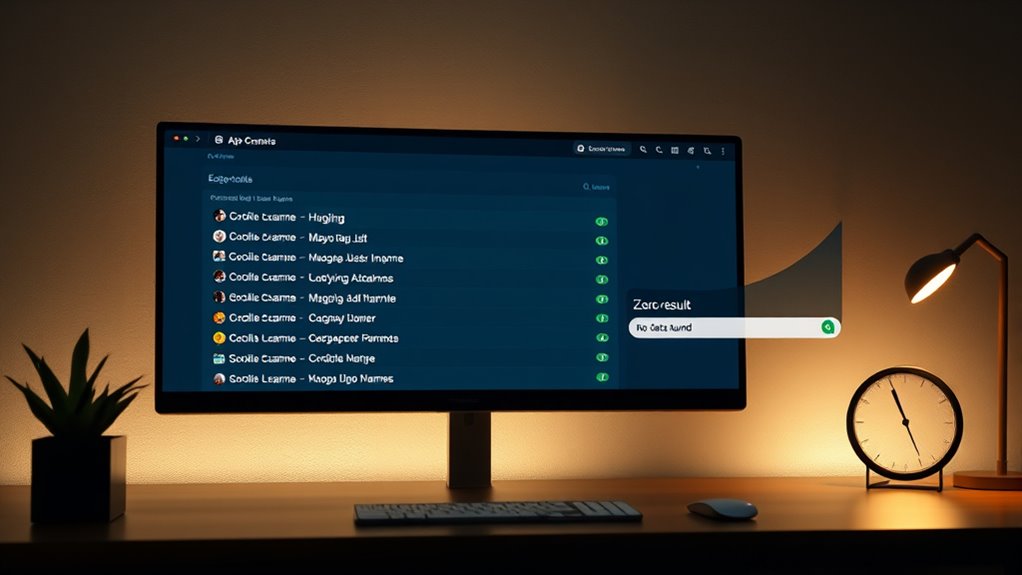
Have you ever wondered why some user experiences break down in unexpected ways? It often comes down to how well you handle edge cases—those unusual situations that don’t fit the normal flow. When users encounter unexpected input or rare scenarios, your design needs to respond gracefully. Error messages and user feedback become critical here. If you neglect these, users can get confused, frustrated, or even abandon your product altogether.
Imagine a user trying to input a very long name into a form. Without proper handling, their input might overflow the designated space or cause layout issues. In these moments, clear error messages are essential. Instead of letting the system crash or display a broken interface, you should provide immediate, understandable feedback. For example, a message like “Name cannot exceed 50 characters” informs the user what went wrong and how to fix it. Good user feedback reassures users that their input is being processed correctly, even when it’s not valid. It guides them toward the right action, reducing frustration and preventing abandonment.
Similarly, consider searches that return zero results. This scenario might seem minor, but it’s a common edge case that needs careful handling. Instead of showing a blank page or a vague “no results found” message, you can enhance the experience by offering helpful tips or suggestions. For example, “No results found. Try different keywords or check your spelling.” This kind of feedback helps users understand what happened and how they might improve their search. It turns a potentially negative experience into an opportunity for guidance.
Designing for edge cases isn’t just about preventing errors; it’s about managing the user’s emotional journey. When errors occur, your response should be immediate, clear, and constructive. Error messages should be polite, specific, and actionable. Avoid generic warnings like “Error” or “Something went wrong.” Instead, tell users what went wrong and how they can fix it. Good user feedback transforms a potentially frustrating moment into a smooth, understandable interaction. It shows that you anticipate problems and care about the user’s experience.
Additionally, understanding how to handle exfoliation and other skincare concerns through clear communication ensures users get the most benefit without confusion. Ultimately, handling these edge cases with thoughtful error messages and helpful user feedback makes your product more resilient and user-friendly. It demonstrates that you’ve considered the unexpected, which builds trust and encourages continued engagement. When users encounter long names, zero results, or other unusual situations, your well-designed responses will guide them calmly through the problem, keeping their frustration low and their confidence high.
As an affiliate, we earn on qualifying purchases.
Frequently Asked Questions
How Do You Prioritize Which Edge Cases to Address First?
You should start with a priority assessment, focusing on edge cases that could cause the most significant user impact or system failure. Consider the likelihood of occurrence and potential risks, then address those with the highest risk mitigation needs first. By tackling critical issues early, you improve overall user experience and system robustness, ensuring less critical edge cases can be managed later without compromising functionality or user satisfaction.
What Tools Are Best for Testing Edge Case Scenarios?
Did you know that 70% of users abandon apps due to poor accessibility? For testing edge case scenarios, you should use tools like Selenium or Cypress for input validation and automated testing. Also, incorporate accessibility testing tools like Axe or Lighthouse. These help identify how your app handles long names or zero results, ensuring inclusivity and robustness. Using these tools makes your testing thorough and efficient.
How Can User Feedback Improve Edge Case Handling?
User feedback plays a vital role in improving edge case handling by highlighting issues you might not anticipate. By gathering insights through data validation and user testing, you can identify where your design struggles with long names, zero results, or other anomalies. Use this feedback to refine your approach, ensuring your system gracefully manages all scenarios. Regularly listening to users helps you create a more resilient and user-friendly experience.
When Should Fallback Options Be Implemented for Edge Cases?
When do you implement fallback options for edge cases? Think of error handling and accessibility considerations as your safety net, ready to catch users when unexpected issues arise. You should deploy fallbacks as soon as you identify potential problems—like long names or zero results—that could hinder user experience. Doing so guarantees your interface remains smooth, inclusive, and reliable, turning potential pitfalls into opportunities for seamless, accessible interactions.
How to Balance Simplicity and Robustness in Design?
You should balance simplicity and robustness by incorporating clear error handling and accessibility considerations from the start. Keep interfaces straightforward, but guarantee they can handle unexpected inputs or edge cases gracefully. Use fallback options to maintain usability without overcomplicating the design. Prioritize accessible error messages and adaptable layouts, so all users, regardless of ability, experience a seamless interaction, even when encountering issues or unusual data.
As an affiliate, we earn on qualifying purchases.
Conclusion
By thoughtfully considering edge cases, you create a more resilient and welcoming experience for all users. Sometimes, even the most unexpected scenarios can add a touch of charm to your design’s story. Embrace these moments as opportunities to refine your work and make it truly adaptable. Remember, a little extra care can turn potential hurdles into subtle nuances, ensuring your project feels polished and inviting—like a well-worn path that invites everyone to explore further.
error message display for zero results
As an affiliate, we earn on qualifying purchases.
As an affiliate, we earn on qualifying purchases.
As an affiliate, we earn on qualifying purchases.
Fall Picks
fall essentials
As an affiliate, we earn on qualifying purchases.