Parallax and scroll-triggered animations turn static websites into dynamic storytelling tools that captivate your visitors. By creating depth and guiding attention through layered effects, you make your content more engaging and memorable. These animations help you direct user focus, reveal information gradually, and craft immersive experiences. When used thoughtfully, they enhance your site’s visual appeal and message delivery. Keep exploring to discover how these techniques can completely transform your web storytelling.

Get art and craft supplies delivered free with Prime
- Fast, free delivery on millions of items
- Prime Video, Amazon Music and more included
- Member-only deals all year
Key Takeaways
- Parallax and scroll animations create immersive, layered experiences that guide users through compelling visual stories on websites.
- These effects add depth and focus, highlighting key messages and enhancing overall storytelling impact.
- Seamless integration of animations during scrolling helps reveal content dynamically, maintaining user engagement.
- Proper use of effects balances visual appeal with message clarity, avoiding overwhelming users.
- Combining parallax and scroll-triggered animations transforms static sites into memorable, interactive narratives.
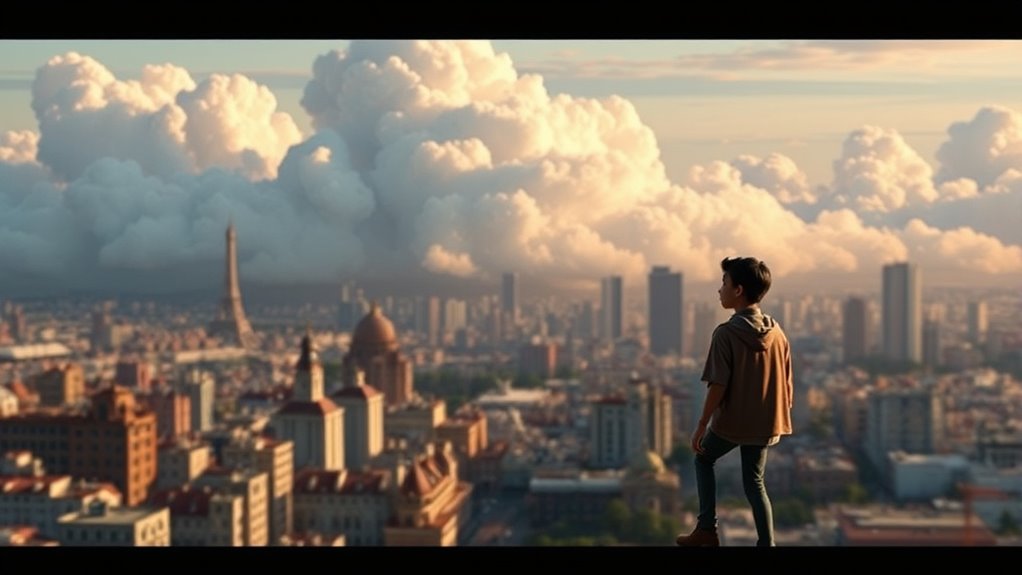
Parallax and scroll-triggered animations have become essential tools for creating engaging and dynamic web experiences. When you use these techniques thoughtfully, you can guide visitors through your content with a sense of depth perception that makes your website feel alive. This added dimension isn’t just about visual flair; it’s a powerful method to enhance storytelling online. As you scroll, your site can reveal layers of information, emphasize key messages, and evoke emotions—transforming passive browsing into an interactive narrative.
Using parallax and scroll animations transforms your website into an engaging, immersive storytelling experience.
Depth perception plays a crucial role in how users interpret your website’s content. By leveraging parallax effects, you create an illusion of spatial layers that move at different speeds. This mimics real-world depth, making elements seem closer or farther away, which naturally draws your visitors’ attention where you want it most. With scroll-triggered animations, elements can appear, fade, or slide into view precisely when you want them to, reinforcing your story’s flow. The combination of these techniques allows your website to feel more immersive, compelling users to explore further rather than simply reading static pages.
Visual storytelling becomes more impactful when you integrate parallax and scroll-triggered animations seamlessly. You can craft narratives that unfold as users scroll, guiding their eye across images, text, and interactive elements in a deliberate sequence. For example, you might have a hero image that gently shifts as users scroll, setting the scene. Then, as they progress, text blocks can slide in with animations that highlight critical points, maintaining engagement throughout the journey. These effects turn your website into a storytelling canvas, where each scroll reveals a new chapter or insight, making your message more memorable.
You don’t need complex coding skills to implement these features effectively. Many modern web design tools and libraries offer user-friendly options to add parallax and scroll-triggered animations. The key is to use them intentionally: avoid overwhelming users with too many effects, and ensure that each animation enhances the message rather than distracting from it. When done right, your site becomes a dynamic storybook, where depth perception and visual storytelling work hand in hand to captivate and inform your audience.
Additionally, understanding how visual storytelling influences user engagement can help you design more memorable experiences. In the end, the goal is to create a web experience that feels natural and engaging. Parallax and scroll-triggered animations give you the ability to craft this environment—drawing viewers into your story with visual cues that feel intuitive and compelling. As visitors navigate your site, they’ll not only absorb your content but also enjoy the journey, making your website memorable and impactful.
parallax scrolling website templates
As an affiliate, we earn on qualifying purchases.
As an affiliate, we earn on qualifying purchases.
Frequently Asked Questions
How Do I Optimize Animations for Mobile Devices?
To optimize animations for mobile devices, focus on making them touch-friendly and battery-efficient. Use simple, lightweight animations that respond well to touch interactions, avoiding complex or resource-heavy effects. Implement CSS transitions and animations instead of JavaScript whenever possible, as they consume less power. Limit the number of animations running simultaneously, and test across various devices to guarantee smooth performance without draining the battery, enhancing user experience.
What Are Common Accessibility Concerns With Scroll Animations?
You should be aware that scroll animations can hinder accessibility by affecting keyboard navigation and screen reader compatibility. Animations might distract or confuse users relying on keyboard controls, making it harder to navigate your site. To improve accessibility, verify animations are optional or can be paused, and test with screen readers. Keep content understandable and navigable without relying solely on visual effects, so all users can access your storytelling effectively.
How Can I Ensure Cross-Browser Compatibility?
Imagine you’re a web wizard in a pixelated kingdom. To guarantee cross-browser compatibility, test your animations on all major browsers and devices, just like a modern-day alchemist. Use fallback strategies like static images or simplified animations for older browsers, and leverage feature detection tools like Modernizr. Keep your code clean and up-to-date, ensuring your storytelling magic works seamlessly across the web’s diverse landscapes.
What Are the Best Tools for Creating Parallax Effects?
You should try tools like Adobe After Effects, Webflow, and ScrollMagic to create stunning parallax effects. These tools let you easily adjust layer depth and create dynamic parallax layers, giving your website a mesmerizing sense of depth. With Webflow, you can design without coding, while After Effects helps craft complex animations. ScrollMagic integrates well with JavaScript to trigger animations as users scroll, making your storytelling more engaging.
How Do I Measure the Impact of Scroll-Triggered Storytelling?
To measure the impact of scroll-triggered storytelling, track user engagement through analytics tools like Google Analytics or Hotjar. Focus on metrics such as scroll depth, time on page, and bounce rates to gauge how effectively your story captures attention. You can also gather direct feedback via surveys or heatmaps. These insights reveal how well your storytelling resonates and helps refine future scroll-triggered strategies for maximum user engagement and storytelling effectiveness.
scroll-triggered animation tools
As an affiliate, we earn on qualifying purchases.
As an affiliate, we earn on qualifying purchases.
Conclusion
Remember, a picture is worth a thousand words. By blending parallax and scroll-triggered animations, you craft immersive storytelling that captivates your audience. These techniques add depth and movement, making your website more engaging and memorable. Don’t be afraid to experiment and push boundaries—after all, the devil is in the details. With a little creativity, you can turn your web pages into dynamic stories that leave a lasting impression.
web animation libraries for storytelling
As an affiliate, we earn on qualifying purchases.
As an affiliate, we earn on qualifying purchases.
As an affiliate, we earn on qualifying purchases.
Halloween Picks
halloween
As an affiliate, we earn on qualifying purchases.