
When choosing a creative laptop, focusing on specs alone isn’t enough. Your workflow, software compatibility, and peripheral support matter just as much, ensuring your device runs smoothly and reliably. A powerful processor or high RAM won’t guarantee good performance if components don’t work well together. Prioritizing how well the laptop supports your artistic needs leads to better results and fewer frustrations. Keep exploring to discover how to pick a device that truly meets your creative demands.

Get art and craft supplies delivered free — and shop member deals
- Fast, free delivery on millions of items
- Access to Prime Big Deal Days deals on October 6–7
- Prime Video, Amazon Music and more included
Key Takeaways
- Compatibility with specific software ensures stability and prevents crashes, regardless of raw hardware specs.
- Hardware integration and workflow support are crucial for seamless creative processes.
- Meeting software and peripheral requirements improves productivity and reduces connectivity issues.
- Focusing on functionality tailored to artistic needs yields better results than chasing high specs.
- Reliable performance depends on how well hardware components work together, not just their individual specifications.

Are you overwhelmed by the countless options when choosing a laptop? It’s easy to get caught up in specs—like processor speed, RAM, and storage—thinking those are the only things that matter. But when you’re into creative work, especially digital art, there’s more to consider. A powerful processor and high RAM are important, but they don’t guarantee your laptop will support your creative projects smoothly. You need a device that aligns with the demands of your art software and ensures compatibility.
Digital art programs can be surprisingly demanding, and not all laptops are created equal in supporting them. Software compatibility becomes a crucial factor because if your laptop can’t run the software you rely on, all the fancy specs won’t help. For example, some creative tools perform better on certain operating systems or require specific graphics cards. You might find a laptop with impressive benchmarks but struggle with crashes or lag because it doesn’t play well with your preferred digital art applications. That’s why, when you’re shopping, you should look beyond raw numbers and focus on whether the laptop is suitable for your creative workflow.
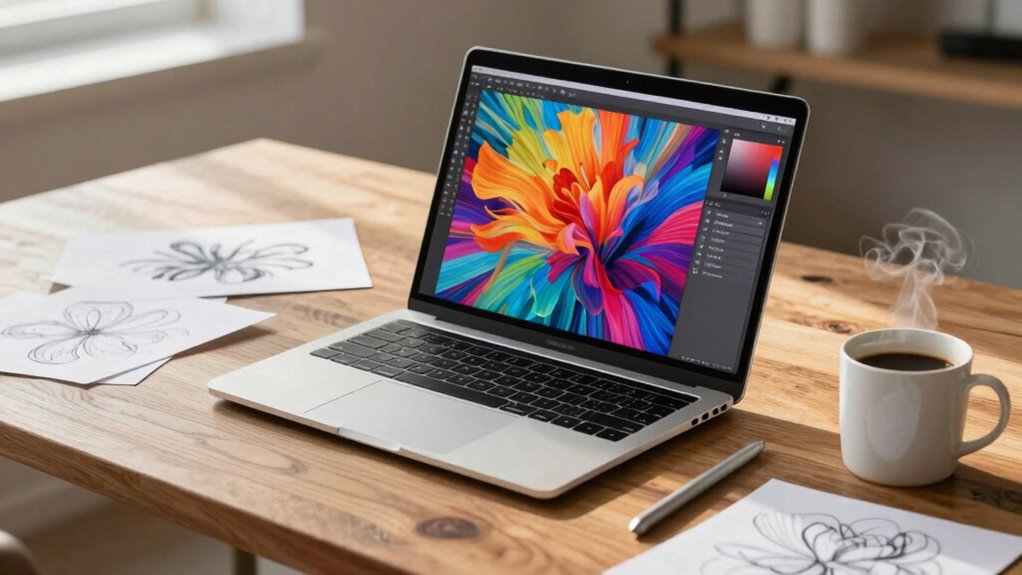
Understanding your software’s requirements is key. Check the recommended specifications from the developers and see if the laptop you’re eyeing meets or exceeds those. If you work with programs like Adobe Photoshop, Illustrator, or Corel Painter, ensure the device has a compatible GPU and enough processing power to handle complex layers and high-resolution files. Not all laptops support stylus input or have the necessary display quality for detailed digital art, so consider these factors too. The hardware compatibility of your device with digital art peripherals can prevent future frustrations and improve your overall creative experience. Additionally, software requirements should guide your choice, as meeting or exceeding these ensures stability and performance. Being aware of these software compatibility issues can save you time and money in the long run. It’s also helpful to research how well your chosen hardware integrates with digital art peripherals, as seamless connectivity can significantly enhance your workflow.
In addition, hardware specifications alone don’t guarantee seamless performance; how well the components work together is equally important. Ultimately, choosing a creative laptop isn’t just about chasing the highest specs. It’s about finding a machine that supports your specific digital art needs and offers software compatibility. You want a device that’s reliable, efficient, and tailored to your creative process. When you prioritize how well a laptop works with your software, you invest in a tool that enhances your productivity and keeps your creative juices flowing. Remember, the best laptop for digital art is the one that aligns with your artistic goals and technical requirements, not just the one with the flashiest specs.
best creative laptops for digital art
As an affiliate, we earn on qualifying purchases.
As an affiliate, we earn on qualifying purchases.
Frequently Asked Questions
How Does Ergonomics Influence Long-Term Creative Work Comfort?
Ergonomics greatly impacts your comfort during long creative sessions. Using ergonomic accessories like adjustable stands, wrist rests, and supportive chairs helps maintain proper posture, reducing strain and fatigue. Effective posture correction prevents long-term issues like back and neck pain, keeping you focused and productive. Prioritizing ergonomic design guarantees your workspace adapts to your body’s needs, making extended creative work more comfortable and sustainable over time.
What Software Compatibility Issues Should I Consider?
Imagine your laptop as a bridge connecting your creativity to the digital world. You’ll want software compatibility to be seamless; otherwise, your bridge might wobble. Check if hardware upgrades are possible without losing compatibility. Also, guarantee your software licensing covers your specific needs, avoiding surprises down the line. This way, your creative flow isn’t interrupted, and your laptop remains a reliable tool for turning ideas into reality.
How Important Is Keyboard and Trackpad Quality?
Keyboard and trackpad quality are essential for your creative work. You want keyboard responsiveness that feels comfortable during long typing sessions and a trackpad with good sensitivity to accurately capture your gestures. Poor quality keyboards can cause fatigue, while a subpar trackpad hampers navigation and precision. Investing in a laptop with a high-quality keyboard and responsive trackpad guarantees smoother workflows, reduces strain, and enhances your overall productivity and creative experience.
Can Design Features Impact My Workflow Efficiency?
Design features can considerably impact your workflow efficiency by enhancing usability and comfort. For example, a well-designed keyboard and trackpad allow you to work longer without fatigue. The aesthetics of your creative software interface can boost inspiration and focus. When your laptop’s design aligns with your creative needs, you’ll find it easier to navigate tools, manage projects, and stay productive, making your entire workflow smoother and more enjoyable.
How Does Build Quality Affect Device Durability?
Think of your laptop as a sturdy bridge—its build quality directly influences its durability. When material durability and structural integrity are high, your device withstands daily wear and tear like a fortress, resisting cracks, twists, and breaks. Poor build quality, however, leaves it vulnerable to damage, risking your creative flow. Investing in solid craftsmanship guarantees your laptop remains a reliable partner, ready to support your ideas without faltering under pressure.
laptop compatible with Adobe Photoshop
As an affiliate, we earn on qualifying purchases.
As an affiliate, we earn on qualifying purchases.
Conclusion
So, when you’re choosing a creative laptop, don’t just chase after specs like they’re golden tickets. Remember, this isn’t just about numbers—it’s about releasing your imagination and transforming your ideas into reality. A laptop that understands your creative spirit can turn you into a legend, conquering entire worlds with a single click. Skip the hype, pick what fuels your passion, and watch your creativity skyrocket beyond the stratosphere!
stylus support laptops for digital drawing
As an affiliate, we earn on qualifying purchases.
As an affiliate, we earn on qualifying purchases.
high performance laptops for graphic design
As an affiliate, we earn on qualifying purchases.
As an affiliate, we earn on qualifying purchases.
Fall Picks
fall essentials
As an affiliate, we earn on qualifying purchases.