To compare 3D printer prototyping effectively, focus on matching your project’s needs with the right technology and materials. Consider how each method—FDM, resin, or SLS—pairs with specific materials to balance speed, detail, and durability. Think about the number of prototypes you need and the level of detail required. Prioritizing these factors helps you choose the most efficient approach. Keep exploring, and you’ll discover key strategies to optimize your prototyping process.

Get art and craft supplies delivered free with Prime
- Fast, free delivery on millions of items
- Prime Video, Amazon Music and more included
- Member-only deals all year
Key Takeaways
- Compare 3D printers based on material compatibility, focusing on suitability for prototypes’ required strength, detail, and iteration speed.
- Evaluate printing technologies (FDM, resin, SLS) considering project phase, desired detail, and material performance.
- Assess cost-effectiveness by balancing material expenses, print speed, and prototype durability for each technology.
- Match material properties with printer capabilities to optimize prototype quality and reduce errors.
- Prioritize flexibility and scalability in the workflow to ensure efficient progression from concept to high-fidelity prototype.
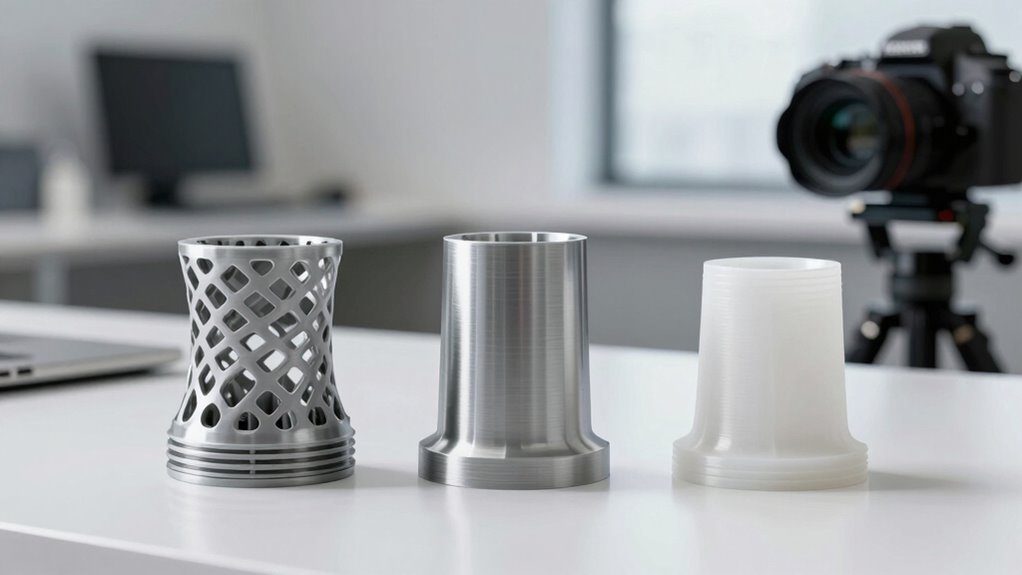
When choosing a 3D printer for prototyping, understanding the strengths and limitations of different technologies is essential. Your material selection plays a pivotal role in shaping your prototype’s functionality and appearance, so you need to contemplate how various materials perform under different printing methods. For example, FDM printers typically work well with plastics like ABS and PLA, which are affordable and easy to work with. However, if your prototype requires higher strength or temperature resistance, you might need to explore resin-based or SLS printers that can handle nylon or composite materials. Your choice of material influences not only the prototype’s final quality but also how many design iterations you can afford to make. Cheaper materials might allow rapid testing and quick modifications, whereas more advanced materials could add to the cost but provide closer simulation of the final product.
Design iteration is another critical factor that impacts your choice of 3D printer technology. In the early stages of prototyping, you’ll want a setup that allows you to quickly produce and test multiple versions of your design. FDM printers are popular for this phase because they typically offer fast turnaround times and lower costs, making it easier to refine your model repeatedly. Resin printers, with their high resolution and smooth finishes, are excellent when your design requires precise details, but they may take longer and be more costly per print. SLS printers, while more expensive and complex, excel in producing functional prototypes with complex geometries that require minimal post-processing. Your decision should align with how many iterations you anticipate, the level of detail needed, and the functional testing involved. Additionally, understanding 3D printing materials and their compatibility with different technologies can significantly influence your prototyping success. Considering technology-specific limitations can help you avoid costly mistakes and select the most suitable method for your project.
Furthermore, being aware of the material properties can help you choose the most suitable printing method for your specific application. Balancing material selection and design iteration enables you to optimize your prototyping process. If you’re in the conceptual phase, prioritize speed and flexibility, choosing printers and materials that let you test ideas quickly and affordably. As your design matures, you might shift to more advanced materials and higher-fidelity printing methods to fine-tune your prototype’s performance. Ultimately, a smarter approach involves understanding how each technology supports your material choices and iterative process, allowing you to make informed decisions that save time, reduce costs, and improve your final product. By carefully weighing these factors, you can streamline your prototyping workflow and bring your ideas to life more efficiently.
FDM 3D printer for rapid prototyping
As an affiliate, we earn on qualifying purchases.
As an affiliate, we earn on qualifying purchases.
Frequently Asked Questions
What Are the Hidden Costs of 3D Printer Prototyping?
The hidden costs of 3D printer prototyping often include underestimated expenses from inaccurate cost estimation and accuracy challenges. You might face additional spending on post-processing, material waste, or multiple iterations due to design flaws. These unforeseen costs can quickly add up, making the process more expensive than initially planned. To avoid surprises, it’s essential to thoroughly evaluate your project’s requirements and anticipate potential issues early in the prototyping phase.
How Long Does a Typical 3D Prototype Take?
On average, a 3D prototype takes about 24 to 48 hours to complete. During this time, you focus on design optimization and material selection, which substantially influence the timeline. Notably, rapid prototyping techniques can cut this process down to just a few hours. Your efficiency depends on the complexity of your design and the materials chosen, but a well-planned process speeds up the overall development.
Which Materials Are Most Suitable for Complex Prototypes?
For complex prototypes, you should consider materials with strong material properties like ABS, nylon, or polycarbonate. These materials offer high durability and excellent strength, making your prototypes more robust and reliable. Additionally, resin-based materials can provide fine details for intricate designs. By choosing materials with the right properties, you guarantee your prototypes withstand handling and testing, ultimately saving you time and resources in the development process.
How Does Post-Processing Impact Overall Prototyping Time?
Post-processing gently extends your prototyping timeline, yet it’s essential for achieving ideal surface finishing and guaranteeing quality assurance. By refining surfaces and removing imperfections, you enhance the prototype’s usability and appearance. While it adds a little extra time, this step ultimately streamlines the development process, reducing the need for future adjustments. Embracing thorough post-processing ensures your prototypes meet high standards, saving time and resources in the long run.
Can 3D Printing Meet High-Volume Production Demands?
3D printing can meet high-volume demands, but scaling challenges often arise. To succeed, you need to maintain consistent quality assurance across large batches, which can be tricky with traditional methods. By implementing advanced monitoring and automated post-processing, you can improve efficiency and guarantee reliable outputs. While it’s not always as fast as mass production, strategic planning and technology upgrades make 3D printing a viable option for high-volume projects.
As an affiliate, we earn on qualifying purchases.
Conclusion
Now that you understand the key differences in 3D printer prototyping options, the choice isn’t always clear-cut. But what if the best solution is just one decision away? The right printer could revolutionize your projects and open new possibilities you haven’t even imagined yet. Stay tuned, because the next step might just be the game-changer you’ve been waiting for—daring you to take that leap into smarter, faster prototyping. Are you ready to find out more?
SLS 3D printer for functional prototypes
As an affiliate, we earn on qualifying purchases.
As an affiliate, we earn on qualifying purchases.
3D printing filament for durability
As an affiliate, we earn on qualifying purchases.
As an affiliate, we earn on qualifying purchases.
Fall Picks
fall essentials
As an affiliate, we earn on qualifying purchases.