To choose the right workspace cable management, consider your current devices and your future needs. Opt for wireless options where possible to reduce clutter and improve flexibility. Use cable organizers like clips, straps, and trays to keep cords tidy and out of sight. Measure your space and select proper cable lengths to prevent tangles. Planning for upgrades guarantees your setup remains neat and efficient. Keep these tips in mind to create an organized, ergonomic workspace that adapts to your workflow.

Get art and craft supplies delivered free with Prime
- Fast, free delivery on millions of items
- Prime Video, Amazon Music and more included
- Member-only deals all year
Key Takeaways
- Assess your current workspace layout to identify cable clutter and plan for organized routing solutions.
- Choose cable management tools like clips, trays, or tubing that suit your device setup and future needs.
- Opt for wireless devices where possible to reduce cable volume and enhance flexibility.
- Ensure cable lengths are appropriate to prevent slack, loops, and maintain a tidy environment.
- Plan for scalability by selecting modular systems that allow easy upgrades and reconfiguration.
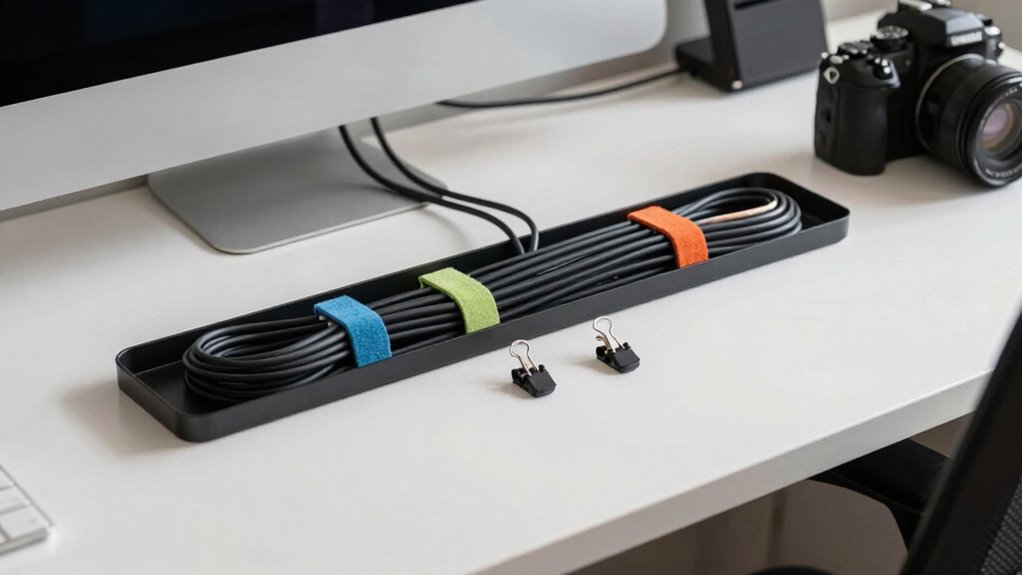
Have you ever struggled with tangled cables cluttering your workspace? It’s a common frustration that can slow you down and make your environment feel chaotic. To regain control, you need a solid cable management plan that fits your workflow. One of the first decisions you’ll face is whether to stick with traditional cables or explore wireless alternatives. Wireless devices, like Bluetooth keyboards, mice, and printers, can eliminate a lot of cable clutter, giving you a cleaner, more organized workspace. They also allow for more flexibility in your setup, making it easier to position equipment in a way that supports your ergonomic setup. When choosing wireless options, consider the reliability of the connection and compatibility with your existing devices. Investing in quality wireless peripherals can reduce the need for multiple cables, which not only declutters your desk but also minimizes wear and tear on ports and cords. Additionally, understanding the importance of a cable management system can help you create a more efficient workspace. Proper cable management also involves selecting the right cable length to prevent excess slack and maintain a tidy environment. Beyond wireless options, think about how your cable management supports an ergonomic setup. A cluttered workspace can lead to poor posture and discomfort, so organizing cables effectively can contribute to your overall comfort and productivity. Use cable trays, under-desk mounts, or conduit tubing to route cables neatly out of sight and prevent them from tangling. Proper cable length selection is vital—avoid excessively long cables that create loops and clutter, but make sure they’re long enough to give you freedom of movement. Velcro straps or cable clips are excellent for bundling cords together and preventing them from slipping or becoming tangled again. Position your power strips strategically, ideally under your desk or along the back edge, to keep cords organized and out of your way. Incorporating ergonomic principles into your cable organization can further enhance your workspace comfort. Additionally, considering future scalability can ensure your setup remains adaptable as your technology needs evolve. Planning for easy upgrades now can save you time and effort later.
wireless keyboard and mouse combo
As an affiliate, we earn on qualifying purchases.
As an affiliate, we earn on qualifying purchases.
Frequently Asked Questions
How Often Should I Update My Cable Management System?
You should update your cable management whenever you notice clutter or potential hazards. Regularly check your cable organization and guarantee power strip placement remains efficient and safe. If you add or remove devices, it’s a good idea to revisit your setup. Keeping cables tidy not only improves workspace aesthetics but also prevents damage. Updating your system every few months or when your workflow changes helps maintain a safe, organized environment.
Can Cable Management Solutions Be Customized for Specific Setups?
Yes, cable management solutions can be customized for specific setups. You can opt for cable organization tools that offer custom fitting options, ensuring everything stays neat and accessible. Customizable solutions like adjustable cable trays, flexible cable sleeves, and tailored clips let you adapt to your workspace’s unique layout. This way, you can optimize cable organization, reduce clutter, and improve overall workflow efficiency, perfectly matching your setup’s needs.
What Are Eco-Friendly Cable Management Options?
Eco-friendly cable management options include using products made from eco-friendly materials like bamboo, recycled plastics, or biodegradable plastics. You can also opt for sustainable solutions such as reusable cable ties, fabric sleeves, or modular systems designed for longevity and easy recycling. These choices help reduce environmental impact while keeping your workspace organized. By selecting sustainable options, you support eco-conscious practices and create a greener workspace environment.
How Do I Prevent Cable Damage Over Time?
Your cables are more fragile than a spider’s web in a hurricane, so protect them diligently. To prevent damage over time, focus on cable durability and wear prevention by using high-quality, flexible sleeves and cable clips that cushion and secure cords. Avoid sharp bends and excessive tension, regularly inspect for signs of wear, and replace damaged cables promptly. This proactive approach keeps your cables functioning smoothly, extending their lifespan and maintaining your workspace’s efficiency.
Are There Budget-Friendly Cable Management Tips for Small Offices?
You can keep costs low by using budget options like cable clips, zip ties, and adhesive hooks to organize your cables. Regularly checking and tidying up your cables is an easy organizational tip that prevents clutter and damage. Repurposing household items, such as empty containers or binder clips, also works well. These simple, affordable methods help maintain a tidy workspace without breaking the bank.
cable management clips and straps
As an affiliate, we earn on qualifying purchases.
As an affiliate, we earn on qualifying purchases.
Conclusion
Now that you’ve got the scoop on selecting the right workspace cable management, you’re all set to streamline your setup. Remember, a tidy workspace isn’t just about aesthetics—it boosts your workflow and keeps your tech safe. Think of it like a well-organized ship in a bottle, ready to sail smoothly through any storm. So, take charge, get those cables under control, and turn your workspace into a modern marvel that even Leonardo da Vinci would admire!
As an affiliate, we earn on qualifying purchases.
As an affiliate, we earn on qualifying purchases.
Halloween Picks
halloween
As an affiliate, we earn on qualifying purchases.