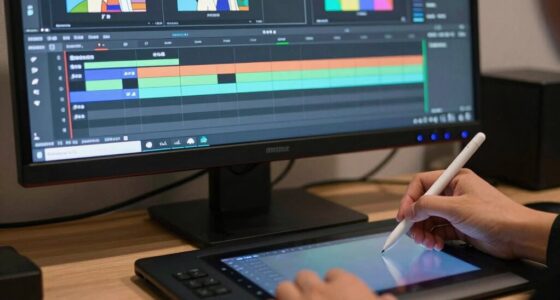
The overlooked rule behind better product animation is mastering the synergy of lighting and camera techniques. You need to intentionally choose how to highlight textures, create mood, and guide viewer focus with different angles and movements. Proper lighting enhances textures and emphasizes features, while dynamic camera work shapes perception and adds emotional impact. When these elements work together seamlessly, your animation becomes more engaging and professional. Keep exploring, and you’ll discover how to turn simple visuals into compelling storytelling tools.

Get art and craft supplies delivered free with Prime
- Fast, free delivery on millions of items
- Prime Video, Amazon Music and more included
- Member-only deals all year
Key Takeaways
- Harmonizing lighting and camera angles creates a cohesive visual narrative that enhances product perception.
- Consistent lighting and perspective choices reinforce brand messaging and emotional impact.
- Thoughtful camera movement and illumination emphasize key features while concealing flaws.
- Proper color management and lighting techniques ensure uniformity across various display platforms.
- Intentional use of lighting and camera synergy transforms simple product shots into compelling stories.
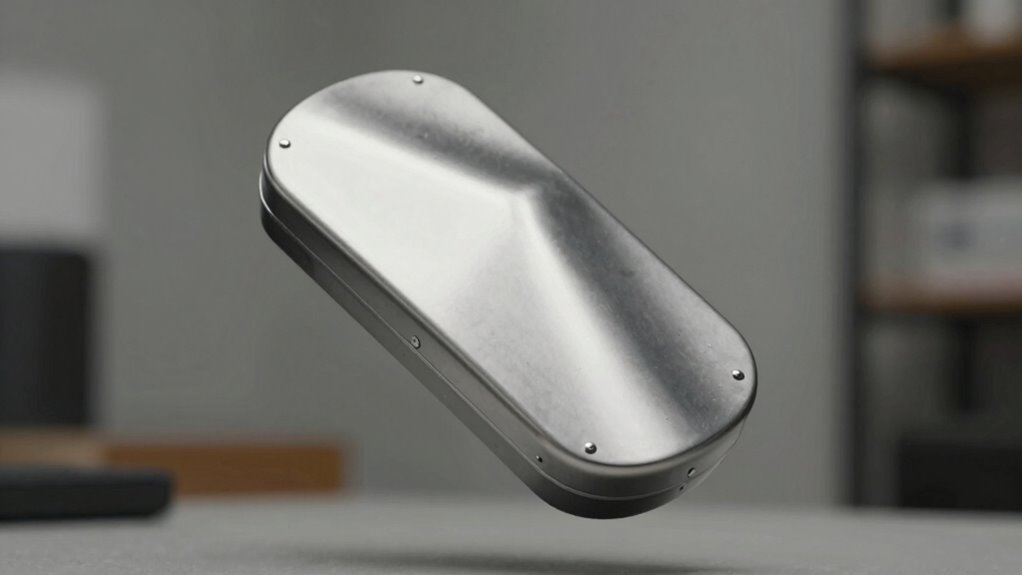
Have you ever wondered what truly sets great product animations apart from the rest? It’s not just about smooth movements or eye-catching visuals; it’s about how you use lighting techniques and camera angles to tell a compelling story. Many overlook these elements, but they are the secret weapons that elevate your animation from good to unforgettable. When you consider lighting, think about how shadows, highlights, and the overall illumination shape the perception of your product. Proper lighting can reveal textures, emphasize key features, and create mood. For example, soft, diffused light might give your product a sleek, modern look, while sharp, directional lighting can highlight intricate details or add a sense of drama. The way you light your scene influences how viewers feel about your product, making it more appealing and memorable. Additionally, understanding template compatibility can help ensure your lighting and camera choices work seamlessly across different platforms and devices. Achieving consistent results across various display types is essential for maintaining a professional appearance. Utilizing color management techniques can further enhance color fidelity and consistency in your animations. Camera angles are equally essential and often underestimated. You need to think beyond just straight-on shots; instead, experiment with angles that showcase your product’s best features. Low angles can give your product a sense of grandeur and importance, making it appear larger and more dominant. High angles can make your product seem more delicate or give a complete view of its design. Dynamic camera movements—like tilts, pans, or zooms—can add energy and focus, guiding viewers’ attention exactly where you want it. When you combine these camera angles with thoughtful lighting, you craft a visual narrative that’s engaging and clear. It’s about controlling how your audience perceives your product, emphasizing its strengths, and hiding imperfections. Most importantly, it’s about consistency and intention. Every shot should serve a purpose, whether it’s to highlight a feature, demonstrate functionality, or evoke emotion. Using lighting techniques and camera angles intentionally, instead of randomly, turns a simple animation into a powerful storytelling tool. You want your audience to not only see your product but to feel connected to it. This means paying attention to how shadows fall across the product, how reflections bounce, and how the camera’s perspective guides their eye. Incorporating lighting techniques thoughtfully can greatly enhance the emotional impact of your animation. Having a clear understanding of visual storytelling principles can also help you craft more compelling narratives through your visuals. When you master these elements, your animations will communicate more effectively, leaving a lasting impression. Ultimately, the overlooked rule behind better product animation is understanding how lighting and camera work together to craft a mesmerizing visual narrative—something that transforms a basic showcase into a truly engaging experience.
product lighting kit for photography
As an affiliate, we earn on qualifying purchases.
As an affiliate, we earn on qualifying purchases.
Frequently Asked Questions
How Does Lighting Affect Product Animation Quality?
Lighting dramatically impacts your product animation quality by emphasizing details and creating mood. Using effective lighting techniques, you can highlight textures and shapes, making the product more appealing. Shadow dynamics play an essential role by adding depth and realism, preventing your animation from looking flat. Proper lighting guides viewers’ attention and enhances overall visual storytelling, ensuring your product stands out and looks professional.
What Software Tools Are Best for Beginner Animators?
Like a trusty toolbox, beginner animators should start with user-friendly software like Blender or Adobe Animate. These tools offer intuitive interfaces and strong community support. As you learn, incorporate color grading to enhance visuals and sound design to add depth. These elements make your animation more engaging. Focus on mastering the basics first, then gradually explore advanced features to bring your product animations to life.
How Can Storytelling Improve Product Animation Engagement?
Storytelling, through visual storytelling and narrative techniques, can profoundly boost your product animation engagement. By crafting a clear, compelling story, you guide viewers’ emotions and attention, making your product memorable. Use visual storytelling to highlight key features naturally within the narrative, creating a flow that resonates. This approach transforms static animations into engaging experiences, encouraging viewers to connect with your product on a deeper level and increasing overall interest and retention.
What Common Mistakes Should I Avoid in Product Animation?
Avoid common pitfalls that can sink your product animation’s effectiveness. Don’t ignore product timing—rushing through or dragging out scenes can lose viewer interest. Keep camera angles consistent to prevent confusion and maintain focus. Think of your animation as a story; every frame should serve a purpose. Steer clear of cluttered visuals and abrupt movements, which can distract viewers. Instead, craft smooth, intentional shifts to guide your audience seamlessly.
How Long Does It Typically Take to Master Product Animation Skills?
Mastering product animation usually takes several months to a year, depending on your dedication and practice. During this time, you’ll learn to refine character movement, making animations more natural, and improve color harmony to enhance visual appeal. Consistently practicing, studying tutorials, and analyzing professional work help you develop these skills faster. Remember, patience and persistence are key to transforming basic techniques into mesmerizing, professional-quality animations.
camera angles for product videos
As an affiliate, we earn on qualifying purchases.
As an affiliate, we earn on qualifying purchases.
Conclusion
Think of your product animation as a dance. When you follow the overlooked rule, you’re not just moving randomly—you’re syncing every step with purpose and rhythm. This harmony guides your audience smoothly through your story, making the experience memorable. When you embrace this hidden rule, your animation becomes a dance that captivates, leaving viewers with a lasting impression. Remember, it’s not just about the moves; it’s about the story they tell together.
product animation lighting equipment
As an affiliate, we earn on qualifying purchases.
As an affiliate, we earn on qualifying purchases.
professional camera tripod for product shots
As an affiliate, we earn on qualifying purchases.
As an affiliate, we earn on qualifying purchases.
Halloween Picks
halloween
As an affiliate, we earn on qualifying purchases.