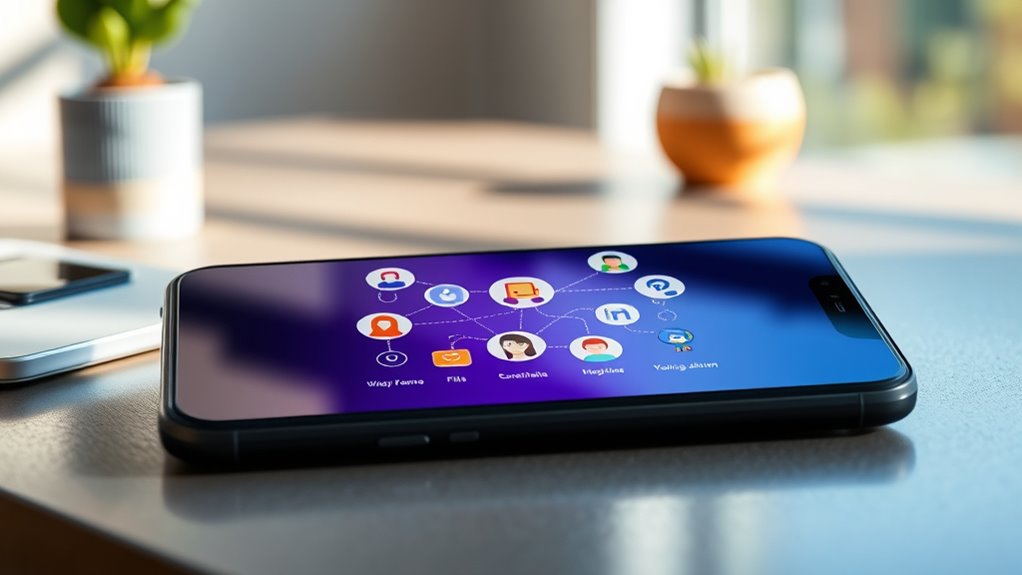

Onboarding animations play a crucial role in guiding you through a product by making your first interactions smooth and engaging. They help you quickly grasp key features, reduce confusion, and make the experience feel natural. Thoughtfully animated shifts and visual cues create a polished look and foster a connection with the app. If you want to discover how to craft effective onboarding animations that truly guide users like you, there’s more to explore ahead.

Get art and craft supplies delivered free with Prime
- Fast, free delivery on millions of items
- Prime Video, Amazon Music and more included
- Member-only deals all year
Key Takeaways
- Use onboarding animations to highlight key features and guide users naturally through product functionalities.
- Incorporate animated transitions to create a seamless and engaging onboarding experience.
- Leverage visual cues and highlights to direct attention and reduce user confusion.
- Tell a compelling story through animations that build emotional connection and product understanding.
- Enhance professionalism and trust by integrating smooth, high-quality animated interactions.

Onboarding animations play a crucial role in creating a smooth and engaging first impression for new users. When you open a new app or website, the way it introduces itself can determine whether you stay or bounce away. Well-designed onboarding animations help you understand the product quickly, making the user interface more intuitive and inviting. They serve as visual cues that guide you seamlessly through key features, reducing confusion and frustration. This initial experience sets the tone for your overall user engagement, making it more likely you’ll explore further and develop a positive perception of the product.
Effective onboarding animations create a welcoming first impression, guiding users seamlessly and encouraging continued engagement with the product.
As you navigate through onboarding, animations act as a bridge between static content and interactive elements. Instead of bombarding you with lengthy tutorials or complex instructions, they animate key points or actions, capturing your attention and making learning feel natural. For example, animated transitions between screens or highlights on buttons draw your eye to important features without overwhelming you. These subtle cues help you grasp the functionality faster, which in turn enhances your confidence and willingness to explore more. The goal is to make the onboarding process feel seamless, almost like a conversation rather than a chore.
In terms of the user interface, onboarding animations add a layer of polish and professionalism. They can soften the rawness of digital interfaces, making the experience more human and relatable. Think of animations as the friendly gestures that guide your hand through the app, helping you understand where to look and what to do next. When used thoughtfully, they can create a sense of flow that feels natural, encouraging you to stay engaged from the moment you first launch the product. This improved interaction fosters user engagement because you’re less likely to feel lost or overwhelmed, and more likely to keep exploring what’s offered.
Furthermore, effective onboarding animations are not just about aesthetics; they’re about storytelling. They help you connect emotionally with the product’s purpose by emphasizing its value in a fun, memorable way. Instead of static explanations, you experience a dynamic introduction that hooks you right away. This can increase your motivation to continue using the product, boosting retention rates. Additionally, incorporating high refresh rates in animations can make transitions smoother and more appealing, ultimately enhancing the overall user experience. When the onboarding process is smooth and visually appealing, you’re more inclined to trust the app or website, view it as professional, and feel motivated to integrate it into your routine.
Popular right now

De'Longhi Rivelia Fully Automatic Espresso Machine with Milk Frother, White

Bose QuietComfort Wireless Noise-Cancelling Over-Ear Headphones, Black

Dyson Cyclone V10 Origin Cordless Vacuum
As an affiliate, we earn on qualifying purchases.
Frequently Asked Questions
How Do Onboarding Animations Impact User Retention?
Onboarding animations boost user retention by enhancing the visual flow, making it easier for you to understand features quickly. They create an emotional appeal, engaging you from the start and fostering a positive perception of the product. When animations are smooth and mesmerizing, they reduce frustration, encourage continued use, and build a stronger connection with the app. Ultimately, well-designed onboarding animations keep you motivated to explore and stick around longer.
What Are Common Mistakes to Avoid in Onboarding Animations?
You should avoid inconsistent visual styles and poor animation timing in onboarding animations. Maintaining visual consistency helps users feel comfortable and trust your product, while smooth, well-timed animations keep their attention and prevent frustration. Don’t rush through animations or drag them out too long, as that can cause disengagement. Focus on clear, cohesive visuals and precise timing to create an engaging, seamless onboarding experience that guides users effectively.
How Can Animations Be Personalized for Different User Segments?
Imagine your animations transforming into chameleons, perfectly blending with each user’s needs. By leveraging user segmentation, you can craft personalized experiences that feel tailor-made. You tailor animations based on user behavior, preferences, or demographics, making each onboarding journey unique. This approach boosts engagement and satisfaction, ensuring that every user feels understood and valued. Personalization through segmentation turns generic onboarding into a memorable, targeted experience that resonates deeply.
What Tools Are Best for Creating Onboarding Animations?
You should consider tools like Adobe After Effects for creating engaging motion graphics and interactive design. Canva and Figma also offer user-friendly options with animation features, enabling you to craft compelling onboarding animations. For more advanced needs, tools like Principle or Lottie allow you to develop lightweight, interactive animations that enhance user experience. These tools help you produce visually appealing onboarding sequences quickly and efficiently.
How Do Animations Influence User Understanding and Engagement?
A picture is worth a thousand words, and animations boost understanding by turning complex ideas into visual storytelling. They make your onboarding more engaging, fostering emotional engagement that helps users connect with your product. When you use animations effectively, you guide users smoothly through features, reducing confusion and increasing retention. Ultimately, animations turn passive viewers into active participants, making your onboarding memorable and impactful, leading to happier, more engaged users.
Conclusion
By using onboarding animations effectively, you guide users seamlessly through your product, making the experience engaging and intuitive. Imagine a new fitness app where animated illustrations highlight how to log workouts—users feel confident from the start. Just like that, well-crafted animations turn onboarding into a smooth journey, reducing confusion and boosting retention. So, invest in thoughtful animations, and watch your users become loyal advocates who navigate your product effortlessly.