Before upgrading your wide gamut workflow, make sure your monitor supports the color spaces you need, like Adobe RGB or DCI-P3, and verify its actual coverage. You’ll want to calibrate regularly to maintain color accuracy and invest in proper hardware and software that support calibration and profile management. Also, consider your workspace lighting, as external factors can affect color perception. To optimize your setup and get the most out of your upgrade, there’s more to explore ahead.
Key Takeaways
- Assess your monitor’s actual color space coverage (e.g., Adobe RGB, DCI-P3) before upgrading to ensure compatibility.
- Verify your hardware supports proper calibration, profile management, and can fully utilize wider color gamuts.
- Ensure your graphics card and software are compatible with wide gamut workflows for seamless integration.
- Maintain a controlled workspace with optimized lighting to accurately perceive colors on upgraded displays.
- Regularly calibrate and manage color profiles to sustain color accuracy over time in your new workflow.
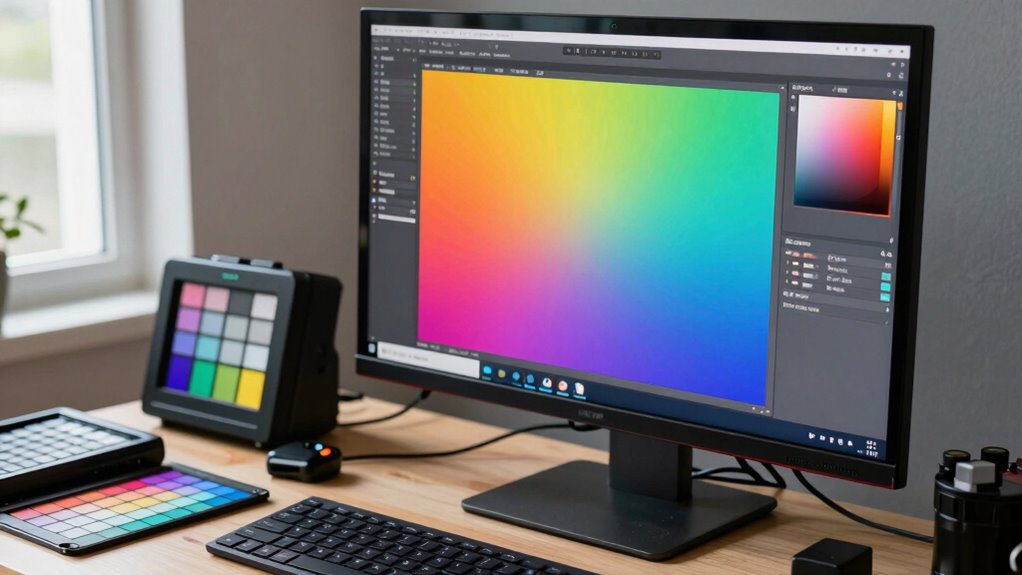
Upgrading to a wide gamut workflow can considerably enhance your color accuracy and image quality, but it requires careful planning and adjustments. Before making the switch, you need to understand how vital proper color calibration is. Wide gamut displays can produce a broader spectrum of colors, but if your monitor isn’t calibrated correctly, you risk inconsistent and inaccurate results. Monitor calibration becomes your first step; it ensures that your display reproduces colors as intended. Invest in a reliable calibration device and dedicate time to calibrate your monitor regularly, especially after any updates or changes to your system. Proper calibration guarantees that what you see on your screen aligns with industry standards and color profiles, minimizing surprises when your work transitions to print or other media. Additionally, understanding the color space coverage of your monitor helps you determine whether it truly benefits from a wide gamut workflow. Knowing the limitations of your current setup helps you prepare for the upgrade. Many displays claim to be wide gamut, but their actual color coverage varies. You should verify your monitor’s color space coverage—ideally, it should support Adobe RGB or DCI-P3 color spaces, depending on your workflow needs. Recognize that not all hardware can fully leverage the benefits of a wide gamut workflow without proper calibration and profile management. This means assessing your existing hardware and planning for potential upgrades, such as graphics cards or color management software, to fully utilize the wider color spectrum. It’s also helpful to understand the hardware capabilities that influence your workflow’s effectiveness and ensure your equipment is up to the task. Proper hardware compatibility and support are essential for seamless integration and achieving optimal results. A thorough understanding of color management systems and their integration into your workflow can significantly improve your color consistency across devices. Color calibration isn’t a one-time task; it’s an ongoing process that requires consistent adjustments. Establish a routine calibration schedule to maintain color accuracy over time, especially if you work in environments with changing lighting conditions. Using calibrated hardware profiles ensures that your software understands how to interpret the color data correctly, maintaining consistency across your editing, printing, and viewing environments. Finally, it’s important to be aware of how color perception can vary based on your workspace conditions, as even perfect calibration can be affected by external factors. Don’t overlook the importance of viewing conditions. Your workspace lighting, monitor placement, and ambient light all influence color perception. Even with perfect calibration, poor lighting can distort how colors appear, defeating your efforts. Consider investing in controlled lighting and positioning your monitor to minimize glare and reflections. By combining proper monitor calibration, a thorough understanding of your hardware capabilities, and an optimized viewing environment, you’ll be well-prepared to unlock the full potential of your wide gamut workflow, producing more accurate and vibrant images with confidence.

datacolor Spyder – Monitor Calibrator for Graphic Designers, Photographers, and Content Creators, Shows You True Colors, Works on OLED Monitors & LED Screens, Easy-to-Use Color Calibration Tool
Color “Surprises” Are a Thing of the Past: Datacolor’s exclusive DevicePreview TM Beta feature simulates what your photos…
As an affiliate, we earn on qualifying purchases.
As an affiliate, we earn on qualifying purchases.
Frequently Asked Questions
How Does Wide Gamut Affect File Storage Requirements?
Wide gamut affects file storage requirements because it captures a broader range of colors, which means your files become larger to maintain color accuracy. You’ll need more storage capacity to accommodate these bigger files without sacrificing quality. As you upgrade, expect increased data sizes, so make certain your storage solutions are scalable. This way, you preserve color accuracy while managing storage efficiently and avoiding workflow bottlenecks.
What Software Compatibility Issues Might Arise With Wide Gamut Workflows?
Your workflow might face software compatibility issues that could feel like battling a dragon. Some applications may struggle with wide gamut color management, leading to color shifting or inaccuracies. You might also encounter problems with software integration, where certain tools don’t support the expanded color spaces properly. To avoid this chaos, make certain your editing and color management software are fully compatible with wide gamut workflows before upgrading, saving you major headaches later.
Are There Specific Hardware Recommendations for Wide Gamut Editing?
For wide gamut editing, you should use hardware that supports high color accuracy and can be hardware calibrated, like professional-grade monitors with wide color gamuts such as Adobe RGB or DCI-P3. Make certain your graphics card can handle the increased color data without bottlenecks. Regular hardware calibration helps maintain color consistency, preventing shifts that could compromise your workflow. Investing in reliable hardware ensures your edits stay true across all devices and outputs.
How Does Wide Gamut Impact Color Calibration and Monitor Calibration?
Like tuning a fine instrument, wide gamut impacts your color calibration and monitor calibration procedures. It demands precise adjustments to guarantee color accuracy across a broader spectrum. You’ll need to use specialized calibration tools and follow detailed procedures to match your display’s output with your workflow’s color space. Without proper calibration, colors can appear washed out or overly saturated, compromising your project’s quality and consistency.
What Are Common Pitfalls When Transitioning to a Wide Gamut Workflow?
When shifting to a wide gamut workflow, you should watch out for pitfalls that can affect color accuracy and consistency. Don’t neglect proper calibration, as mismatched devices lead to inaccurate colors. Avoid using incompatible software or hardware that can cause color shifts. Also, be cautious with color management settings, ensuring they’re correctly configured. Finally, don’t forget to update your profiles regularly to maintain consistent, true-to-life colors across all your devices.

Calibrite Display Pro HL Monitor Calibration Colorimeter for LCD Mini LED and OLED Displays, Measure up to 3000 Nits, PROFILER Software, USB C with Adapter, Validation/Color Uniformity Tools
SPECIFICATIONS: HL high luminance sensor colorimeter measures up to 3000 nits, calibrates and profiles LCD mini LED OLED…
As an affiliate, we earn on qualifying purchases.
As an affiliate, we earn on qualifying purchases.
Conclusion
Before upgrading your wide gamut workflow, remember to calibrate your monitors, update your software, and test your color profiles. Make certain your hardware and software are compatible to avoid surprises. Keep your backups handy, stay informed with the latest industry standards, and embrace the learning curve. By preparing thoroughly, you’ll enhance your color precision, boost your confidence, and open new creative possibilities. Stay proactive, stay curious, and enjoy the vibrant world of wide gamut editing.

ASUS ProArt Display 27” 4K HDR Professional Monitor (PA279CRV) – IPS, UHD (3840 x 2160), 99% DCI-P3/Adobe RGB, ΔE < 2, Calman Verified, USB-C PD 96W, DisplayPort, Daisy-Chain, Ergonomic, 3yr Warranty
27-inch 4K (3840 x 2160) LED backlight HDR display with 178° wide-view IPS panel
As an affiliate, we earn on qualifying purchases.
As an affiliate, we earn on qualifying purchases.

California JOS 60 PCS 6 Inches Reusable Cable Ties, Adjustable Cord Straps, Cable Organizer, Cord Wrap and Hook Loop Cords Management – Black
✅Premium quality: Reusable and durable cable ties made from high-quality Nylon microfiber cloth with hook & loop. Cable…
As an affiliate, we earn on qualifying purchases.
As an affiliate, we earn on qualifying purchases.