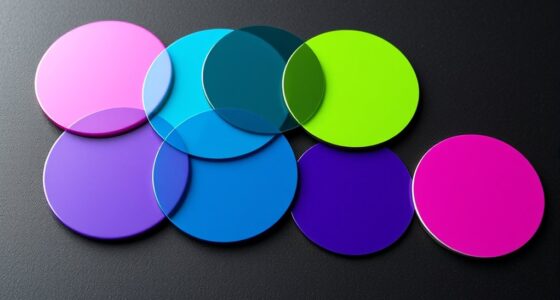
When designing for both dark and light themes, focus on choosing a core color palette that’s flexible and maintains harmony across backgrounds. Use softer, neutral shades for light themes and richer, muted tones for dark ones, ensuring your contrast ratios meet accessibility standards for readability. Balance accent colors carefully to highlight actions without overwhelming the interface. Staying consistent in your color choices creates a seamless experience, and exploring further will reveal how to optimize palette adjustments for every context.

Get art and craft supplies delivered free with Prime
- Fast, free delivery on millions of items
- Prime Video, Amazon Music and more included
- Member-only deals all year
Key Takeaways
- Develop a core color palette adaptable to both light and dark modes with suitable variations for each theme.
- Prioritize high contrast ratios between text and backgrounds to ensure readability and accessibility.
- Use harmonious color schemes like complementary or analogous palettes to maintain visual consistency across themes.
- Select accent colors with sufficient contrast and emotional impact, adjusting their brightness and saturation for each mode.
- Test color combinations in different lighting conditions to optimize user comfort, clarity, and overall aesthetic harmony.

Designing dark and light themes is vital for creating user interfaces that are both visually appealing and easy to use. When you choose your color palettes, focus on maintaining appropriate contrast ratios to guarantee readability and accessibility. Contrast ratios are fundamental because they determine how easily users can distinguish between foreground text and background colors. If the contrast is too low, users with visual impairments or in bright environments might struggle to read your content. Conversely, if it’s too high, the interface can feel harsh or jarring. Striking the right balance means selecting colors that stand out enough for clarity but still work harmoniously within your overall design.
Color harmony plays a significant role in creating cohesive themes that don’t feel disjointed or overwhelming. In light themes, you typically lean toward softer, more neutral tones for backgrounds, with accent colors that pop without causing strain. Dark themes, on the other hand, should incorporate deeper hues and muted tones that reduce eye fatigue, especially in low-light settings. To achieve color harmony, you need to consider how your chosen hues interact—using complementary, analogous, or triadic color schemes can help guarantee your palette feels unified. This harmony not only makes your interface more aesthetically pleasing but also guides users intuitively through different sections or actions without confusion.
When designing for both themes, it’s vital to think about consistency. You want users to seamlessly switch between modes without feeling disoriented. To do this effectively, establish a core color palette that works well in both light and dark contexts. For example, a primary color might be a vibrant blue in the light theme, but in the dark theme, it can be a softer, desaturated version of the same hue. This approach preserves color harmony across themes while adapting to different contrast needs. Keep in mind that certain colors can evoke different emotions depending on their background. Bright reds and yellows work well as accents, but they need careful contrast adjustments to avoid overwhelming the interface. Additionally, understanding contrast ratios is essential for designing accessible themes that cater to all users.
Popular right now

Ninja Specialty Coffee Maker CM401, 10-Cup Carafe, Fold-Away Frother, Black

Roborock Qrevo CurvX Robot Vacuum and Mop

KitchenAid Classic Series 4.5 Quart Tilt-Head Stand Mixer (K45SS), Onyx Black
As an affiliate, we earn on qualifying purchases.
Frequently Asked Questions
How Do Color Contrast Ratios Affect Accessibility in Themes?
Color contrast ratios directly impact contrast accessibility and visual clarity. When contrast is high enough, users with visual impairments can easily distinguish text from backgrounds, making your themes more accessible. If contrast is too low, readability suffers, reducing usability for all users. To guarantee maximum accessibility, you need to choose colors that meet recommended contrast standards, improving overall user experience and inclusivity across dark and light themes.
What Tools Can Assist in Choosing Optimal Color Palettes for Themes?
Choosing color palettes is like assembling a puzzle—you need the right pieces to fit perfectly. You can use color palette generators to explore harmonious options quickly and efficiently. Design system frameworks help guarantee consistency across your themes, guiding your choices. These tools act as your palette’s compass, helping you navigate options and create accessible, visually appealing themes that work seamlessly in both dark and light modes.
How Should Branding Elements Adapt Between Dark and Light Themes?
You should adapt branding elements by maintaining consistency across both themes to reinforce your brand identity. Use contrasting colors to preserve visual hierarchy, ensuring key elements stand out regardless of the background. Adjust brightness and saturation carefully so your logos, fonts, and icons remain recognizable. This way, your branding stays cohesive, and your message remains clear, whether users are in dark or light mode.
Are There Specific Color Combinations Best Suited for Dark Themes?
While no single combo is perfect, you’ll find that subtle, low-contrast color combinations often work best for dark themes. Think about maintaining color harmony to guarantee visual comfort, and use muted, cool tones to set a calming mood. Bright accents can add emphasis without overpowering, helping your design stay cohesive and engaging. Ultimately, balancing these elements creates an inviting, user-friendly experience that adapts seamlessly to dark environments.
How Can Users Customize Themes Without Compromising Design Integrity?
You can allow users to customize themes by offering clear personalization options, such as color pickers, toggle switches, or preset themes. Make sure these options are intuitive and don’t disrupt the overall design integrity. By empowering users to tailor their experience, you enhance user experience while maintaining visual harmony. Regularly test and refine these features to guarantee they’re seamless and visually consistent across various customizations.
Conclusion
Remember, whether you’re creating for the sleek darkness of a sci-fi universe or the bright clarity of a vintage newspaper, your palette choices shape user experience. Keep contrast high, prioritize readability, and don’t be afraid to experiment like a true Renaissance artist. Just as da Vinci would sketch with purpose, approach your themes thoughtfully—after all, a well-designed palette is your modern-day Excalibur, wielding the power to captivate and communicate across any era.