
Many people believe buying ergonomic gadgets, like a fancy mouse or wrist rest, will fix mouse fatigue instantly. But that’s a mistake. Without proper posture, workspace adjustments, or regular breaks, these tools won’t be effective. You need to focus on keeping relaxed shoulders, neutral wrists, and an organized workspace first. If you keep these points in mind, you’ll discover simple ways to improve comfort and prevent fatigue more effectively. Keep going to learn more helpful tips.

Get art and craft supplies delivered free with Prime
- Fast, free delivery on millions of items
- Prime Video, Amazon Music and more included
- Member-only deals all year
Key Takeaways
- Assuming ergonomic gadgets alone will eliminate fatigue without first addressing proper posture.
- Rushing to buy specialized mice or accessories without assessing individual ergonomic needs.
- Overlooking the importance of proper workspace setup and body positioning.
- Ignoring the role of regular breaks and movement in reducing fatigue.
- Believing that new equipment can fix fatigue without making necessary posture adjustments.
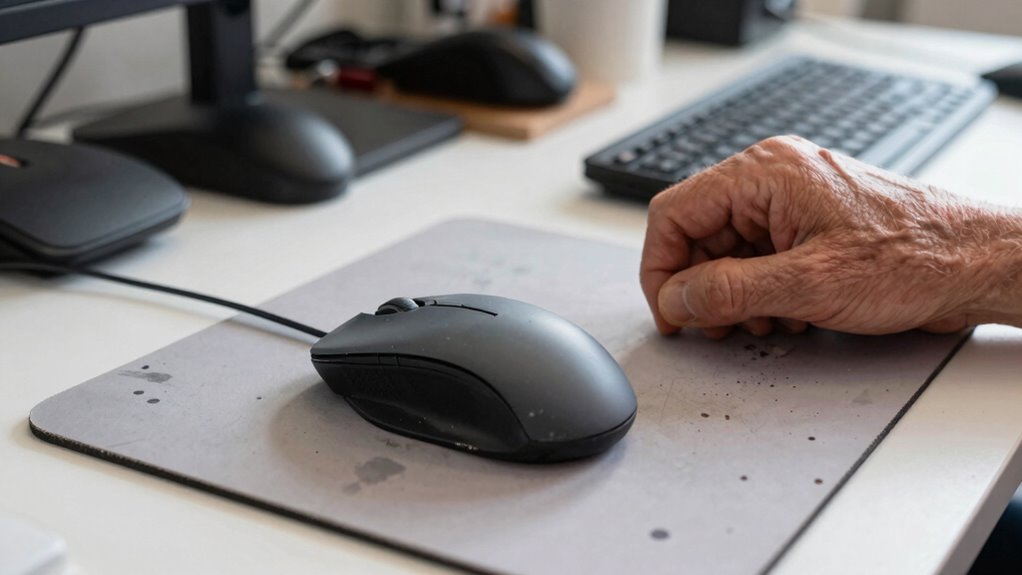
Many people overlook common mistakes that can actually worsen mouse fatigue instead of reducing it. One of the biggest errors is rushing to buy fancy gadgets or ergonomic accessories without first addressing the root causes. Instead of jumping straight into new equipment, you should focus on proper posture adjustments. Poor posture is a leading contributor to fatigue, so making small but consistent changes—like keeping your shoulders relaxed, elbows close to your body, and wrists in a neutral position—can make a significant difference. When your body is aligned correctly, your muscles don’t have to work as hard, which reduces strain and fatigue.
Prioritize proper posture over gadgets to reduce muscle strain and prevent fatigue effectively.
Many assume that ergonomic accessories automatically solve all discomfort issues, but that’s not true. If you purchase an ergonomic mouse or wrist rest without adjusting your posture accordingly, you might not see any relief. Proper posture adjustments involve setting your workspace so that your monitor is at eye level, your chair supports your lower back, and your feet are flat on the floor. These adjustments allow your arms and hands to rest naturally, decreasing the need for excessive gripping or awkward wrist angles. When your body is properly aligned, ergonomic accessories become more effective because they support your natural position rather than forcing it into an unnatural stance.
Another common mistake is neglecting to take regular breaks or stretch during long periods of mouse use. No matter how ergonomic your setup, staying in the same position for hours leads to fatigue. Incorporating movement and mindful stretching into your routine can significantly reduce muscle tension and improve circulation. Additionally, being aware of body mechanics and practicing mindful movement can further reduce fatigue and discomfort. Sometimes, simple stretches or changing your hand position can drastically reduce fatigue without any additional equipment. Recognizing the importance of workspace customization can help you create a more comfortable environment tailored to your specific needs, further minimizing strain.
As an affiliate, we earn on qualifying purchases.
Frequently Asked Questions
How Long Does It Typically Take to See Improvements From Fatigue Reduction?
You can usually notice improvements within a few days to a week after making ergonomic chair adjustments and optimizing your keyboard positioning. Consistently practicing good posture, taking regular breaks, and ensuring your workspace is ergonomically sound help speed up relief. However, everyone’s different, so some might see quicker results, while others need a couple of weeks. Stay patient and keep refining your setup for the best long-term benefits.
Are There Specific Mouse Types Better for Reducing Fatigue?
Gaming mice are often better for reducing fatigue because they’re ergonomically designed for comfort during long use. Wireless mice can also help since they eliminate cable drag, allowing smoother movements. Look for mice with adjustable weights and customizable grips to suit your hand. Both gaming and wireless mice can minimize fatigue if you choose models that fit well and support proper hand positioning, helping you stay comfortable over extended periods.
Can Ergonomic Accessories Alone Eliminate Mouse Fatigue?
Oh, surely ergonomic accessories alone will banish mouse fatigue forever? Not quite. While they help, you need a mouse design that fits your hand and promotes healthy movement. Relying solely on accessories is like trying to fix a leaky faucet with a band-aid. For real relief, you must consider both ergonomic accessories and a thoughtfully designed mouse, ensuring comfort isn’t just an accessory but a priority in your workspace.
What Signs Indicate My Mouse Setup Is Causing Fatigue?
You’ll notice fatigue signs like aching, tingling, or numbness in your hand and wrist, especially after long periods of use. Poor hand position and lack of wrist support often cause discomfort, leading to strain. If your wrist feels sore or your hand cramps, it’s a clear indicator your setup isn’t ergonomic enough. Adjust your hand position and add proper wrist support to reduce fatigue and improve comfort during extended use.
Is Professional Assessment Necessary to Address Mouse Fatigue Effectively?
You don’t necessarily need a professional assessment to tackle mouse fatigue, but it can be a game-changer. With ergonomic training and workstation adjustments, you can often identify and fix issues yourself. However, if discomfort persists, consulting an expert guarantees you’re not just putting a band-aid on the problem. Sometimes, a fresh set of eyes helps find solutions you might overlook, so don’t hesitate to seek professional advice if needed.
As an affiliate, we earn on qualifying purchases.
Conclusion
Avoiding mouse fatigue isn’t just about choosing the right device; it’s about understanding what not to overlook. While new features might seem tempting, neglecting ergonomic design can leave you strained and frustrated. Think of a sleek mouse with fancy buttons—without comfort, it’s just a shiny distraction. By prioritizing proper posture and ergonomic support over flashy gadgets, you’ll work more comfortably and efficiently, turning a simple purchase into a long-term solution for fatigue.
As an affiliate, we earn on qualifying purchases.
As an affiliate, we earn on qualifying purchases.
Fall Picks
fall essentials
As an affiliate, we earn on qualifying purchases.