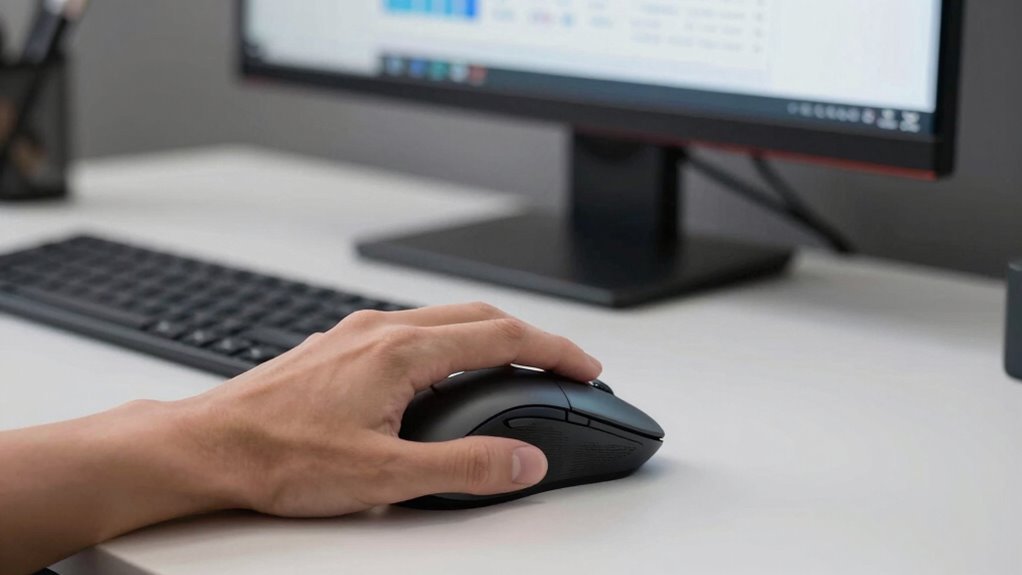

To compare mouse fatigue reduction effectively, focus on ergonomic design features rather than just numbers like click counts or reaction times. Look for mice that align with natural hand and wrist contours, promoting a neutral position to cut strain. Sensor technology and high-quality materials also help by tracking muscle engagement and reducing effort. Accessories like wrist rests can boost comfort during long use. Keep exploring how these factors work together for a healthier, more efficient setup.
Key Takeaways
- Incorporate sensor-based metrics to objectively measure muscle engagement and fatigue over extended use.
- Use ergonomic assessments that evaluate hand posture, wrist position, and comfort during prolonged mouse activity.
- Consider long-term physiological responses, such as strain and fatigue, beyond basic click or reaction time data.
- Compare materials, shape, and accessory support to determine which design minimizes physical discomfort.
- Utilize scientific research to identify ergonomic features that promote efficiency and reduce repetitive strain injuries.

When evaluating methods to reduce mouse fatigue, traditional comparison metrics often fall short in capturing real-world effectiveness. While numbers like click counts or reaction times provide some insight, they don’t tell the full story of how your body responds over extended periods. To truly assess how well a mouse minimizes fatigue, you need to look beyond basic statistics and focus on factors that influence comfort and efficiency during daily use. This is where ergonomic design and sensor technology come into play, offering a more nuanced approach to measuring fatigue reduction.
Ergonomic design is vital because it directly impacts how your hand, wrist, and arm feel after hours of use. A well-designed mouse aligns with the natural contours of your hand, reduces unnecessary strain, and promotes a neutral wrist position. When you choose a mouse with an ergonomic design, you’re less likely to develop discomfort or repetitive strain injuries. But the effectiveness of an ergonomic design isn’t just about shape; it also involves materials, button placement, and weight distribution. These elements work together to ensure that your muscles work more efficiently, leading to less fatigue over time. Additionally, advancements in sensor technology allow for more precise tracking and responsiveness, further minimizing physical effort during use. Incorporating ergonomic principles supported by scientific research can help you select equipment that truly reduces strain and enhances comfort during extended use. For example, understanding the muscle engagement involved can guide you toward tools that promote better posture and reduce fatigue. Moreover, considering material quality can improve overall comfort and durability, making your equipment a more sustainable choice for long-term use. Paying attention to ergonomic accessories like wrist rests and grips can further optimize comfort and reduce fatigue during prolonged sessions.

KTRIO Keyboard Wrist Rest & Mouse Pad with Wrist Rest, Black
- Ergonomic Design: Reduces wrist pain and fatigue
- Memory Foam Comfort: Conforms to wrists for support
- Non-Slip Rubber Base: Keeps rest stable on desk
As an affiliate, we earn on qualifying purchases.
As an affiliate, we earn on qualifying purchases.
Frequently Asked Questions
How Does Mouse Fatigue Impact Long-Term Productivity?
Mouse fatigue can considerably decrease your long-term productivity by causing discomfort and reducing your focus. When you lack ergonomic design in your workspace or skip ergonomic training, you’re more prone to strain and fatigue. Over time, this leads to slower work pace and increased errors. Prioritizing ergonomic design and training helps you maintain comfort, prevent injuries, and sustain productivity levels, ensuring you work efficiently without unnecessary fatigue.
Are There Specific Industries More Affected by Mouse Fatigue?
You’ll find that industries like tech, graphic design, and data entry are more affected by mouse fatigue because they rely heavily on continuous mouse use. Industry-specific ergonomics and ergonomic training help you reduce fatigue by promoting proper posture and tool use. Implementing these strategies can improve comfort, prevent injuries, and boost productivity, especially in environments where prolonged mouse work is unavoidable.
What Ergonomic Accessories Best Reduce Mouse Fatigue?
You’ll find ergonomic accessories like wrist rests and adjustable mouse pads are your best allies against fatigue. Their ergonomic design supports your wrist and hand, reducing strain during long hours. Coincidentally, these accessories often come in stylish, customizable options, making them both functional and appealing. By choosing ergonomic accessories, you create a more comfortable workspace, preventing discomfort and enhancing productivity, especially if you spend hours steering your mouse daily.
How Often Should Mouse Setups Be Adjusted for Optimal Comfort?
You should adjust your mouse setup whenever you notice discomfort or fatigue, ideally every few weeks. Make sure your mouse grip feels natural and relaxed, avoiding strain, and check that your desk height keeps your forearm parallel to the ground. Regular adjustments prevent strain buildup, helping maintain comfort and efficiency. Small tweaks, like changing your mouse position or grip, make a big difference in reducing fatigue over time.
Can Software Adjustments Help Alleviate Mouse Fatigue Symptoms?
Yes, software adjustments can help alleviate mouse fatigue symptoms. Ergonomic software allows you to customize your mouse settings, such as sensitivity, button functions, and scroll speed, to fit your hand and work style better. By tailoring these features, you reduce strain and repetitive motions, making extended use more comfortable. Implementing ergonomic software is a smart, proactive way to prevent fatigue and improve overall comfort during long work sessions.

Cyliex L25B Gun Grip Mouse: Wired Gaming Mouse, Dual Mouse Sensors for Realistic Aiming, Independent DPI Setting Buttons of Each Sensor, Smooth Movement Design, FPS Game Immersive Shooting
- Realistic Aiming Movements: Horizontal and vertical wrist swings
- Gun Grip Design: Feels like holding a real pistol
- Responsive Trigger Button: Fast response for shooting
As an affiliate, we earn on qualifying purchases.
As an affiliate, we earn on qualifying purchases.
Conclusion
Just as the legendary Icarus sought to rise higher, pushing boundaries often leads us closer to danger. But with smarter ways to compare mouse fatigue, you can soar safely, avoiding burnout’s sting. Embrace this innovative approach, and let it be your guiding star, steering you away from the pitfalls of exhaustion. Remember, even Daedalus knew the importance of balance—so choose a smarter path, and keep your work sustainable and strong.

Anker 2.4G Wireless Ergonomic Mouse, Right Hand Vertical Mouse USB Receiver
- Ergonomic Design for Comfort: Reduces wrist and arm strain
- Wireless 2.4G Connectivity: Stable connection via USB receiver
- High DPI Optical Tracking: 800/1200/1600 DPI sensitivity levels
As an affiliate, we earn on qualifying purchases.
As an affiliate, we earn on qualifying purchases.

ProtoArc EM11 NL Wireless Ergonomic Vertical Mouse, Rechargeable, Black
- Connection Methods: Bluetooth and USB-A receiver
- Device Connectivity: Connects up to 3 devices simultaneously
- Compatibility: Works with Windows, Mac, Android
As an affiliate, we earn on qualifying purchases.
As an affiliate, we earn on qualifying purchases.