
Creating dynamic typography with variable fonts lets you craft flexible, expressive text that adapts to your design and user interactions. By utilizing CSS properties like `font-variation-settings`, you can smoothly animate or adjust weight, width, and slant in real-time. This approach improves responsiveness and visual interest without loading multiple font files. Exploring these techniques will help you master how to build engaging, versatile typography that responds seamlessly to different devices and creative needs.

Get art and craft supplies delivered free with Prime
- Fast, free delivery on millions of items
- Prime Video, Amazon Music and more included
- Member-only deals all year
Key Takeaways
- Use CSS `@font-face` and `font-variation-settings` to apply and customize variable font axes dynamically.
- Incorporate CSS variables and media queries for responsive, adaptive typography across devices.
- Adjust font axes like weight, width, or slant in real-time based on user interactions or scroll events.
- Combine multiple axes to create expressive, nuanced text effects and engaging visual transitions.
- Test font variations for readability and performance to ensure smooth, consistent dynamic typography.
variable font CSS font-variation-settings
As an affiliate, we earn on qualifying purchases.
As an affiliate, we earn on qualifying purchases.
Understanding the Basics of Variable Fonts

Variable fonts are a revolutionary development in typography that allow you to customize a typeface’s weight, width, and other attributes within a single font file. This flexibility is made possible through font interpolation, where multiple styles are blended seamlessly along axes like weight or width. Axis customization enables you to adjust these axes dynamically, giving your designs a tailored look. Instead of loading separate font files for each variation, you simply manipulate the axes to achieve the desired style. This not only reduces file sizes but also enhances control over typography. By understanding how font interpolation works and how to customize axes, you can create more versatile, responsive, and engaging typographic designs that adapt perfectly to your creative needs. Additionally, knowing about font technology and how it impacts design versatility can inform your approach to creating adaptable visual content. Recognizing how variable fonts can improve design efficiency helps designers develop more flexible and innovative typography solutions. Furthermore, understanding support hours and accessibility ensures that your design tools and resources are available when needed, streamlining your workflow. Exploring environmental considerations in digital typography can also lead to more sustainable design practices.
As an affiliate, we earn on qualifying purchases.
Exploring the Advantages of Variable Fonts in Modern Design

Variable fonts give you greater flexibility to customize typography without adding extra files, making your designs more adaptable. They also help optimize website performance by reducing load times, which improves user experience. Exploring these advantages can elevate your modern design projects to new levels of efficiency and creativity. Additionally, understanding font customization techniques can further enhance your typographic designs, especially when considering how contrast ratios influence visual clarity and impact. Recognizing how relationship dynamics affect viewer perception can help in crafting more engaging and harmonious typographic compositions, while being mindful of font security ensures your digital assets remain protected. Incorporating font licensing considerations is also essential to ensure legal compliance and proper usage rights.
Flexibility in Design
Have you ever wondered how modern designers create versatile and adaptable typography? Variable fonts offer unmatched flexibility, allowing you to adjust weight, width, and other attributes seamlessly. This innovation builds on typography history’s goal of enhancing readability and expression while reducing the need for multiple font files. With variable fonts, you can craft responsive designs that adapt across devices and contexts, saving time and resources. Plus, understanding font licensing is essential—many variable fonts come with flexible licensing options, making it easier to integrate them into diverse projects legally. This licensing flexibility empowers you to push creative boundaries, experimenting with subtle variations or bold transformations, all within a single font file. Additionally, the integration of digital sound synthesis techniques can inspire innovative visual effects in typography, creating a multisensory experience. Ultimately, variable fonts give you the tools to design dynamic, adaptable typography that responds to your creative vision, much like the innovative approaches seen in Cornford and Cross’s work.
Optimized Performance
By streamlining multiple font styles into a single file, variable fonts considerably enhance website and application performance. This reduction decreases the number of HTTP requests, speeding up load times and enhancing user experience. With optimized loading strategies, you can guarantee smooth font rendering across devices, even on slower connections. Variable fonts adapt dynamically, so you don’t need to load separate font files for each style or weight, which minimizes bandwidth usage. This efficiency results in faster page loads and less strain on your server resources. Additionally, improved font rendering ensures your typography appears crisp and consistent, maintaining visual quality without sacrificing performance. Understanding font variations helps you harness the full benefits of this technology for your projects, especially considering vetted font options that meet professional standards. Incorporating responsive design principles further ensures your typography remains adaptable and visually appealing across all device sizes and resolutions, leveraging typography optimization techniques to maximize clarity and impact. Moreover, staying informed about currency fluctuations can help you manage international website hosting costs and platform fees effectively.
As an affiliate, we earn on qualifying purchases.
Selecting the Right Variable Font for Your Project

Choosing the right variable font depends on balancing style options, ensuring readability, and matching your project’s technical needs. Consider how font variations support your message without sacrificing clarity, especially at different sizes. Make sure the font you select integrates smoothly with your overall design and platform requirements. Additionally, understanding best practices in font selection can help you make more informed choices that enhance your project’s visual impact. Paying attention to attention to detail in font customization can prevent issues in different display contexts and improve overall user experience. Familiarity with font performance across various devices ensures your typography remains consistent and effective. Recognizing how variable font axes can be manipulated allows for more dynamic and flexible design adjustments, ultimately supporting a cohesive visual narrative. Being aware of design consistency helps maintain a cohesive look throughout your project.
Font Style Variations
Selecting the right variable font for your project involves understanding how its style variations can enhance your design. Variable fonts offer a range of options—weight, width, slant—that let you tailor typography to current trends and specific brand goals. By choosing a font with versatile style variations, you create dynamic, engaging visuals that align with typography trends. Be mindful of font licensing to guarantee legal use across platforms. Consider the following options:
| Style Variation | Use Case |
|---|---|
| Weight | Emphasize headings |
| Width | Fit text into tight spaces |
| Italic/Slant | Add emphasis or contrast |
| Optical Size | Optimize for display or text |
| Serifs/Sans-Serifs | Match brand personality |
Readability and Clarity
When considering variable fonts for your project, prioritizing readability and clarity guarantees your message resonates clearly with your audience. To achieve this, focus on selecting fonts that support fine-tuned adjustments, such as kerning adjustments and letter spacing. These features help you optimize the flow of text and prevent visual clutter. Incorporating float mounting textile art principles can inspire innovative ways to enhance visual harmony in your typography layout. Here are four ways to ensure clarity:
- Choose a font with adjustable kerning to refine space between specific letter pairs.
- Adjust letter spacing to improve legibility, especially at smaller sizes.
- Avoid overly condensed or extended styles that may hinder reading.
- Test different weight and style variations to find the most readable combination.
- Consider the cultural context of your audience, as Essential Oils 101 can influence how your message is perceived and should inform your font choices.
Project Compatibility
To guarantee your variable font works seamlessly across your project, you need to evaluate its compatibility with your design goals and technical environment. Start by checking font licensing to ensure you have the right permissions for your intended use, whether personal, commercial, or open-source. Next, consider cross-platform compatibility—test the font across different devices and browsers to confirm it renders correctly everywhere. Not all variable fonts are optimized for every platform, so choose one that maintains visual consistency and performance. By assessing these factors early, you prevent issues down the line and ensure your typography enhances your project without technical hiccups or licensing concerns. This careful selection process helps you create a cohesive, professional design that functions flawlessly across all mediums.
As an affiliate, we earn on qualifying purchases.
Implementing Variable Fonts With CSS and Web Technologies
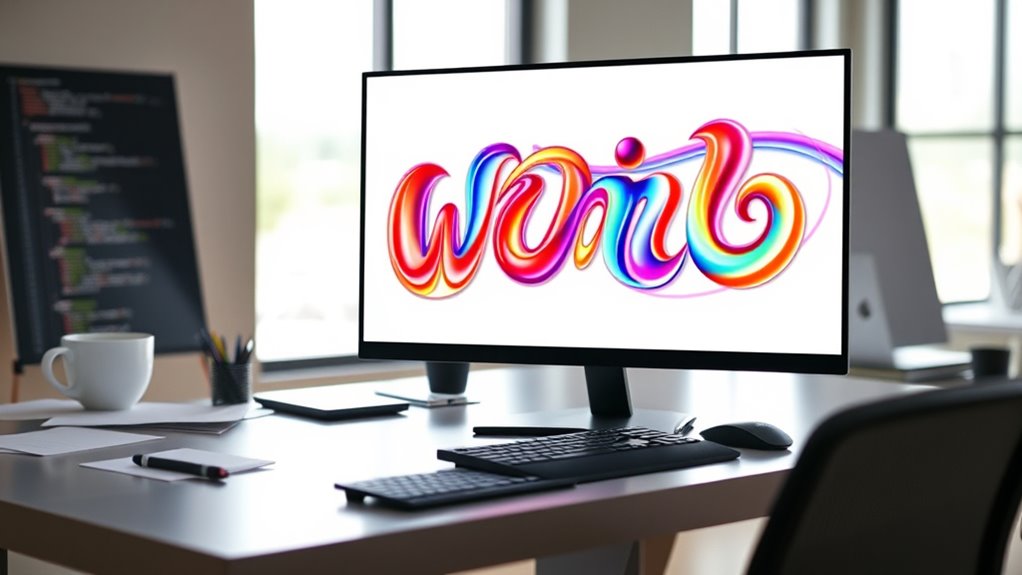
Implementing variable fonts with CSS and web technologies allows you to create more flexible and responsive typography on your websites. You can customize fonts dynamically by adjusting axes like weight, width, and slant, making your design more engaging. To get started:
- Use the `@font-face` rule to load variable font files, ensuring you respect font licensing terms.
- Apply CSS properties like `font-variation-settings` to control specific axes for typography customization.
- Combine media queries with CSS variables for responsiveness across devices.
- Test different font variations to find the perfect balance between style and performance.
Creating Responsive Typography Using Axis Control

Building on your knowledge of variable fonts, controlling axes allows you to create truly responsive typography that adapts seamlessly to different screen sizes and user interactions. As typography has evolved, font storytelling has become more dynamic, enabling you to express mood and emphasis through axis adjustments. By manipulating weight, width, or slant, you can craft type that responds fluidly, enhancing readability and visual appeal across devices. This approach ensures your typography evolves with user needs, maintaining consistency and engagement. Axis control empowers you to fine-tune your font’s personality in real time, creating a more interactive and personalized experience. Mastering this technique elevates your design, making your typography not just responsive but also expressive and aligned with modern typographic evolution.
Incorporating User Interaction to Animate Type Variations

By incorporating user interactions, you can bring dynamic movement to your typography, making it respond in real-time to actions like scrolling, clicking, or hovering. This boosts user engagement and creates memorable interactive animations. To visualize this:
- When a user hovers over text, the font weight subtly shifts, drawing attention.
- Clicking a button triggers a smooth transformation of font size and style.
- Scrolling causes the type to animate between variations, guiding the viewer’s focus.
- Moving the cursor across text dynamically alters its axis settings, creating an engaging visual effect. These interactions make your typography more lively, inviting, and responsive. Integrating user engagement through interactive animations ensures your design is not static but actively responds to your audience’s actions.
Combining Multiple Axes for Complex Text Effects

Combining multiple axes in typography allows you to create complex and engaging text effects that captivate your audience. By using font interpolation and axis blending, you can seamlessly adjust various font properties simultaneously, such as weight, width, or slant. This approach enables you to craft nuanced transitions between styles, producing dynamic visual effects. For example, blending weight and width axes can generate a bold, condensed look that smoothly shifts into a lighter, expanded form. You have precise control over how axes interact, allowing for intricate animations and typographic expressions. Experimenting with multiple axes unlocks creative possibilities, letting you design unique, vibrant text that responds fluidly to user interactions or design needs.
Best Practices for Performance and Accessibility

Have you considered how your dynamic typography choices impact website performance and accessibility? Using variable fonts can enhance design but may also affect load times and user experience. To optimize, keep these best practices in mind:
Consider how variable fonts affect your site’s performance and accessibility—optimize wisely.
- Prioritize lightweight fonts with clear licensing terms to avoid slow load times or legal issues.
- Check browser support to ensure your chosen variable fonts display correctly across platforms.
- Limit the number of font variations to reduce additional HTTP requests.
- Use fallback fonts in your CSS to improve accessibility for users with limited browser support or disabilities.
Real-World Examples of Dynamic Typography in Action
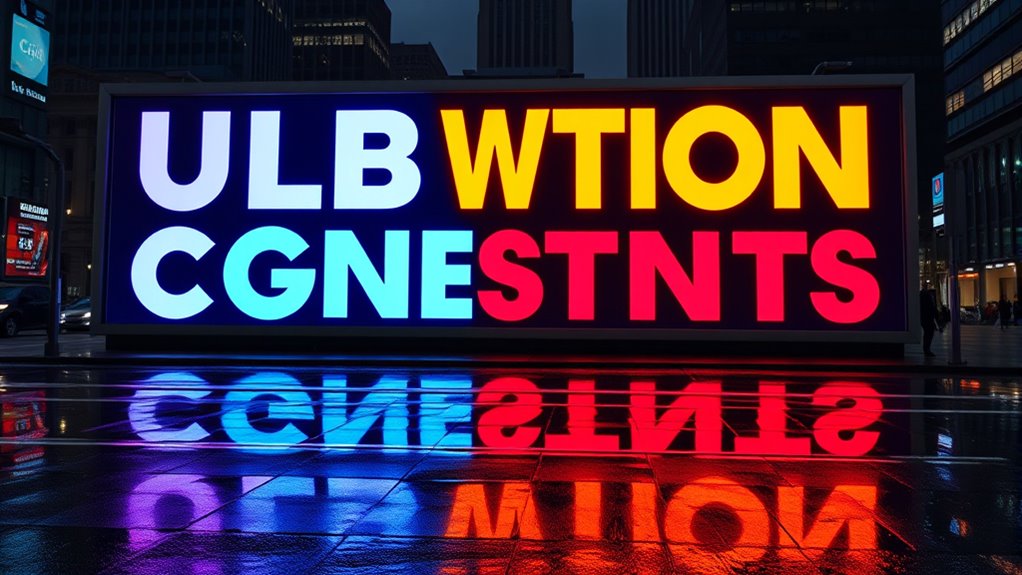
Real-world examples demonstrate how dynamic typography can elevate user experience and reinforce brand identity. When you see websites or apps using variable fonts creatively, you’re witnessing effective typography storytelling that captures attention and guides your perception. For instance, brands often adjust font weight or style to convey tone and personality, making their message more memorable. Dynamic typography allows you to experience shifts in font personality, creating emotional connections and emphasizing key content. Take a news site that amplifies urgency with bold, condensed text during breaking stories or a fashion brand that uses smooth, elegant progressions to evoke sophistication. These examples show how flexible typography not only enhances visual appeal but also communicates brand values more effectively, making the overall user experience more engaging and meaningful.
Frequently Asked Questions
How Do Variable Fonts Impact Website Load Times?
Variable fonts can affect your website load times by reducing font file size, as one variable font replaces multiple static fonts. This streamlines your site’s assets, leading to faster downloads. Additionally, they improve rendering performance because browsers process fewer font files, resulting in smoother typography shifts. Overall, using variable fonts helps optimize your site’s speed and user experience without sacrificing design flexibility.
Can Variable Fonts Be Used Effectively in Print Design?
Isn’t it exciting how flexible typography can be? You can use variable fonts effectively in print design by experimenting with font pairing and establishing a clear typographic hierarchy. These fonts let you adapt weight, width, and style seamlessly, making your layouts more dynamic. They help you draw attention and create a visual rhythm, just like in digital design. So, yes, variable fonts can elevate your print projects beautifully.
What Tools Are Best for Designing Custom Variable Fonts?
When designing custom variable fonts, you should consider the best tools for font creation and design software. Programs like Glyphs, FontLab, and Robofont excel in font creation, giving you precise control over variations. Adobe Illustrator and Fontself are great for initial design concepts. These tools help you craft flexible, dynamic typography, making it easier to customize and implement variable fonts effectively in your projects.
Are There Limitations to Browser Support for Variable Fonts?
Imagine designing with flexible typography, but browser compatibility could block your vision. While most modern browsers support variable fonts, some older versions may still struggle, limiting your design’s reach. You also need to take into account font licensing, as not all variable fonts are freely available for web use. Stay updated on browser support and choose licensed fonts wisely to ensure your dynamic typography works seamlessly across all platforms.
How Do Variable Fonts Affect Accessibility for Users With Visual Impairments?
Variable fonts can enhance contrast accessibility and visual clarity by allowing you to fine-tune font weight, width, and other attributes for better readability. You might find that they help users with visual impairments see text more clearly, but guarantee your website supports these fonts across browsers. Test for consistent display, and consider providing options like high-contrast modes to maximize accessibility for all users.
Conclusion
Embrace variable fonts as the brush and canvas of your digital artistry. Like a chameleon blending seamlessly into its surroundings, these fonts adapt and transform, symbolizing endless creative possibilities. By mastering their nuances, you become the architect of dynamic, responsive typography that speaks directly to your audience. Unleash your design potential—let variable fonts be the key that opens the door to innovation and expressive storytelling.
Halloween Picks
halloween
As an affiliate, we earn on qualifying purchases.