
To keep your voice UI secure, focus on data encryption during transmission and storage, and use strong user authentication methods like multi-factor authentication or voice biometrics combined with PINs. Limit app permissions to only what’s necessary and review privacy settings regularly. Choose devices from reputable providers that prioritize security features. Staying informed about new security updates and managing your privacy proactively helps safeguard your personal data. Exploring these measures further will help you better protect your voice-driven experience.
Key Takeaways
- Implement robust voice data encryption to protect sensitive commands from interception during transmission.
- Use multi-factor authentication combining voice biometrics with PINs or other methods to verify user identity securely.
- Regularly review and update privacy settings and permissions to limit access to personal voice data.
- Store voice recordings securely, ensuring proper data management and adherence to privacy policies.
- Stay informed about security features and practice user vigilance to maintain privacy in voice UI interactions.

As voice user interfaces become more widespread, concerns about privacy and security grow alongside their popularity. You might love how effortlessly you can control devices, send messages, or get information with just your voice, but it’s essential to understand how your data is protected. Protecting your voice data is a top priority for developers, which is why voice data encryption plays a critical role. When you speak to a voice assistant, your commands are transmitted over the internet, and encryption ensures that this data stays confidential, preventing hackers from intercepting sensitive information. This layer of security makes it difficult for outsiders to decipher your voice commands, safeguarding your privacy even if data is intercepted during transmission.
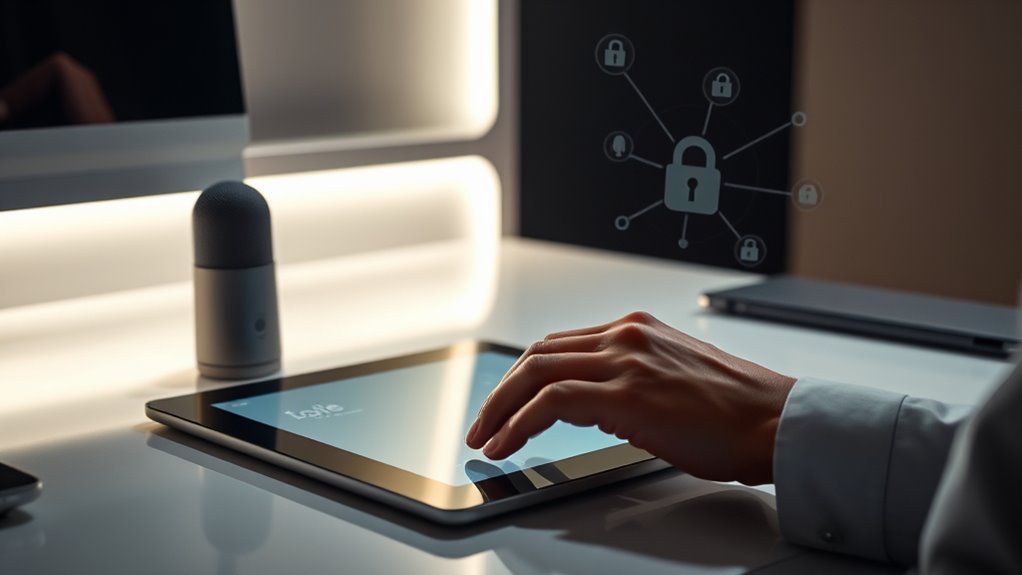
However, encryption alone isn’t enough. You also need to be confident that only you can access your voice-controlled services. That’s where user authentication comes into play. Proper authentication methods verify your identity before granting access to personal data or sensitive functions. Many systems use voice biometrics as a form of user authentication—your unique voice patterns act as a password. But because voice biometrics can sometimes be fooled by recordings or voice mimicry, multi-factor authentication is increasingly recommended. Combining voice recognition with PINs or other forms of verification adds an extra layer of security, making it harder for unauthorized users to access your device or information.
You should also be aware of how voice data is stored and managed. Some voice assistants keep recordings to improve their services, but these recordings could be vulnerable if not properly secured. Always review the privacy policies of your devices and services to understand how your voice data is stored, whether it’s anonymized, and who has access. Regularly updating your device’s software ensures you benefit from the latest security patches that defend against emerging threats. Additionally, be cautious about granting permissions—only allow your voice assistant to access features and data that are necessary for its function. Engaging with proper data management practices helps protect your information from misuse or breaches.
Ultimately, your security depends on a combination of strong technical safeguards and your mindful usage. Use devices from reputable providers who prioritize voice data encryption and robust user authentication measures. Be proactive about managing your privacy settings and stay informed about new security features. By understanding the importance of encryption, authentication, and data management, you can enjoy the convenience of voice UI while minimizing potential risks. Staying vigilant helps guarantee that your voice-controlled experiences remain private and secure, giving you peace of mind in an increasingly voice-driven world.
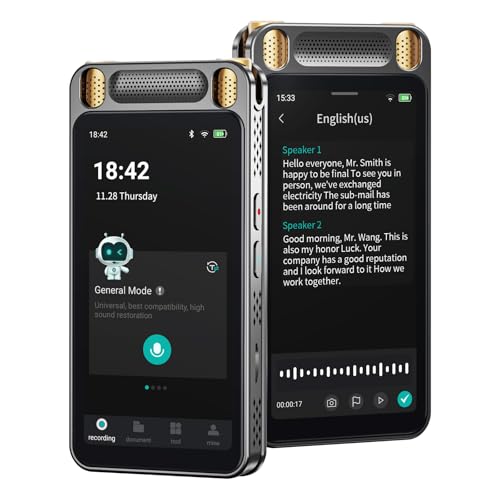
AI Voice Recorder with Playback, Digital Voice Recorder with Unlimited Transcription, Summary, Translation, Handheld Voice to Text Meeting Recorder and Transcriber, AI Recorder Device for Lectures
【Smart Voice Recorder Transcriber】This voice recorder with transcription to text uses cutting-edge AI, offering unlimited free, fast and…
As an affiliate, we earn on qualifying purchases.
As an affiliate, we earn on qualifying purchases.
Frequently Asked Questions
How Can Users Control Their Voice Data Sharing Preferences?
You can control your voice data sharing preferences by managing your privacy settings on your device or app. Look for options related to voice data consent, where you can enable or disable data collection. Regularly review and update these settings to guarantee your preferences are respected. Most voice UI platforms also offer clear instructions on how to restrict or delete your voice recordings, giving you better control over your privacy.
What Are the Best Practices for Designing Secure Voice Commands?
To design secure voice commands, you should implement voice command encryption to protect data during transmission. Additionally, incorporate user authentication to verify user identity before executing sensitive commands. Guarantee that your system prompts for authentication when necessary, and regularly update your security protocols. By combining voice command encryption with robust user authentication, you create a safer environment that minimizes risks of unauthorized access and maintains user trust.
How Do Voice UIS Handle Accidental Activations and False Recordings?
You can minimize voice activation errors and false recordings by implementing strict voice activation protocols, like wake words and context-aware triggers. Voice UIs often include confirmation prompts or manual deactivation options to prevent accidental activations. Additionally, employing false recording mitigation techniques, such as noise filtering and user authentication, helps guarantee that only intentional commands are processed, making your voice experience more secure and accurate.
What Legal Protections Exist for Voice Data Privacy?
You’re protected by voice data legislation that sets rules for how companies collect, store, and share your voice information, ensuring privacy compliance. These laws require transparent data handling practices and often give you rights to access, correct, or delete your data. Additionally, companies must implement security measures to safeguard your voice recordings. Staying informed about these protections helps you better control your voice data and hold organizations accountable.
How Can Users Verify a Voice Assistant’s Security Measures?
You can verify a voice assistant’s security measures by asking about its use of voice authentication and encryption protocols. Don’t assume all devices are secure—ask manufacturers or check their privacy policies. Look for features like multi-factor voice verification and strong encryption standards. If you’re unsure, research reviews or contact support to confirm they prioritize your privacy and security, giving you peace of mind while using the device.
multi-factor authentication for voice assistants
As an affiliate, we earn on qualifying purchases.
As an affiliate, we earn on qualifying purchases.
Conclusion
As you navigate the world of voice UI, remember that your privacy is the fortress guarding your trust. By staying vigilant and understanding the security measures in place, you can prevent vulnerabilities from becoming open doors for threats. Protecting your personal data isn’t just a choice—it’s the anchor that keeps your digital life afloat. Stay informed and proactive, so your voice remains a powerful tool, not a vulnerability waiting to be exploited.

XYBkey Complete Biometric Fingerprint Security Access Control System Kit, RFID T9 Keypad Door Lock, Time and Attendance System, Smart Remote Door Opener, Miniature Lock, Doorbell, Sensor Switch
High-quality electric deadbolt lock: Made of high-quality, durable aluminum alloy, it's built to last. Features a fail-safe mode…
As an affiliate, we earn on qualifying purchases.
As an affiliate, we earn on qualifying purchases.

Voice Privacy Ear Tips for Ray-Ban Meta Smart Glasses, Silicone Sound Tubes Compatible with Ray-Ban Meta Gen1/2, Wayfarer, Skyler, Headliner and Oakley HSTN/Vanguard. Increase Sound Quality Volume.
Enhanced Privacy: These voice privacy ear tips provide a noticeable improvement in sound quality for your Ray-Ban Meta…
As an affiliate, we earn on qualifying purchases.
As an affiliate, we earn on qualifying purchases.