
Multimodal interfaces combine voice, touch, and visual cues to make your interactions with technology more natural and efficient. You can control devices through speech, gestures, or visual feedback, allowing for seamless shiftings between different input methods. These systems interpret multiple signals simultaneously, improving accuracy and responsiveness. They also consider your environment and context to personalize responses. Keep exploring to discover how these smart interactions can become even more intuitive and tailored to your needs.

Get art and craft supplies delivered free — and shop member deals
- Fast, free delivery on millions of items
- Access to Prime Big Deal Days deals on October 6–7
- Prime Video, Amazon Music and more included
Key Takeaways
- Multimodal interfaces integrate voice, touch, and visual cues for more natural and efficient user interactions.
- Combining multiple inputs enhances accuracy and responsiveness by interpreting gestures, speech, and environmental context simultaneously.
- Gesture recognition and visual cues enable quick device control, contextual understanding, and adaptive responses.
- Using visual signals like facial expressions or eye movements adds emotional and focus awareness to interactions.
- Seamless integration of multiple modalities reduces user effort and creates intuitive, human-like communication with technology.

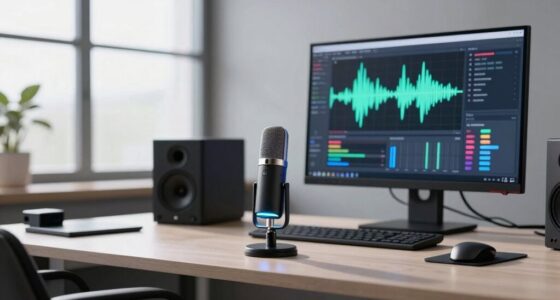
Have you ever wondered how devices understand and respond to multiple types of input at once? It’s a fascinating process that combines various sensors and algorithms to create seamless interactions. Multimodal interfaces do just that—they integrate voice, touch, and visual cues to give you a more natural way to communicate with technology. By blending these inputs, devices can interpret your intentions more accurately, making interactions smoother and more intuitive. This approach relies heavily on gesture recognition and context awareness to decipher your commands in real time.
Devices seamlessly interpret multiple inputs, blending voice, touch, and visuals for more natural, intuitive interactions.
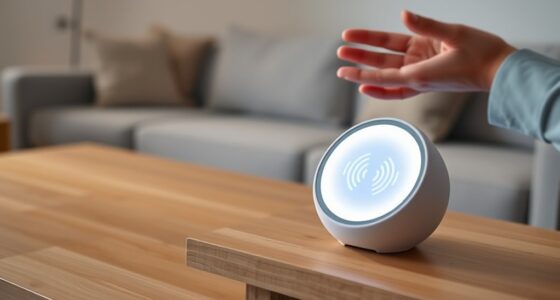
Gesture recognition plays a crucial role in multimodal interfaces. It enables devices to understand your hand or body movements as intentional commands. For example, a simple wave or a specific hand gesture can turn on a device or switch modes, eliminating the need for buttons or screens. Gesture recognition isn’t just about tracking movement; it also involves interpreting the meaning behind your gestures based on your current environment and previous actions. This is where context awareness becomes vital. Your device considers factors like your location, the time of day, or what you’re looking at to understand your gestures better. If you raise your hand in a bright room, the device might interpret it as a request to turn up the volume, but the same gesture in a dark room might mean something different, like dismissing a notification.
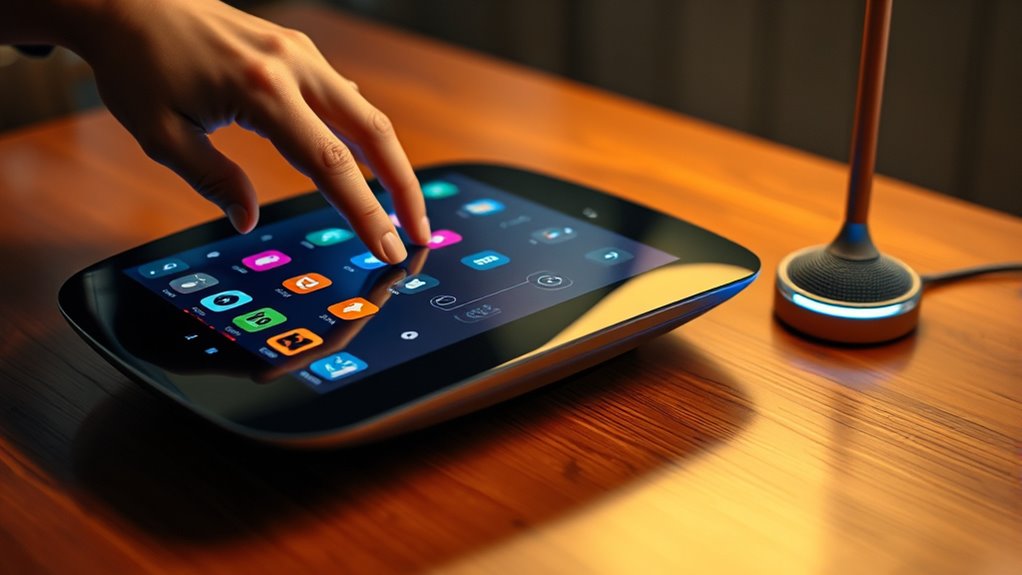
By combining gesture recognition and context awareness, multimodal interfaces can adapt to your unique way of interacting. For instance, if you’re watching a video and say “pause,” then tap the screen, the device recognizes both voice and touch inputs as part of the same command. It’s this integration that allows for more fluid and natural interactions, reducing frustration and increasing efficiency. You don’t have to remember complex commands or switch between different modes; instead, the system intuitively understands your intent based on multiple cues. Additionally, incorporating power-efficient designs ensures that these advanced interactions do not drain your device’s battery quickly, making the technology more practical for everyday use.
Furthermore, visual cues such as facial expressions or eye movements can add another layer of understanding. Your device can gauge your mood or focus, adjusting responses accordingly. For example, if you look away from the screen while giving a voice command, it might pause the action, recognizing your need for privacy or a break. This sensitivity to multiple inputs and environmental context demonstrates how advanced multimodal interfaces are becoming, blurring the line between human and machine interaction. They’re designed to anticipate your needs, making technology more accessible and responsive, all while feeling natural and effortless.
As an affiliate, we earn on qualifying purchases.
Frequently Asked Questions
How Do Multimodal Interfaces Improve Accessibility for Disabled Users?
Multimodal interfaces improve accessibility by allowing you to use gestures, voice, and visual cues seamlessly. Gesture recognition helps you interact without needing precise movements, while haptic feedback provides tactile responses, confirming your actions. This combination guarantees disabled users can navigate devices more easily, reducing reliance on one mode of input. By integrating these features, you gain a more inclusive experience, making technology accessible and intuitive for everyone.
What Challenges Exist in Integrating Voice With Touch and Visual Cues?
You face challenges in integrating voice with touch and visual cues, especially with sensor synchronization, which must work seamlessly to prevent misinterpretations. User training is essential to help users understand how to switch between modes effectively and avoid confusion. Ensuring smooth coordination among sensors and interfaces requires careful design, testing, and user feedback, so you can create a cohesive experience that feels natural and reduces frustration.
How Do Multimodal Systems Handle Conflicting Commands From Different Modes?
When you give conflicting commands through different modes, multimodal systems use conflict resolution and input prioritization to handle the situation. They evaluate the context, recent inputs, and user preferences to determine which command to follow. The system prioritizes inputs based on factors like modality reliability or task importance, ensuring smooth interaction. This process helps prevent errors and maintains a seamless user experience, even when commands clash across modes.
What Are the Privacy Implications of Multimodal Interface Data Collection?
Imagine your data as a delicate web woven through your daily interactions. In multimodal interfaces, data security is vital to prevent breaches, while user consent guarantees you’re aware of what’s collected. You must trust that your voice commands, touch inputs, and visual cues are handled responsibly. Without proper safeguards, sensitive information could be exposed, emphasizing the importance of transparent data collection practices to protect your privacy in these complex systems.
How Can Multimodal Interfaces Adapt to Different Cultural Contexts?
You can adapt multimodal interfaces to different cultural contexts by incorporating cultural adaptation features that recognize local languages, gestures, and visual cues. To address user diversity, guarantee your system respects cultural norms and preferences, enabling a more intuitive experience. By tailoring interactions to regional differences, you make the interface more accessible and respectful, ultimately increasing user satisfaction and engagement across diverse cultural backgrounds.
As an affiliate, we earn on qualifying purchases.
Conclusion
By combining voice, touch, and visual cues, you create more intuitive and efficient interfaces. Did you know that users are 20% more satisfied when they can switch seamlessly between multiple modes? This highlights how multimodal interfaces cater to diverse needs and enhance overall experience. Embracing these technologies means you can interact more naturally and effectively, making digital interactions smoother and more personalized. So, consider integrating multimodal approaches to stay ahead in user-centered design.
voice touch visual control gadgets
As an affiliate, we earn on qualifying purchases.
As an affiliate, we earn on qualifying purchases.
smart device with facial expression recognition
As an affiliate, we earn on qualifying purchases.
As an affiliate, we earn on qualifying purchases.
Halloween Picks
halloween
As an affiliate, we earn on qualifying purchases.