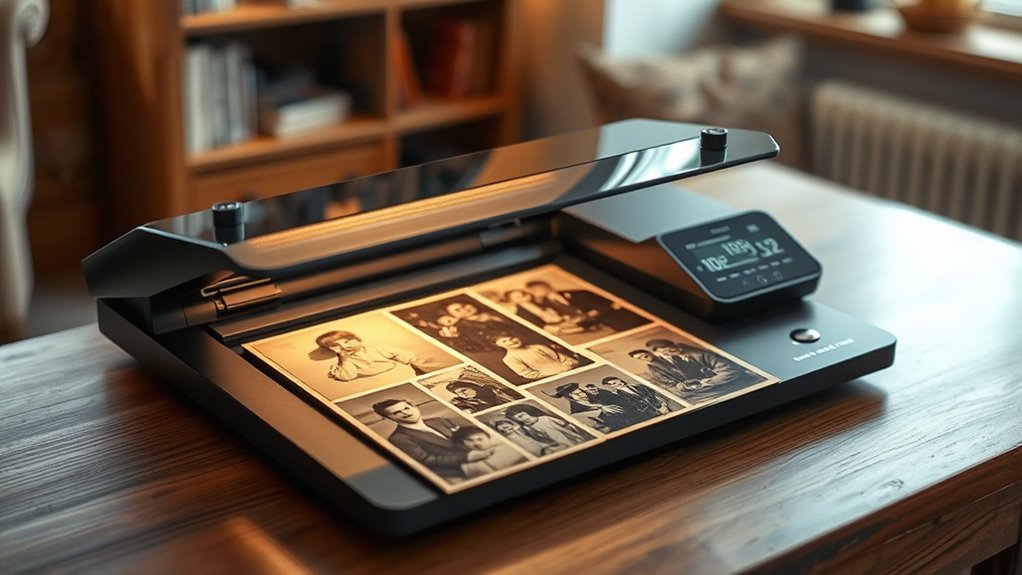

When searching for a photo scanner for old photos, the goal is to find a device that delivers high-quality scans while being easy to operate and gentle on fragile images. The Epson Perfection V39 II stands out as the best overall pick thanks to its balance of price and performance. For those with extensive collections, the Epson Perfection V550 offers superb resolution, while the Canon CanoScan LiDE 400 is ideal for compact, everyday use. Buyers face tradeoffs between resolution, speed, and price—more advanced models tend to cost more but provide better detail. Continue reading for a detailed breakdown of these options and how they compare.

Get art and craft supplies delivered free with Prime
- Fast, free delivery on millions of items
- Prime Video, Amazon Music and more included
- Member-only deals all year
Key Takeaways
- High-resolution scanners like the Epson V550 and V800 deliver exceptional detail, essential for archiving old photos.
- Ease of use varies significantly; flatbed scanners are generally simpler than sheet-fed options but may be slower for bulk scanning.
- Price often correlates with features such as resolution, color accuracy, and scanning speed—balance your needs accordingly.
- Preservation-friendly features like gentle handling and non-damaging exposure are crucial for fragile vintage photos.
- Wireless and multi-device connectivity provide convenience but may come with added costs or complexity.
| Epson Perfection V39 II Color Photo and Document Flatbed Scanner |  | Best for Easy, Portable Flatbed Scanning of Old Photos | Optical Resolution: 4800 dpi | Connectivity: USB | Removable Lid: Yes | VIEW ON AMAZON | See Our Full Breakdown |
| Epson Perfection V550 Color Photo, Image, Film, Negative & Document Scanner with 6400 DPI Optical Resolution |  | Best for High-Resolution Versatility Including Negatives and Slides | Optical Resolution: 6400 DPI | Scan Size: up to 17 x 22 inches | Color Depth: 48-bit | VIEW ON AMAZON | See Our Full Breakdown |
| Canon CanoScan LiDE 400 Slim Scanner |  | Best for Compact, High-Resolution Flatbed Scanning of Old Photos | Resolution: 4800 x 4800 dpi | Dimensions: 7.7″ x 14.5″ x 0.4″ | Paper Size: 8.27 x 11.69 inches | VIEW ON AMAZON | See Our Full Breakdown |
| Epson Perfection V850 Pro Scanner |  | Best for Professional-Grade, High-Resolution Restoration of Old Photos | Resolution: 6400 dpi | Dmax: 4.0 | Operating Systems: Windows 8.1/8/7, Vista, XP, Mac OS X | VIEW ON AMAZON | See Our Full Breakdown |
| ClearClick QuickConvert 2.0 Photo, Slide, and Negative Scanner |  | Best for Quick, Computer-Free Digitization of Small Photos and Slides | Scanning Resolution: 14 MegaPixels (22 interpolated) | Supported Media: 4×6 Photos, Slides, Negatives | Scan Speed: 2-3 seconds per item | VIEW ON AMAZON | See Our Full Breakdown |
| ScanSnap iX2500 Photo Edition Wireless and USB High-Speed Document and Photo Scanner |  | Best Overall for Versatile High-Speed Scanning | Connectivity: Wi-Fi 6, USB-C | Scan Speed: up to 100 photos per minute | Document Capacity: up to 100 documents or 36 photos | VIEW ON AMAZON | See Our Full Breakdown |
| Plustek Photo Scanner ePhoto Z300 |  | Best for Speed and Photo Restoration | Supported Photo Sizes: 3×5, 4×6, 5×7, 8×10 inches | Optical Resolution: up to 600 dpi | Scan Speed: 2 seconds for 4×6 | VIEW ON AMAZON | See Our Full Breakdown |
| Epson Perfection V800 Photo Scanner |  | Best for Detailed Archival Scanning | Resolution: 6400 dpi | Grayscale Bit Depth: 16-bit | Dmax: 4.0 | VIEW ON AMAZON | See Our Full Breakdown |
| Epson Perfection V19 II Color Photo and Document Flatbed Scanner with 4800 dpi Optical Resolution |  | Best for Compact, High-Quality Scanning | Optical Resolution: 4800 dpi | Weight: 3.1 lbs | Power: USB powered | VIEW ON AMAZON | See Our Full Breakdown |
| Epson Perfection V600 Photo Scanner – 6400 x 9600 dpi, USB Connectivity, Flatbed |  | Best for Professional Photo and Film Archiving | Resolution: 6400 x 9600 dpi | Connectivity: USB 2.0 | Maximum Enlargement: 17″ x 22″ | VIEW ON AMAZON | See Our Full Breakdown |
| Epson FastFoto FF-680W Wireless High-Speed Duplex Photo and Document Scanner |  | Best Overall for Speed and Versatility | Scan Speed: 1 photo per second | Max Resolution: 1200 dpi | Batch Scan Capacity: 36 photos | VIEW ON AMAZON | See Our Full Breakdown |
| Canon imageFORMULA RS40 Photo and Document Scanner with Auto Document Feeder |  | Best for High-Volume and Multi-Format Scanning | Auto Document Feeder: 40 photos/60 pages | Scan Speed: Photos up to 30 PPM, Documents up to 40 PPM | Compatibility: Windows and Mac | VIEW ON AMAZON | See Our Full Breakdown |
| Epson Perfection V550 Photo Color Scanner |  | Best High-Resolution Flatbed for Detail and Color Fidelity | Resolution: 6400 x 6400 dpi | Color Depth: 48-bit color | Grayscale: 16-bit | VIEW ON AMAZON | See Our Full Breakdown |
| photo scanner for old photo | Connectivity | Scan Speed |
|---|---|---|
| Epson Perfection V39 II Color | USB | Letter-sized in 10 seconds |
| Epson Perfection V550 Color Ph | USB 2.0 | — |
| Canon CanoScan LiDE 400 Slim S | USB Type-C | 8 seconds |
| Epson Perfection V850 Pro Scan | — | — |
| ClearClick QuickConvert 2.0 Ph | — | 2-3 seconds per item |
| ScanSnap iX2500 Photo Edition | Wi-Fi 6, USB-C | up to 100 photos per minute |
| Plustek Photo Scanner ePhoto Z | — | 2 seconds for 4×6 |
| Epson Perfection V800 Photo Sc | — | — |
| Epson Perfection V19 II Color | — | up to 10 seconds |
| Epson Perfection V600 Photo Sc | USB 2.0 | — |
| Epson FastFoto FF-680W Wireles | USB and wireless | 1 photo per second |
| Canon imageFORMULA RS40 Photo | USB | Photos up to 30 PPM, Documents up to 40 PPM |
| Epson Perfection V550 Photo Co | USB | — |
More Details on Our Top Picks
Epson Perfection V39 II Color Photo and Document Flatbed Scanner
The Epson Perfection V39 II stands out for its simplicity and portability, making it ideal for those who want high-resolution scans without extra fuss. While it offers a respectable 4800 dpi resolution comparable to the Canon CanoScan LiDE 400, it lacks an automatic document feeder and is limited to flatbed scans, which might be a drawback for bulk digitization. Its photo restoration feature with Easy Photo Fix enhances faded images, but some users may find the software setup for cloud options a bit cumbersome. Compared to the V550 or V850 Pro, this model is less suited for negatives or professional-quality scans but excels in straightforward photo preservation. Its USB-powered design makes it easy to use anywhere, but the absence of a document feeder means slower batch processing.
Pros:- High-resolution 4800 dpi scans capture fine photo details
- Portable, USB-powered design for easy setup anywhere
- Photo restoration with Easy Photo Fix enhances faded images
Cons:- Limited to flatbed scanning, no document feeder for batch processing
- Requires software setup for cloud features, which can be cumbersome
Best for: Amateurs or family archivists seeking a straightforward, portable solution for scanning individual old photos
Not ideal for: Power users or professionals needing high-volume batch scanning or negative digitization
- Optical Resolution:4800 dpi
- Connectivity:USB
- Removable Lid:Yes
- Scan Speed:Letter-sized in 10 seconds
- Features:Scan to Cloud, Easy Photo Fix, Stitching
Our verdict“This scanner is perfect for casual users who want a compact, high-quality flatbed device for preserving individual old photos.”
Epson Perfection V550 Color Photo, Image, Film, Negative & Document Scanner with 6400 DPI Optical Resolution
The Epson Perfection V550 excels for users who need detailed reproductions of not just photos but also negatives and slides, thanks to its built-in transparency unit and 6400 dpi resolution. Compared with the V39 II, it offers higher resolution and additional features like Digital ICE technology, making it better suited for restoring and digitizing fragile negatives. Its bulkier design and higher price point might deter casual users, but professionals or serious hobbyists will appreciate the comprehensive capabilities. The scanner’s fast operation with ReadyScan LED technology minimizes warm-up time, adding to efficiency. However, its larger size and additional complexity mean it’s less portable and requires a compatible computer setup, unlike the simpler V39 II.
Pros:- High-resolution 6400 dpi scans for detailed images and negatives
- Built-in transparency unit for scanning slides and negatives
- Fast scanning with no warm-up time using LED technology
- Effective dust and scratch removal with Digital ICE
Cons:- Higher cost may be prohibitive for casual users
- Bulkier design requires more space and setup time
- Requires a computer and compatible software for full functionality
Best for: Photographers, archivists, or serious hobbyists digitizing negatives, slides, and high-resolution photos
Not ideal for: Casual users or those seeking a compact, all-in-one flatbed scanner for occasional use
- Optical Resolution:6400 DPI
- Scan Size:up to 17 x 22 inches
- Color Depth:48-bit
- Connectivity:USB 2.0
- Features:Built-in transparency unit, Digital ICE, ABBYY FineReader OCR
Our verdict“This scanner is ideal for those needing professional-quality digitization of negatives and slides alongside photos, despite its higher price and size.”
Canon CanoScan LiDE 400 Slim Scanner
The Canon CanoScan LiDE 400 offers a combination of high resolution and portability, making it suitable for users who want quick, detailed scans of their old photos and documents. Its 4800 x 4800 dpi resolution rivals the V39 II and V550, but its slim profile and USB Type-C connection make it more convenient for limited desk space. The ‘EZ’ buttons and auto scan mode simplify operation, appealing to beginners or infrequent users. Unlike the V550 or V850 Pro, it doesn’t handle negatives or film, limiting its scope. Its fast 8-second scan speed and auto-detection features make it a strong choice for everyday preservation tasks, although it requires a constant USB connection and lacks a built-in document feeder.
Pros:- High-resolution 4800 x 4800 dpi for detailed images
- Fast scan speed of 8 seconds per item
- USB Type-C connection for simple setup
- User-friendly ‘EZ’ buttons and auto scan mode
Cons:- Limited to flatbed scanning, no film or negative support
- No built-in document feeder for bulk processing
- Requires constant USB power and connection
Best for: Small-space users who need fast, high-quality flatbed scans of photos and documents without extra features
Not ideal for: Professionals scanning negatives or those needing bulk scanning options
- Resolution:4800 x 4800 dpi
- Dimensions:7.7″ x 14.5″ x 0.4″
- Paper Size:8.27 x 11.69 inches
- Scan Speed:8 seconds
- Connectivity:USB Type-C
Our verdict“This scanner suits users seeking a compact, easy-to-use device for high-quality photo and document scans in small spaces.”
Epson Perfection V850 Pro Scanner
The Epson Perfection V850 Pro is designed for serious archivists and professionals who demand the highest quality scans. Its 6400 dpi resolution and 4.0 Dmax produce exceptional tonal range and detail, surpassing consumer models like the V550 or V39 II. The dual lens system ensures consistent, sharp results across various media types, including old photos, negatives, and slides. While its advanced features and broad OS compatibility justify a high price tag, the complexity of its setup and operation may overwhelm casual users. Compared to the V550, it offers superior quality but is less accessible for those only seeking occasional digitization, and it’s significantly larger and more expensive.
Pros:- Exceptional 6400 dpi resolution for detailed scans
- Excellent tonal range with 4.0 Dmax for rich color and contrast
- Dual lens system for consistent sharpness across media
- Supports multiple operating systems
Cons:- High cost makes it less accessible for casual users
- Complex setup and operation may require technical knowledge
- Large footprint requires dedicated space
Best for: Professional photographers, archivists, or serious hobbyists needing top-tier quality and versatility
Not ideal for: Casual users or those with limited budgets seeking simple, plug-and-play scanning
- Resolution:6400 dpi
- Dmax:4.0
- Operating Systems:Windows 8.1/8/7, Vista, XP, Mac OS X
Our verdict“This scanner is best suited for professionals or dedicated hobbyists prioritizing maximum quality and flexibility over ease of use.”
ClearClick QuickConvert 2.0 Photo, Slide, and Negative Scanner
The ClearClick QuickConvert 2.0 offers a straightforward, portable solution for digitizing old photos, slides, and negatives without a computer. Its 14 MegaPixels sensor (interpolated to 22 MP) captures detailed images quickly, making it ideal for users who want rapid conversions of small formats like 4×6 photos and slides. The built-in rechargeable battery and 5-inch LCD screen enable cordless operation and instant previewing, which appeals to casual users or those with limited desk space. Unlike larger, more advanced scanners like the V550 or V850 Pro, it cannot handle larger photos or bulk processing, and its limited support for only smaller media means it’s best for quick, small-scale projects. It’s less suitable for detailed or professional-quality restorations.
Pros:- Fast scanning of 2-3 seconds per item
- No computer needed, simple to operate
- Built-in rechargeable battery for cordless use
- Includes a preview LCD screen
Cons:- Limited to 4×6 photos and smaller, no support for 5×7
- Supports only one photo or negative at a time, no autofeeding
- Restricted to small formats, not suitable for large photos
Best for: Casual users or hobbyists needing fast, portable scans of small photos and slides on the go
Not ideal for: Serious archivists or professionals needing detailed scans of negatives or larger photos
- Scanning Resolution:14 MegaPixels (22 interpolated)
- Supported Media:4×6 Photos, Slides, Negatives
- Scan Speed:2-3 seconds per item
- Display:5-inch LCD screen
- Power:Built-in rechargeable battery
Our verdict“This device is ideal for casual users who want quick, portable digitization of small photos and slides without fuss or extra equipment.”
ScanSnap iX2500 Photo Edition Wireless and USB High-Speed Document and Photo Scanner
The ScanSnap iX2500 Photo Edition stands out for its blazing-fast speed—supporting up to 100 photos per minute—which makes it ideal for those with large collections of old photos. Its large 5-inch touchscreen simplifies operation, especially compared to the Plustek ePhoto Z300, which offers faster photo processing but lacks a touchscreen or wireless features. The inclusion of wireless connectivity and cloud support broadens its utility, yet these features can complicate setup for first-timers, and the high price may deter casual users. The automatic document feeder and multiple photo carrier sheets help batch process albums efficiently, but the device’s complexity and cost are tradeoffs for power users. This pick is best for serious archivists or small businesses needing quick, organized digitization.
Pros:- Exceptional scanning speed of up to 100 photos per minute
- Large touchscreen for intuitive operation
- Wireless and USB connectivity with cloud integration
Cons:- Complex setup for first-time users
- Relatively high cost for occasional use
Best for: Photographers or archivists managing large photo collections who value speed and automation.
Not ideal for: Casual users or hobbyists seeking a budget-friendly, simple scanner without advanced features.
- Connectivity:Wi-Fi 6, USB-C
- Scan Speed:up to 100 photos per minute
- Document Capacity:up to 100 documents or 36 photos
- Touchscreen:5-inch
- Includes:3 photo carrier sheets
Our verdict“This scanner is perfect for high-volume digitization, especially where speed and automation outweigh cost or simplicity.”
Plustek Photo Scanner ePhoto Z300
The Plustek ePhoto Z300 excels at rapidly digitizing various photo sizes, supporting 3×5 to 8×10 inches with a scan time of just 2 seconds for 4×6 photos. Its auto crop, deskew, and image enhancement capabilities make it a great choice for restoring old photos, which sets it apart from the slower Epson V600, designed more for detailed archival rather than quick scanning. However, it’s limited to photos up to 8×10 inches and lacks wireless features, making it less portable and flexible. Software must be downloaded from the website, adding a small hurdle for setup. This scanner is ideal for users who need fast, quality scans and basic editing features, but not for those wanting to scan larger or non-photo media.
Pros:- Fast scan times for multiple photo sizes
- Auto crop, deskew, and enhancement features improve image quality
- Supports both Mac and Windows systems
Cons:- Limited to photo sizes up to 8×10 inches
- Requires software download and manual setup
Best for: Photographers or hobbyists needing quick, high-quality scans of standard-sized photos with restoration features.
Not ideal for: Users who want to digitize larger prints or negatives, or require wireless connectivity for mobile scanning.
- Supported Photo Sizes:3×5, 4×6, 5×7, 8×10 inches
- Optical Resolution:up to 600 dpi
- Scan Speed:2 seconds for 4×6
- Compatibility:Windows 7/8/10/11, Mac OS X 10.12~15.x
Our verdict“Ideal for those prioritizing speed and simplicity in digitizing standard-sized photos with restoration tools.”
Epson Perfection V800 Photo Scanner
The Epson Perfection V800 offers incredible resolution with 6400 dpi and includes a dual lens system, making it the top choice for meticulous photo restoration and film digitization. Compared to the V19 II, which is more portable and simple, the V800 provides finer detail and broader tonal range, perfect for preserving treasured old photos or negatives. Its price and size are significant considerations, as it’s more suited to dedicated hobbyists or professionals with ample space. The absence of wireless or direct-to-cloud features means it requires a wired setup, limiting convenience. This scanner is best for users who prioritize maximum detail and quality, willing to invest in extensive photo archiving.
Pros:- High-resolution 6400 dpi scans for maximum detail
- Dual lens system enhances image quality
- Supports multiple OS including Windows and Mac
Cons:- Expensive and bulky design
- Requires wired connections and space for setup
Best for: Photographers, archivists, or serious hobbyists focused on preserving high-detail images from film or prints.
Not ideal for: Casual users or those needing quick scans without detailed quality requirements, due to its cost and complexity.
- Resolution:6400 dpi
- Grayscale Bit Depth:16-bit
- Dmax:4.0
- Lens System:Dual Lens
- Operating Systems:Windows 8.1/8/7, Mac OS X 10.6-10.10
Our verdict“Best suited for those seeking professional-level quality and detail in photo and film digitization.”
Epson Perfection V19 II Color Photo and Document Flatbed Scanner with 4800 dpi Optical Resolution
The Epson V19 II offers a compact, lightweight design with 4800 dpi resolution, making it suitable for those with limited space who still want high-quality images. Its one-touch scanning and built-in software facilitate restoration and OCR, similar to the V600 but in a smaller form factor. Compared with the V600, which excels in ultra-high-resolution scans and film support, the V19 II sacrifices some resolution for portability and ease of use. It’s ideal for casual enthusiasts or small studios but not for users needing the highest detail or scanning negatives. Its USB-powered design reduces clutter, but slower scan speeds for large files can be a drawback.
Pros:- High-resolution 4800 dpi scans in a compact package
- USB powered and lightweight for portability
- Includes software for color restoration and OCR
Cons:- Limited to letter-sized photos and documents
- No wireless connectivity options
Best for: Photographers or hobbyists needing a portable, high-res flatbed for occasional photo restoration and documents.
Not ideal for: Professionals or archivists requiring ultra-high resolution or film scanning capabilities, as it’s limited to 4800 dpi.
- Optical Resolution:4800 dpi
- Weight:3.1 lbs
- Power:USB powered
- Removable Lid:Yes
- Scan Speed:up to 10 seconds
Our verdict“Great for small spaces and lighter workloads, but not for those needing maximum resolution or film digitization.”
Epson Perfection V600 Photo Scanner – 6400 x 9600 dpi, USB Connectivity, Flatbed
The Epson V600 combines high resolution with versatile media support, including slides and negatives, thanks to its built-in Transparency Unit. Its maximum 6400 x 9600 dpi resolution makes it ideal for detailed restorations of old photos, negatives, and slides, surpassing most flatbeds in quality. It includes software like DIGITAL ICE for dust removal, making it a favorite among serious archivists. Compared to the V19 II, the V600’s higher resolution and media versatility justify its larger, more complex design, but it’s less portable and more expensive. This scanner is best for dedicated digitization projects requiring maximum detail and multi-media support, with a focus on quality over convenience.
Pros:- High-resolution up to 6400 x 9600 dpi for detailed images
- Built-in Transparency Unit for slides and negatives
- Includes dust removal and image enhancement software
Cons:- Large and somewhat bulky design
- Requires USB connection to a computer
Best for: Professional photographers or archivists handling diverse media types demanding high detail.
Not ideal for: Casual users or those looking for a compact, simple scanner for occasional use.
- Resolution:6400 x 9600 dpi
- Connectivity:USB 2.0
- Maximum Enlargement:17″ x 22″
- Media Types:Slides, negatives, photos, documents
- Built-in Transparency Unit:Yes
Our verdict“This scanner is best suited for meticulous digitization of various media, where detail and quality are paramount.”
Epson FastFoto FF-680W Wireless High-Speed Duplex Photo and Document Scanner
The Epson FastFoto FF-680W stands out for its incredible scanning speed—one photo per second—making it ideal for digitizing large collections of old photos quickly. Unlike the Epson Perfection V550, which offers higher resolution but slower speeds, this model prioritizes efficiency, especially with its batch and duplex capabilities. Wireless connectivity and app integration make it convenient for users who prefer a cable-free setup, though the device’s size and setup complexity can be daunting for those with limited space or technical experience. Its auto enhancement and red-eye reduction features ensure that old, faded photos are restored with minimal effort. However, the higher price and bulkier design mean it’s best suited for serious collectors or small businesses rather than casual users.Pros:- Fast scanning speed for high-volume digitization
- Supports batch and duplex scanning for efficiency
- Wireless connectivity with app integration for easy use
- Advanced image enhancement features
Cons:- Relatively high price point compared to basic flatbeds
- Bulky size may not fit small or cluttered spaces
- Complex setup requiring some technical familiarity
Best for: Photographers, archivists, or hobbyists needing rapid digitization of large photo collections with minimal manual intervention
Not ideal for: Casual users or those with limited space, since its size and setup complexity may be inconvenient
- Scan Speed:1 photo per second
- Max Resolution:1200 dpi
- Batch Scan Capacity:36 photos
- Connectivity:USB and wireless
- Document Length:up to 240 inches
- Software Features:OCR, auto enhancement, red-eye reduction
- Supported Formats:JPEG, TIFF
- Photo Size Support:up to 8 x 10 inches
Our verdict“This scanner makes the most sense for users prioritizing speed and batch processing over space or simplicity.”
Canon imageFORMULA RS40 Photo and Document Scanner with Auto Document Feeder
The Canon imageFORMULA RS40 excels at efficiently handling large batches of photos and documents thanks to its auto document feeder capable of 40 photos or 60 pages, making it an excellent choice for those with mixed media needs. While it lacks wireless features—unlike the Epson FastFoto—it compensates with solid dual-sided scanning speeds of up to 40 pages per minute, suitable for busy environments. Its support for multiple formats like JPG, TIF, PNG, and PDF broadens its utility for various digital workflows, especially when paired with the included editing software. However, the absence of wireless connectivity limits flexibility, and its price may be a barrier for casual users. It’s best suited for small businesses, archives, or users with high-volume needs who prioritize efficiency.Pros:- Fast dual-sided scanning with auto feeder
- Supports a wide variety of media formats
- High throughput at up to 40 PPM
- Compatible with both Windows and Mac
Cons:- No wireless or network connectivity options
- Limited to USB interface, reducing flexibility
- Price not clearly specified, potentially high for casual use
Best for: Small offices, libraries, or collectors who need quick, high-volume scanning with multi-format support
Not ideal for: Casual hobbyists or those looking for wireless convenience, since it relies solely on USB
- Auto Document Feeder:40 photos/60 pages
- Scan Speed:Photos up to 30 PPM, Documents up to 40 PPM
- Compatibility:Windows and Mac
- Supported Formats:JPG, TIF, BMP, PNG, PDF, PPTX
- Connectivity:USB
- Warranty:1 year limited
Our verdict“This model suits users who need reliable, high-speed batch scanning across different media types, but it’s less suitable for those seeking wireless operation.”
Epson Perfection V550 Photo Color Scanner
The Epson Perfection V550 offers an impressive 6400 x 6400 dpi resolution, making it especially suitable for restoring old photos with fine detail and accurate color. Compared to the Epson FastFoto, which emphasizes speed, the V550 is geared toward those who want the highest image quality, though this can result in slower scans at maximum resolution. Its 48-bit color depth ensures rich, true-to-life reproductions, ideal for archival purposes. The flatbed design is less suited to bulk scanning but excels at detailed, careful digitization of fragile or highly valued photos. A notable downside is the absence of specialized software features, which means manual editing might be necessary for optimal results. It’s best for hobbyists, archivists, or photographers seeking high-fidelity reproductions.Pros:- High-resolution 6400 x 6400 dpi for detailed scans
- Excellent color accuracy with 48-bit color depth
- Energy-efficient, environmentally friendly design
- Suitable for fragile or delicate photos
Cons:- Slower scan times at maximum resolution
- No dedicated software features included
- Limited to flatbed, not ideal for high-volume bulk scanning
Best for: Photographers, archivists, or serious hobbyists who prioritize detail and color accuracy over speed
Not ideal for: Users needing rapid batch scanning or wireless features, since the V550 is a slower, wired-only flatbed
- Resolution:6400 x 6400 dpi
- Color Depth:48-bit color
- Grayscale:16-bit
- Connectivity:USB
- Compliance:Energy Star, RoHS
- Supported Media:Photos, documents
Our verdict“This scanner is perfect for those emphasizing quality and detail in photo restoration, accepting slower throughput for better fidelity.”

How We Picked
The scanners in this roundup were evaluated based on several key factors: image quality, especially at high resolutions; ease of use, including setup and operation; build quality and durability for frequent use; ability to handle fragile or vintage photos without damage; and overall value considering features versus cost. We prioritized products with proven reliability and those that specifically cater to the needs of digitizing old photos, which often require gentle handling and high detail. This approach ensures that the top picks balance performance and practicality for preserving precious memories.| photo scanner for old photo | Connectivity |
|---|---|
| Epson Perfection V39 II Color | USB |
| Epson Perfection V550 Color Ph | USB 2.0 |
| Canon CanoScan LiDE 400 Slim S | USB Type-C |
| Epson Perfection V850 Pro Scan | — |
| ClearClick QuickConvert 2.0 Ph | — |
| ScanSnap iX2500 Photo Edition | Wi-Fi 6, USB-C |
| Plustek Photo Scanner ePhoto Z | — |
| Epson Perfection V800 Photo Sc | — |
| Epson Perfection V19 II Color | — |
| Epson Perfection V600 Photo Sc | USB 2.0 |
| Epson FastFoto FF-680W Wireles | USB and wireless |
| Canon imageFORMULA RS40 Photo | USB |
| Epson Perfection V550 Photo Co | USB |
Factors to Consider When Choosing Photo Scanner For Old Photos
Choosing the right photo scanner for old photos involves more than just resolution. You need to consider how the device handles delicate images, its compatibility with your existing setup, and how much time you’re willing to invest in scanning. The following factors help clarify what to look for and avoid common pitfalls when selecting a scanner:Resolution and Image Quality
High resolution is essential for capturing fine details, especially if you plan to enlarge or print old photos later. Look for scanners with at least 4800 dpi; models offering 6400 dpi or higher will preserve maximum detail. However, higher resolution can mean larger file sizes and longer scan times, so balance your needs with your storage capacity and patience.
Ease of Use and Workflow
Flatbed scanners are typically easier for beginners because they handle individual photos gently and don’t require feeding mechanisms. Automatic document feeders or sheet-fed models can speed up bulk scanning but risk damage to fragile photos. Consider your volume and comfort level—sometimes simplicity outweighs speed.
Handling Fragile or Damaged Photos
Old photos can be delicate, so look for scanners with features like gentle exposure controls, non-contact sensors, or built-in dust removal. Avoid models that require aggressive feeding or forceful handling, as they may cause further damage or misalignment.
Connectivity and Compatibility
Wireless models offer convenience, especially if you want to scan directly to cloud storage or multiple devices. USB connectivity is often more reliable and faster, but less flexible. Check compatibility with your operating system and whether the scanner integrates with your preferred editing or archiving software.
Price and Long-Term Value
While budget options can suffice for occasional use, investing in a higher-end model can save time and improve scan quality over the long run. Consider your scanning volume and whether you need advanced features like high dynamic range (HDR) or color correction, which often come at a premium.
Frequently Asked Questions
Will a higher resolution scanner always produce better images?
Not necessarily. While higher resolution scanners can capture more detail, the quality of the original photo and the scanner’s sensor accuracy also matter. For very old, fragile photos, excessively high resolution may not provide noticeable benefits and can result in larger files that are harder to store and manage. Balance resolution with your actual needs and storage capacity.
Are flatbed scanners safe for fragile, torn, or damaged photos?
Most flatbed scanners are designed to handle delicate photos gently, especially if they have features like light pressure lids and adjustable exposure. However, always inspect your photos beforehand, and consider using a protective glass or a clean, lint-free cloth to avoid further damage during scanning. Avoid forcing photos into the scanner if they’re extremely fragile.
How important is color accuracy for old photo scans?
Color accuracy can be vital if you want the digital copy to reflect the original’s look or if color fading has occurred. Some scanners include color correction features or software, but calibration and post-processing are often needed for best results. For black-and-white photos, resolution and contrast are usually more critical.
Should I buy a dedicated photo scanner or a general flatbed?
If your primary goal is digitizing old photos with maximum detail and minimal hassle, a dedicated photo scanner is usually better. These models are designed for high-resolution, gentle handling, and often include features tailored to fragile images. Flatbed scanners are versatile but may lack some specialized features that improve photo preservation.
What’s the biggest mistake people make when choosing a photo scanner?
A common error is prioritizing resolution over usability and photo handling. High-res scanners may produce beautiful images, but if they’re difficult to operate or risk damaging delicate photos, they aren’t practical. Focus on a balanced combination of resolution, ease of use, and photo safety to ensure your old memories are preserved properly.
Conclusion
For most users seeking a reliable photo scanner for old photos, the Epson Perfection V39 II offers an excellent balance of quality, simplicity, and affordability, making it ideal for casual scanners or beginners. Those with extensive collections or needing the highest detail should consider the Epson Perfection V550 or V800 for professional-grade results. If you prioritize ease and quick results, the Epson FastFoto FF-680W is a strong choice, especially for large batches. Budget-conscious buyers should opt for the Canon CanoScan LiDE 400, while collectors with fragile photos may prefer dedicated, gentle handling models. Your ideal choice depends on your specific needs: casual archiving, professional preservation, or bulk digitization.
As an affiliate, we earn on qualifying purchases.Halloween Picks

Spirit Halloween 54-Inch Sitting Scarecrow Animatronic

Vexalify 11-Inch Halloween Pumpkin Fog Machine with 12-Color Lights

12.5-Foot Lighted Halloween Inflatable Archway