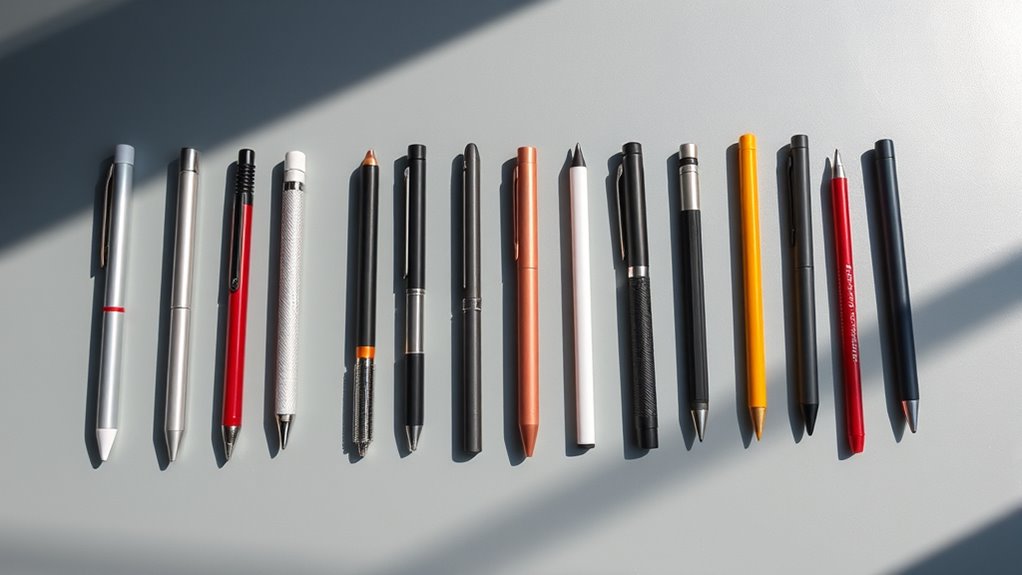

Searching for an iPad stylus alternative means balancing performance, compatibility, and cost. The Metapen iPad Pencil A8 stands out as the overall best due to its reliable palm rejection and magnetic attachment. Meanwhile, the KEEPRO Stylus Pen offers impressive tilt sensitivity at a more affordable price, making it a strong value pick. Most options in this category trade off between features like fast charging, precision, and build quality. Keep reading to see how these options compare and which one fits your needs best.

Get art and craft supplies delivered free with Prime
- Fast, free delivery on millions of items
- Prime Video, Amazon Music and more included
- Member-only deals all year
Key Takeaways
- Most top-performing stylus alternatives rely on active stylus technology for precision and palm rejection.
- Fast charging and magnetic attachment are common features that improve convenience but often come at a higher price.
- Budget options tend to sacrifice some features like tilt sensitivity or palm rejection, making them better suited for casual use.
- Compatibility varies significantly; some styluses work across multiple iPad models, while others are more limited.
- Tradeoffs between price and features are inevitable; investing more generally yields better build quality and performance.
| Stylus Pen for iPad 6th-11th Gen, Fast Charge, Palm Rejection – White |  | Best Overall iPad Stylus Alternative | Compatibility: iPad 6th-11th Gen, iPad Pro 11/12.9 inch 3rd-6th gen, iPad Air 3/4/5/M2/M3/M4, iPad Mini 6/5/4/3 | Charging: Type-C fast charging | Battery Life: 10-12 hours | VIEW ON AMAZON | See Our Full Breakdown |
| Universal Capacitive Stylus Pen with Replacement Tips for Tablets and Smartphones |  | Best Value Multi-Device Stylus | Brand: Dimples Excel | Model Number: DE-100359 | Number of Packs: 4 | VIEW ON AMAZON | See Our Full Breakdown |
| JAMJAKE Stylus Pen for iPad 6th-11th Gen, Fast Charge, Palm Rejection – White |  | Best for Precise, Creative Work on iPads | Compatibility: iPad 6th-11th Gen, iPad Pro 11/12.9 (3rd-6th gen), iPad Air M2/M3/M4, iPad Mini 5-7 | Tip Size: 1.5mm | Charging Time: 5-15 minutes | VIEW ON AMAZON | See Our Full Breakdown |
| Stylus Pen for iPad 2018-2025, Fast Charge, Magnetic Charging, Palm Rejection, White |  | Best for High-Precision, All-Around iPad Use | Compatibility: iPad 2018-2025 including iPad Pro, Air, Mini | Charging: USB-C fast charging | Battery Life: Hours of use from short charge | VIEW ON AMAZON | See Our Full Breakdown |
| 4 Pcs Stylus Pens for Touch Screens with 8 Extra Tips, 2-in-1 iPad Pencil |  | Best for Budget, Multi-Device Use | Number of Stylus Pens: 4 | Tips Included: 8 (4 fiber, 4 rubber) | Compatibility: iPad, iPhone, Samsung, Kindle, Tablets, Smartphones | VIEW ON AMAZON | See Our Full Breakdown |
| Metapen iPad Pencil A8 Stylus Pen for iPad 2018+ with Palm Rejection & Magnetic Attachment |  | Best Overall for Detailed Precision and Natural Feel | Pixel Precision: 0.1 mm | Charging Time: 30 minutes | Battery Life: up to 10 hours | VIEW ON AMAZON | See Our Full Breakdown |
| KEEPRO Stylus Pen for iPad (2018-2026), USB-C Fast Charging Pencil with Tilt Sensitivity and Pixel-Perfect Precision |  | Best for Versatile Drawing with Tilt Support | Compatibility: iPads 2018-2026 | Charging: USB-C, 30 min | Battery Life: up to 10 hours | VIEW ON AMAZON | See Our Full Breakdown |
| Stylus Pen for iPad, Compatible with iPad Pro, Air, Mini, and More |  | Best for Out-of-the-Box Use and Ergonomic Comfort | Compatibility: iPad Pro 9.7/10.5/11/12.9, iPad Air 1-5, iPad 4-10th gen, iPad Mini 2-6 | Features: No Bluetooth, high precision, ultra-responsive | Application: Drawing, note-taking, signing PDFs | VIEW ON AMAZON | See Our Full Breakdown |
| HATOKU Stylus Pen for iPad (2018-2026) Magnetic, High Precision, Tilt Sensitivity, Palm Rejection |  | Best for Professional Use and Extended Creativity | Charge Time: 15 minutes | Battery Life: 10 hours | Compatibility: iPads 2018-2026 | VIEW ON AMAZON | See Our Full Breakdown |
| Stylus Pen for iPad & Apple Pencil Alternative, Fine Point Active Stylus |  | Best for Precise Control and Compatibility with Multiple Devices | Tip Size: 1.5 mm | Battery Life: 30 hours | Charging: Micro USB, 80-100 min | VIEW ON AMAZON | See Our Full Breakdown |
| JEDOUBAL Stylus Pen for iPad 2018-2026, Fast Charging, No Bluetooth Required, Compatible with iPad Pro, Air, Mini |  | Best Budget-Friendly No-Pairing Stylus | Compatibility: iPad 2018-2026 (iPad 6th-11th Gen, iPad Pro, Air, Mini) | Charging: USB-C, 13-minute full charge | Battery Life: 10+ hours | VIEW ON AMAZON | See Our Full Breakdown |
| ipad stylus alternative | Compatibility | Battery Life | Features |
|---|---|---|---|
| Stylus Pen for iPad 6th-11th G | iPad 6th-11th Gen, iPad Pro 11/12.9 inch 3rd-6th gen, iPad Air 3/4/5/M2/M3/M4, iPad Mini 6/5/4/3 | 10-12 hours | Palm rejection, tilt sensitivity, magnetic attachment |
| Universal Capacitive Stylus Pe | All touch screen devices | — | — |
| JAMJAKE Stylus Pen for iPad 6t | iPad 6th-11th Gen, iPad Pro 11/12.9 (3rd-6th gen), iPad Air M2/M3/M4, iPad Mini 5-7 | 15 hours | — |
| Stylus Pen for iPad 2018-2025 | iPad 2018-2025 including iPad Pro, Air, Mini | Hours of use from short charge | Palm rejection, tilt sensitivity, pixel-level accuracy |
| 4 Pcs Stylus Pens for Touch Sc | iPad, iPhone, Samsung, Kindle, Tablets, Smartphones | — | No charging, no Bluetooth, high sensitivity |
| Metapen iPad Pencil A8 Stylus | iPad 2018-2026 | up to 10 hours | — |
| KEEPRO Stylus Pen for iPad | iPads 2018-2026 | up to 10 hours | — |
| Stylus Pen for iPad | iPad Pro 9.7/10.5/11/12.9, iPad Air 1-5, iPad 4-10th gen, iPad Mini 2-6 | — | No Bluetooth, high precision, ultra-responsive |
| HATOKU Stylus Pen for iPad | iPads 2018-2026 | 10 hours | High precision, tilt sensitivity, palm rejection |
| Stylus Pen for iPad & Apple Pe | iPad, iPhone, Android tablets | 30 hours | No Bluetooth, auto-off |
| JEDOUBAL Stylus Pen for iPad 2 | iPad 2018-2026 (iPad 6th-11th Gen, iPad Pro, Air, Mini) | 10+ hours | Palm rejection, tilt sensitivity, no Bluetooth required |
More Details on Our Top Picks
Stylus Pen for iPad 6th-11th Gen, Fast Charge, Palm Rejection – White
This stylus stands out for its broad compatibility across iPads from 2018 through 2026, making it a versatile choice for many users. Its palm rejection and tilt sensitivity deliver a natural drawing and writing experience, comparable to the premium KEEPRO stylus, but at a more accessible price point. The fast USB-C charging and long battery life of 10-12 hours keep it ready for extended use, while magnetic attachment simplifies storage. Unlike some budget options, it supports advanced features like tilt sensitivity, though it isn’t compatible with iPhones or Android devices, which limits its use outside the Apple ecosystem. Its plastic build may feel less premium, and it lacks wireless charging, which could be a drawback for those seeking a more seamless experience.
Pros:- Compatible with a wide range of iPads from 2018 to 2026
- Supports palm rejection and tilt sensitivity for natural use
- Fast charging with 10-12 hours of battery life
- Magnetic attachment for easy storage
Cons:- Not compatible with iPhones, Android, or Microsoft devices
- No wireless magnetic charging support
- Requires adult supervision for children due to electronic components
Best for: Artists, students, and professionals who need a reliable, versatile stylus compatible with a wide range of iPads from 2018 to 2026.
Not ideal for: Users wanting a stylus compatible with non-iPad touchscreen devices or seeking a more premium, wireless charging experience.
- Compatibility:iPad 6th-11th Gen, iPad Pro 11/12.9 inch 3rd-6th gen, iPad Air 3/4/5/M2/M3/M4, iPad Mini 6/5/4/3
- Charging:Type-C fast charging
- Battery Life:10-12 hours
- Features:Palm rejection, tilt sensitivity, magnetic attachment
- Tip:Replaceable tips (3 included)
- Material:Plastic, electronic components
Our verdict“This stylus offers excellent value and broad compatibility, making it ideal for serious iPad users who prioritize natural writing experience and long battery life.”
Universal Capacitive Stylus Pen with Replacement Tips for Tablets and Smartphones
Compared with more specialized styluses like the JAMJAKE or the high-precision options, this universal capacitive stylus offers broad device compatibility at a very attractive price. Its 7.9-inch aluminum body provides a comfortable grip, while the responsive fiber tip allows precise control on all touch screens, including iPads, iPhones, and Microsoft Surface devices. The inclusion of replaceable tips extends usability, but its long length of 7.9 inches may feel unwieldy for some users seeking a more compact stylus such as the JEDOUBAL. It lacks advanced features like tilt sensitivity or pressure responsiveness, making it less suitable for detailed digital art. This model is ideal for casual users who want a dependable stylus for everyday tasks across multiple devices without breaking the bank.
Pros:- Universal compatibility across all touch screens
- Extra-long design for reach and comfort
- Responsive fiber tip for accurate input
- Includes replaceable tips for extended lifespan
Cons:- Long length may be cumbersome for precise tasks
- Fiber tips can wear out with heavy use
- No dedicated storage or carrying case included
Best for: Casual users and families needing a versatile stylus for multiple devices without specific feature requirements.
Not ideal for: Professional artists or those requiring pressure sensitivity and tilt features for detailed digital work.
- Brand:Dimples Excel
- Model Number:DE-100359
- Number of Packs:4
- Length:7.9 inches
- Tip:Micro-knit hybrid fiber, 3mm radius
- Compatibility:All touch screen devices
Our verdict“This budget-friendly, versatile stylus is perfect for casual, multi-device use where precision is less critical.”
JAMJAKE Stylus Pen for iPad 6th-11th Gen, Fast Charge, Palm Rejection – White
The JAMJAKE stylus is tailored for users who focus on detailed note-taking and drawing on compatible iPads, especially when compared to the more generalist options like the B074H24YT2. Its 1.5mm tip provides fine control, making it suitable for artists and students. The quick 5-15 minute USB-C charging and up to 15 hours of use reduce downtime, and palm rejection technology supports natural handwriting. Unlike the B074H24YT2, it offers more precision at the cost of slightly less versatility, as it lacks tilt sensitivity and pressure responsiveness. It’s a strong choice for those who prioritize accuracy over multi-device compatibility, but the absence of pressure sensitivity limits its use for professional digital art.
Pros:- Highly compatible with recent iPads from 2018 to 2026
- Fast charging with 15 hours of battery life
- Palm rejection for natural writing
- Fine 1.5mm tip for accuracy
Cons:- No pressure sensitivity for dynamic line variation
- Requires Bluetooth on iPad, adding setup step
- No included pen cap or protective cover
Best for: Students and artists who need precise input for detailed note-taking or drawing on compatible iPads.
Not ideal for: Casual users or those seeking multi-device compatibility and pressure-sensitive styluses for advanced digital art.
- Compatibility:iPad 6th-11th Gen, iPad Pro 11/12.9 (3rd-6th gen), iPad Air M2/M3/M4, iPad Mini 5-7
- Tip Size:1.5mm
- Charging Time:5-15 minutes
- Battery Life:15 hours
- Charging Port:USB-C
- Warranty:1 year
Our verdict“This stylus offers precise control and quick charging, making it ideal for detailed work on compatible iPads, but less suited for pressure-sensitive art applications.”
Stylus Pen for iPad 2018-2025, Fast Charge, Magnetic Charging, Palm Rejection, White
This stylus combines high-precision, lag-free performance with broad compatibility across iPads from 2018 to 2025, making it a flexible alternative to the Apple Pencil. Its pixel-level accuracy and tilt sensitivity make it well-suited for artists and note-takers alike. Compared to the JAMJAKE, it offers similar features but with a more durable, lightweight design. The fast USB-C charging and palm rejection enhance usability, though it requires a USB-C port, which may not be available on all older devices. It lacks Bluetooth pairing, which means fewer smart features, but this simplicity can be a plus for plug-and-play users. The only downside is its limited color options, which might matter for style-conscious buyers.
Pros:- Pixel-level accuracy and lag-free operation
- Compatible with iPads from 2018-2025
- Fast USB-C charging and long battery life
- Supports palm rejection and tilt sensitivity
Cons:- Requires USB-C port, not universal for all devices
- No Bluetooth pairing or pressure sensitivity
- Limited color options
Best for: Creative professionals and students seeking a reliable, high-precision stylus compatible with a wide range of iPads.
Not ideal for: Users who prefer styluses with pressure sensitivity or advanced smart features like Bluetooth pairing.
- Compatibility:iPad 2018-2025 including iPad Pro, Air, Mini
- Charging:USB-C fast charging
- Battery Life:Hours of use from short charge
- Features:Palm rejection, tilt sensitivity, pixel-level accuracy
- Color:White
Our verdict“This stylus offers high precision and broad compatibility, ideal for professionals wanting reliable performance on various iPads.”
4 Pcs Stylus Pens for Touch Screens with 8 Extra Tips, 2-in-1 iPad Pencil
This set caters to users who need multiple styluses for various tasks, offering a simple, no-charging solution with dual tips for versatility. Its fiber and rubber tips provide decent precision on touch screens, but it falls short for detailed digital art compared to the high-precision options like the B0FSX7CRQK or JAMJAKE. The absence of features like tilt or pressure sensitivity makes it more suitable for casual tasks like browsing or light drawing. The multiple styluses and replacement tips help extend usability, but the lack of smart features and limited control might frustrate more demanding users who want a stylus that acts more like a pen or pencil.
Pros:- Set of four styluses with multiple tips
- No charging or Bluetooth required
- Easy to replace tips for extended use
- Affordable multi-pack for family or classroom use
Cons:- Limited to capacitive touch interaction
- No pressure sensitivity or tilt features
- Design may feel basic compared to premium styluses
Best for: Families or casual users needing multiple styluses for various devices without complex features.
Not ideal for: Artists and professionals requiring pressure sensitivity or advanced digital drawing capabilities.
- Number of Stylus Pens:4
- Tips Included:8 (4 fiber, 4 rubber)
- Compatibility:iPad, iPhone, Samsung, Kindle, Tablets, Smartphones
- Features:No charging, no Bluetooth, high sensitivity
- Design:Dual-tip, easy to replace
Our verdict“This multi-pack offers a practical, budget-friendly solution for casual users across multiple devices but isn’t suited for detailed digital artistry.”
Metapen iPad Pencil A8 Stylus Pen for iPad 2018+ with Palm Rejection & Magnetic Attachment
The Metapen A8 stands out for its pixel-precise accuracy, making it ideal for artists and note-takers who need fine detail. Compared to the HATOKU Stylus, it offers slightly better accuracy with no pressure sensitivity, but lacks tilt support. Its fast charging and 10-hour battery ensure it’s ready when needed, though it doesn’t support wireless charging or pressure sensitivity—a tradeoff for simplicity and reliable precision. The palm rejection feature provides a natural writing experience, similar to a traditional pencil, but limited compatibility to iPads from 2018 onward might restrict some users.
Pros:- Pixel-precise 0.1 mm accuracy for detailed work
- Fast 30-minute charging, up to 10 hours of use
- Durable tips tested for 20 km longevity
- Palm rejection support for natural writing
Cons:- No pressure sensitivity limits nuanced drawing
- Lacks wireless or magnetic charging
- Limited to iPads from 2018+
Best for: Digital artists and professionals prioritizing accuracy and palm rejection on compatible iPads.
Not ideal for: Casual users or those seeking pressure sensitivity or wireless charging capabilities.
- Pixel Precision:0.1 mm
- Charging Time:30 minutes
- Battery Life:up to 10 hours
- Tip Durability:20 km
- Material:Aluminum
- Compatibility:iPad 2018-2026
Our verdict“This stylus is perfect for users who need precise, natural input on compatible iPads without pressure sensitivity.”
KEEPRO Stylus Pen for iPad (2018-2026), USB-C Fast Charging Pencil with Tilt Sensitivity and Pixel-Perfect Precision
The KEEPRO Stylus offers a broad compatibility range and tilt sensitivity, making it suitable for users who want a versatile tool across many iPad models. Unlike the Metapen A8, it includes tilt sensing, which adds depth to drawing and shading, but still doesn’t support pressure sensitivity, limiting detailed artistic control. Its fast USB-C charging ensures quick turnaround, and the Bluetooth connectivity allows customizable shortcuts, compared to the more straightforward but less feature-rich Stylus Pen for iPad. Some users might need to verify compatibility with their specific iPad model, especially older or newer versions.
Pros:- USB-C fast charging, fully charged in 30 minutes
- Tilt sensitivity for realistic shading
- Pixel-perfect precision for detailed work
- Compatible with a wide range of iPads (2018-2026)
Cons:- No pressure sensitivity limits nuanced artistic effects
- Bluetooth connection needed for shortcut functions
- Requires model compatibility confirmation
Best for: Artists and note-takers who value tilt features and quick charging across multiple iPad models.
Not ideal for: Users requiring pressure sensitivity or advanced brush control for digital painting.
- Compatibility:iPads 2018-2026
- Charging:USB-C, 30 min
- Battery Life:up to 10 hours
- Tilt Sensitivity:Yes
- Pressure Sensitivity:No
- Replaceable Tips:Yes, 3 included
Our verdict“This stylus suits creative users wanting tilt support and broad device compatibility, but not those needing pressure sensitivity.”
Stylus Pen for iPad, Compatible with iPad Pro, Air, Mini, and More
The Stylus Pen for iPad offers a straightforward, Bluetooth-free experience, making it ideal for casual users and students. Unlike the Metapen A8 or KEEPRo models, it requires no pairing, so it’s ready to use immediately, but this simplicity comes at the expense of advanced features like tilt or pressure sensitivity. Its high responsiveness and ergonomic design make it comfortable for extended use, yet limited info on battery life or charging might be a concern for heavy users. It’s an excellent choice for those who prefer plug-and-play functionality over feature complexity.
Pros:- No Bluetooth setup required, ready to use immediately
- High precision and responsiveness
- Ergonomic design suitable for all ages
- Compatible with multiple iPad models
Cons:- Limited info on battery life or charging process
- No pressure sensitivity or tilt support
- Mesh cap could be easy to lose
Best for: Students and everyday users who want a simple, responsive stylus without Bluetooth pairing or pressure controls.
Not ideal for: Professional artists or those seeking advanced drawing features like tilt or pressure sensitivity.
- Compatibility:iPad Pro 9.7/10.5/11/12.9, iPad Air 1-5, iPad 4-10th gen, iPad Mini 2-6
- Features:No Bluetooth, high precision, ultra-responsive
- Application:Drawing, note-taking, signing PDFs
- Design:Ergonomic
Our verdict“This stylus is ideal for quick, reliable use and casual drawing, but not for detailed artistic work requiring pressure or tilt features.”
HATOKU Stylus Pen for iPad (2018-2026) Magnetic, High Precision, Tilt Sensitivity, Palm Rejection
The HATOKU Stylus excels with its quick 15-minute charge providing 10 hours of reliable use, along with features like tilt sensitivity and palm rejection, making it a solid choice for professionals. Compared to the Metapen A8, it offers additional tilt support, which benefits shading and nuanced drawing, but it still lacks pressure sensitivity for detailed digital art. Its magnetic attachment simplifies storage, yet it requires a certified power adapter for safe charging, which could be an extra step for some users. Overall, it’s tailored for users who want extended use and professional features without Bluetooth pairing.
Pros:- Fast 15-minute charge with 10 hours of use
- Magnetic design for easy storage
- Compatible with a wide range of iPads
- Features like tilt sensitivity and palm rejection
Cons:- Requires certified chargers for safe charging
- No Bluetooth for advanced features
- Supervision recommended for children
Best for: Creative professionals and serious note-takers who value quick charging and palm rejection on compatible iPads.
Not ideal for: Casual users or those seeking pressure sensitivity or Bluetooth-enabled shortcut customization.
- Charge Time:15 minutes
- Battery Life:10 hours
- Compatibility:iPads 2018-2026
- Features:High precision, tilt sensitivity, palm rejection
- Magnetic Attachment:Yes
- Warranty:1 year
Our verdict“This stylus offers professional-grade features and quick charging, ideal for serious users but not for artists needing pressure sensitivity.”
Stylus Pen for iPad & Apple Pencil Alternative, Fine Point Active Stylus
The Fine Point Active Stylus stands out with its sleek design and 1.5 mm tip, offering exceptionally precise control without the need for Bluetooth pairing. Unlike the HATOKU or Metapen models, it’s compatible with a broad range of tablets and smartphones, making it highly versatile. However, it does not support pressure sensitivity or palm rejection, which limits its use for advanced art projects. Its long battery life and easy magnetic charging are advantages, but the micro USB port may be less appealing compared to USB-C options in newer models.
Pros:- Precise 1.5 mm fine tip for detailed work
- Long battery life with quick charging
- Universal compatibility across many devices
- Elegant, portable design
Cons:- No pressure sensitivity or palm rejection
- Micro USB charging port may be outdated
- Requires manual setup on some iPads for optimal use
Best for: Users who want a precise, versatile stylus for various devices without extra setup or advanced drawing features.
Not ideal for: Professional digital artists requiring pressure sensitivity or palm rejection for complex illustrations.
- Tip Size:1.5 mm
- Battery Life:30 hours
- Charging:Micro USB, 80-100 min
- Compatibility:iPad, iPhone, Android tablets
- Features:No Bluetooth, auto-off
Our verdict“This stylus offers excellent precision and device compatibility for casual and multi-device users, but not for detailed professional art.”
JEDOUBAL Stylus Pen for iPad 2018-2026, Fast Charging, No Bluetooth Required, Compatible with iPad Pro, Air, Mini
The JEDOUBAL Stylus Pen offers a compelling alternative to the Apple Pencil by eliminating Bluetooth pairing, which makes setup effortless. Compared to models like the KEEPRO Stylus, this pen stands out for its rapid 3x fast charging—just 13 minutes gives over 10 hours of use—making it ideal for users who dislike charging interruptions. While it provides precise writing with palm rejection and tilt sensitivity, it falls short for professional artists lacking pressure sensitivity. Its compatibility with a broad range of iPads from 2018 to 2026 ensures versatility, but the absence of pressure sensitivity limits its appeal for detailed artwork. This pick makes the most sense for students or casual users seeking a quick, reliable stylus without the need for Bluetooth connection or pressure sensitivity, but it’s less suited for serious digital artists.
Pros:- Fast 3x charging in just 13 minutes for over 10 hours of use
- No Bluetooth pairing needed, simplifying setup
- Accurate with palm rejection and tilt sensitivity
- Affordable price compared to Apple Pencil
Cons:- Limited to newer iPads from 2018-2026, reducing compatibility with older models
- Lacks pressure sensitivity, which is a drawback for professional or detailed artwork
- Requires charging before long use sessions
Best for: Budget-conscious iPad users who want quick, hassle-free setup for note-taking or casual drawing
Not ideal for: Professional artists or designers requiring pressure-sensitive input for detailed work
- Compatibility:iPad 2018-2026 (iPad 6th-11th Gen, iPad Pro, Air, Mini)
- Charging:USB-C, 13-minute full charge
- Battery Life:10+ hours
- Features:Palm rejection, tilt sensitivity, no Bluetooth required
- Included:Stylus pen, 3 replacement tips, USB-C cable
- Color options:White, Black
Our verdict“This stylus is ideal for casual users seeking quick, easy operation without Bluetooth or pressure sensitivity, but it’s less suited for professional creative work.”
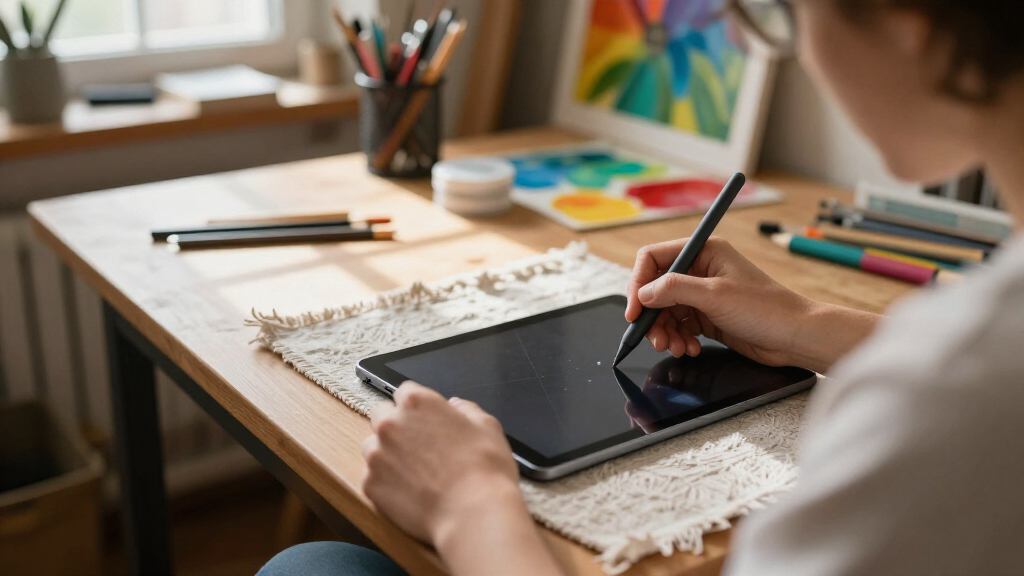
How We Picked
To evaluate these stylus alternatives, I focused on key factors that matter to users: drawing and writing performance, compatibility with various iPad models, battery life and charging convenience, build quality, and added features like palm rejection and tilt sensitivity. I prioritized products that offer active stylus functionalities, similar to Apple Pencil, but at lower prices. The ranking reflects a balance between affordability and capability, with top picks demonstrating reliability, ease of use, and value. Devices with consistent performance across different use cases earned higher scores, ensuring that each recommendation serves a specific user need.Factors to Consider When Choosing Ipad Stylus Alternative
Choosing the right iPad stylus alternative depends on several important considerations. While price is a factor, understanding key features like palm rejection, charging method, and compatibility can help you avoid common pitfalls. A stylus that lacks palm rejection may lead to frustrating accidental touches, especially during detailed work. Additionally, battery life and charging convenience are often overlooked but impact daily usability. Considering your primary activity—whether drawing, note-taking, or casual browsing—can guide you toward a device that offers the right mix of features without overspending.Compatibility with Your iPad Model
Not all stylus alternatives work seamlessly across all iPad models. Some are optimized for recent versions, while others support older generations. Verify compatibility before purchasing, as using an incompatible stylus can lead to poor performance or no functionality at all. Checking the manufacturer’s specifications ensures you select a stylus that will work reliably with your device, saving you the trouble of returns or dissatisfaction.Active vs. Capacitive Stylus Technology
Active stylus pens, which include internal electronics for pressure sensitivity and palm rejection, typically deliver a more natural drawing experience. Capacitive styluses, on the other hand, mimic finger touch and are generally less precise. For professional work or detailed sketching, active styluses are usually worth the extra investment. However, capacitive options can be suitable for casual note-taking or occasional use, often at a lower price point.Charging Method and Battery Life
Styluses with fast charging and magnetic attachments tend to be more convenient for daily use. Consider how often you’ll need to recharge and whether the device offers quick top-ups. Some styluses support USB-C or Lightning charging, which aligns with your existing cables, reducing clutter. Long battery life is vital for uninterrupted work sessions, especially if you use your stylus heavily or in professional settings.Build Quality and Ergonomics
A well-built stylus with a comfortable grip makes extended use more manageable. Cheaper models may feel flimsy or uncomfortable during prolonged sessions, leading to fatigue or even accidental drops. Look for styluses with sturdy construction, a balanced weight, and a design that feels natural in your hand. These factors can significantly influence your overall experience and satisfaction.Additional Features: Tilt, Pressure, and Rejection
Features such as tilt sensitivity and pressure levels add depth to drawing and note-taking. Palm rejection prevents accidental touches, which is especially important for precise work. While these features enhance usability, they often come at a higher price. Decide which of these features are essential for your workflow—casual users might skip them, whereas artists and designers will benefit from their inclusion.Frequently Asked Questions
Can I use any stylus with my iPad?
No, not every stylus will work effectively with an iPad. Compatibility depends on whether the stylus supports active stylus technology and is designed specifically for iPadOS. Some capacitive styluses may work but lack precision or features like palm rejection. Always check the manufacturer’s specifications to ensure the stylus is compatible with your specific iPad model for the best experience.Are active stylus alternatives worth paying extra for?
Active stylus alternatives generally provide better precision, pressure sensitivity, and palm rejection, making them suitable for detailed work like drawing or professional note-taking. While they cost more than simple capacitive styluses, the added features can significantly improve usability. For casual users who only need basic touch functionality, a lower-priced capacitive stylus might suffice, but for serious work, investing in an active stylus tends to be more satisfying.How important is tilt sensitivity in a stylus?
Tilt sensitivity allows for more natural shading and stroke variation, which is especially valuable for artists and illustrators. If your work involves detailed drawing or digital art, a stylus with tilt sensitivity can replicate traditional tools more closely. However, for basic note-taking or casual sketching, tilt sensitivity might be less critical, and you can opt for a more affordable model without this feature.What is the typical battery life I should expect?
Most active styluses offer several hours of continuous use on a single charge, with quick-charging options available on many models. If you plan to use your stylus extensively, look for one with at least 8-12 hours of battery life and fast recharge times, so you won’t be left without a working device during long sessions. Some models with magnetic charging or USB-C support facilitate easier recharging, adding to convenience.Should I prioritize price or features when choosing a stylus?
It depends on your intended use. For casual browsing and occasional note-taking, a budget-friendly stylus with basic touch support may suffice. However, if you need precision, pressure sensitivity, or professional-grade features, investing in a more expensive, active stylus makes sense. Balancing your needs with your budget will help you find a stylus that offers the best value for your specific requirements.Conclusion
For general users seeking an affordable, reliable alternative, the Metapen iPad Pencil A8 delivers excellent palm rejection and consistent performance. KEEPRO Stylus Pen is ideal for artists needing tilt sensitivity without breaking the bank. Those who want the best overall experience should consider premium options with advanced features, while beginners might prefer simpler, capacitive styluses. Serious creators and professionals should prioritize styluses with pressure sensitivity and robust build quality, even at a higher price point, to ensure a seamless workflow.Halloween Picks

Halloween Pumpkin Fog Machine with 12-Color LEDs, Bluetooth Speaker, and Remote

DomKom 6 ft Halloween Inflatable Ghosts Roasting Marshmallows

Vexalify 11-Inch Halloween Pumpkin Fog Machine with 12-Color Lights
As an affiliate, we earn on qualifying purchases.