
Helpful, human-centered error messages clearly explain what went wrong in simple language, offer practical suggestions, and show empathy. They avoid technical jargon, are brief, and give straightforward next steps, making it easier for you to resolve issues quickly. Good messages acknowledge your frustration and reassure you that help is available. If you want to discover how to craft such messages that turn frustrations into positive interactions, you’ll find useful tips ahead.
Key Takeaways
- Use clear, jargon-free language that users can easily understand.
- Provide specific, actionable steps users can take to resolve the issue.
- Include reassuring tone and empathy to reduce user frustration and anxiety.
- Offer contextual information or error codes to assist both users and support teams.
- Keep messages concise, focusing on helpful guidance rather than technical details.
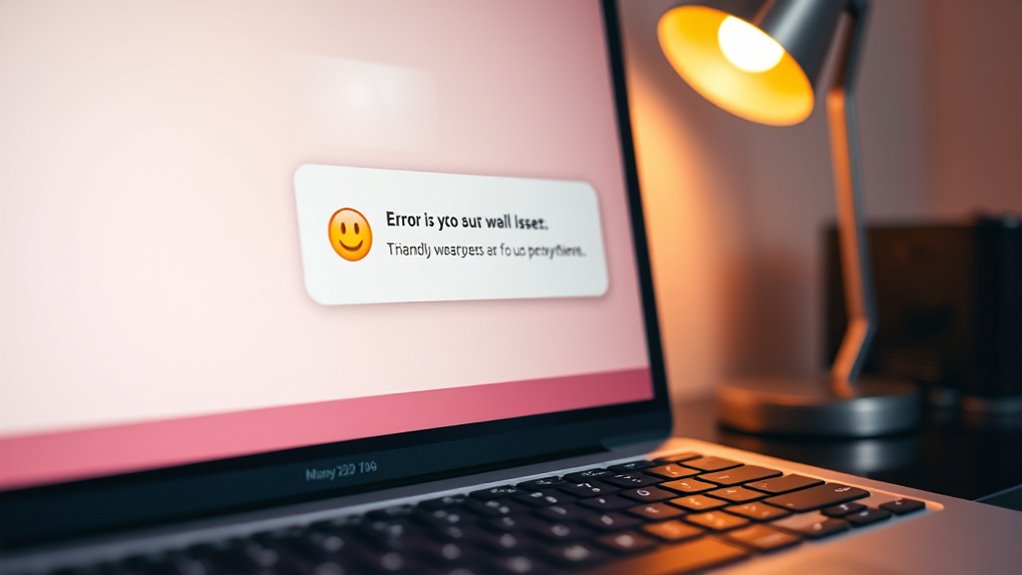
When encountering an error message, a clear and helpful one can make all the difference in resolving issues quickly. Instead of leaving users frustrated and confused, a well-crafted message guides them toward solutions, improving the overall user experience. Good error messages act as a bridge between confusion and resolution, reducing the need for extensive debugging strategies and making troubleshooting more straightforward. They should avoid technical jargon, be concise, and provide actionable steps that users can follow immediately.
Think about the last time you saw a vague or technical error, like “Error 0x80070057.” It likely left you feeling lost, unsure of what to do next. Now, imagine instead seeing a message like, “It looks like your input is invalid. Please check the form and try again.” That kind of helpful, human-centered approach not only makes users feel supported but also empowers them to fix the problem themselves without unnecessary frustration. When you design error messages with user experience as a priority, you help users feel more confident and less overwhelmed, even when things go wrong.
To craft helpful error messages, consider what the user needs at that moment. Avoid blaming the user or using overly technical language. Instead, clearly state what went wrong, why it matters, and how they can fix it. For example, instead of a generic “Something went wrong,” use “Unable to save your changes because the server is busy. Please try again in a few minutes.” This message provides context, reassures the user, and offers a solution. When error messages are transparent and empathetic, they reduce user frustration and build trust in your system.
In addition to clarity, helpful error messages should support debugging strategies for both users and developers. For users, this means providing enough information to resolve simple issues themselves. For developers, it suggests including logs or error codes that can be used to diagnose problems more efficiently. For example, including an error code like “ERR1234” can help support teams quickly identify the root cause without lengthy back-and-forth. When error messages serve both audiences, they create a smoother experience and streamline troubleshooting.
Ultimately, designing helpful, human error messages isn’t just about fixing bugs—it’s about respecting users’ time and effort. When you put thought into how messages are communicated, you foster a positive interaction, even when things go wrong. Clear, concise, and empathetic error messages enhance user experience, reduce frustration, and make debugging strategies more effective. By prioritizing understandable communication, you turn potential points of failure into opportunities for kindness and efficiency. Additionally, understanding the importance of recovery devices can help inform how you communicate troubleshooting steps in contexts related to physical or digital recovery.
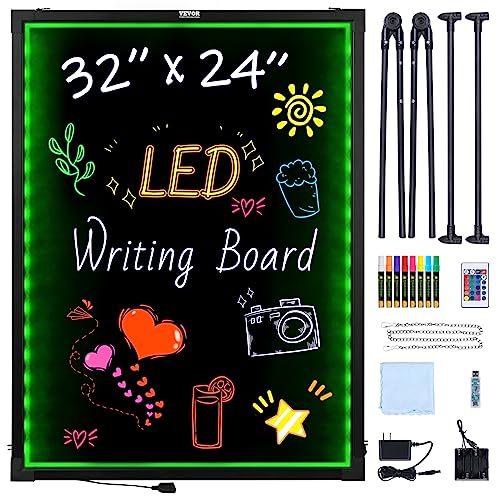
VEVOR 32"x24" LED Message Writing Board, Menu Sign Boards, Illuminated Erasable Lighted Chalkboard, Neon Effect Drawing Panel with 8 Fluorescent Chalk Markers and Remote Control
16 Colors+4 Modes+5 Brightness Levels: Adjustable to 16 different LED neon light colors, 4 different flash modes, and…
As an affiliate, we earn on qualifying purchases.
As an affiliate, we earn on qualifying purchases.
Frequently Asked Questions
How Can Error Messages Improve User Trust?
Error messages boost your user experience and strengthen user confidence by clearly explaining what went wrong and how to fix it. When messages are helpful and human, you feel understood and supported, reducing frustration. This transparency shows you that the system is reliable and cares about your needs, encouraging you to trust the platform more. Ultimately, good error messages turn potential setbacks into opportunities for positive engagement and continued trust.
What Are Common Mistakes in Crafting Helpful Error Messages?
You often make mistakes in crafting helpful error messages by lacking contextual clarity, which leaves users confused about the issue. Additionally, inconsistent tone can make messages seem unprofessional or unhelpful. To improve, guarantee your messages are clear, specific, and relevant to the user’s action, while maintaining a consistent, friendly tone. This approach helps users understand what went wrong and how to fix it, building trust and reducing frustration.
How Do Cultural Differences Affect Error Message Design?
Cultural differences greatly influence how you should design error messages. Cultural nuances affect tone, formality, and the level of detail users expect, so you need to adapt your messages accordingly. Language barriers mean you should keep wording simple, clear, and avoid idioms that may not translate well. By considering these factors, you create more effective, respectful error messages that improve user experience across diverse audiences.
Can Humorous Error Messages Be Effective?
Humorous error messages can be effective if they balance error humor with message clarity. You can lighten the mood and reduce user frustration, making the experience more engaging. However, if the humor obscures important information or causes confusion, it loses its effectiveness. As you design, guarantee that the humor complements clarity, helping users understand the problem and how to fix it without misinterpretation.
What Role Does Accessibility Play in Error Messaging?
Did you know that 15% of the world’s population experiences some form of disability? Accessibility is vital in error messaging because it guarantees everyone, regardless of ability, understands your feedback. By embracing inclusive design and using clear visual cues, you make error messages more effective and user-friendly. This approach not only broadens your audience but also demonstrates your commitment to equitable digital experiences.

FOXWELL NT301 OBD2 Scanner Live Data Professional Mechanic OBDII Diagnostic Code Reader Tool for Check Engine Light
【Vehicle CEL Doctor】The NT301 obd2 scanner enables you to read DTCs, access to e-missions readiness status, turn off…
As an affiliate, we earn on qualifying purchases.
As an affiliate, we earn on qualifying purchases.
Conclusion
By crafting error messages that are clear and human, you reduce frustration and guide users effectively. For example, imagine a user trying to reset their password but receiving a message saying, “Invalid code. Try again.” Instead, a helpful message might say, “The code you entered is incorrect. Please check your email and try again.” Such messages build trust, prevent confusion, and improve overall experience—making your system feel more approachable and user-friendly.
user-friendly error message generator
As an affiliate, we earn on qualifying purchases.
As an affiliate, we earn on qualifying purchases.
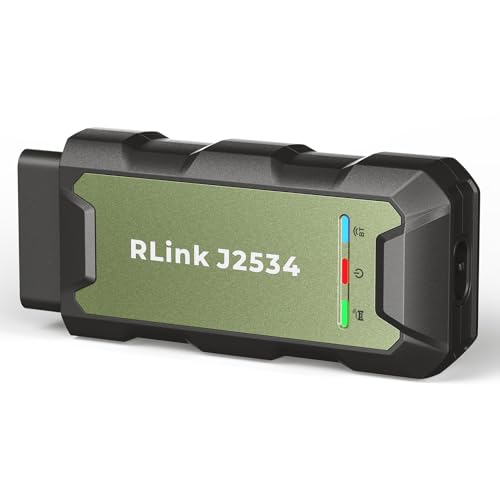
TOPDON RLink J2534 OEM Reprogramming and Diagnostic Tool, Enhanced J2534 VCI, J2534-Pass-Thru for J2534/D-PDU/CAN-FD/DoIP, Supports 18+ Vehicle Brands, No OE Software Provided
[J2534 Pass-Thru Programmer] – TOPDON RLink J2534 is engineered for professional technicians, delivering OEM diagnostic and reprogramming capabilities….
As an affiliate, we earn on qualifying purchases.
As an affiliate, we earn on qualifying purchases.