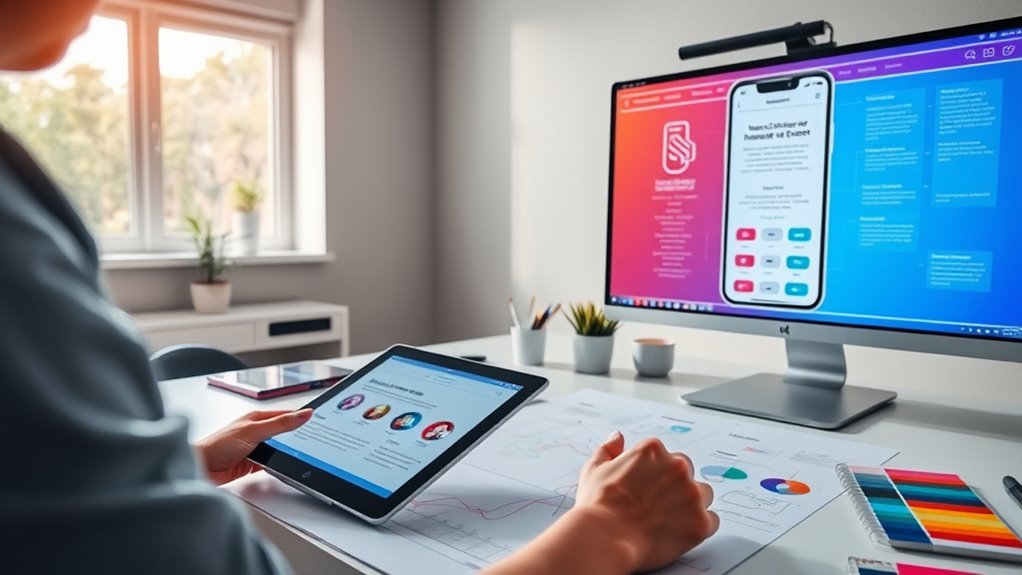

To design intuitive navigation patterns for web and mobile, focus on organizing menus logically with clear labels and prioritizing core categories. Support common user paths with easy-to-access links and minimize clicks needed to reach goals. Use responsive, mobile-friendly menus like dropdowns or collapsibles for smaller screens, and keep the layout simple and consistent. By understanding user behavior and flow, you’ll create a seamless experience—continue exploring to learn proven strategies that boost engagement.
Key Takeaways
- Organize menus logically, highlighting core categories and grouping related content to reduce cognitive load.
- Use clear, descriptive labels and consistent placement to support user flow and ease of navigation.
- Implement responsive and mobile-friendly menus like collapsible or dropdown options for seamless access across devices.
- Map common user paths and support typical routes with intuitive links, minimizing clicks and backtracking.
- Prioritize simplicity by focusing on key categories and avoiding menu overload to enhance user experience.
Effective navigation patterns are essential for creating intuitive and user-friendly websites or applications. When you design navigation, you want your users to find what they’re looking for effortlessly, without frustration or confusion. One of the most critical aspects is establishing a clear menu hierarchy. This means organizing your menu items logically and predictably, so users can understand the structure of your site at a glance. A well-structured menu hierarchy minimizes cognitive load by grouping related content and prioritizing the most important sections. For example, your main menu should highlight core categories, with submenus providing access to more detailed pages. This layered approach helps users navigate deeper into your site without feeling overwhelmed, guiding them smoothly through their user flow.
A clear menu hierarchy simplifies navigation and helps users understand your site structure effortlessly.
Speaking of user flow, it’s vital to think about how visitors move through your website or app. You want to facilitate a seamless journey from entry point to goal completion, whether that’s making a purchase, finding information, or signing up for a service. To achieve this, map out typical user paths and ensure your navigation supports these routes intuitively. Avoid forcing users to backtrack or guess where to find certain features; instead, anticipate their needs and place links or buttons logically along their journey. Clear labels, consistent placement, and minimal clicks contribute to a natural user flow, making interactions feel effortless and satisfying. Incorporating content organization strategies can further enhance clarity and ease of navigation.
In designing your menu hierarchy, consider the importance of simplicity. Don’t overload menus with every possible page; instead, focus on key categories and use dropdowns or expandable menus for less critical options. Keep labels straightforward and descriptive so users immediately understand where they’ll land. Remember that your navigation should adapt to different devices—what works on a desktop might need adjustments for mobile screens. Responsive menus that collapse or slide out can help maintain clarity and ease of use across platforms.
Your goal is to create a navigation system that feels intuitive and supports the overall user experience. When you pay attention to menu hierarchy and user flow, you help users accomplish their tasks quickly and without frustration. This approach not only improves engagement but also encourages users to explore more of your content, increasing satisfaction and retention. Ultimately, designing effective navigation patterns means putting yourself in your users’ shoes—anticipating their needs and guiding them effortlessly through your digital space.

Incase Modern Mobile Mouse – Designed by Microsoft – Lightweight, Precision Navigation, Right/Left Hand Use, Scroll Wheel, BlueTrack Technology, Wireless Bluetooth for Mac/Windows/8/10/11 (Black)
Thin and Lightweight Design: The Modern Mobile Mouse, designed by Microsoft, offers precise navigation without the bulk of…
As an affiliate, we earn on qualifying purchases.
As an affiliate, we earn on qualifying purchases.
Frequently Asked Questions
How Does User Behavior Influence Navigation Design Choices?
Your user behavior shapes navigation design choices because you naturally follow cognitive biases and hold specific user expectations. You tend to seek familiar patterns, so designing with these biases in mind helps you find information quickly. When you anticipate where elements should be, your experience feels intuitive. By understanding how you behave and what you expect, you can create navigation that feels seamless, engaging, and easy to use.
What Are Common Pitfalls in Mobile Navigation Design?
Imagine maneuvering a maze with confusing signs—gesture-based interactions can feel just as tricky if not clear enough. Common pitfalls include cluttered interfaces that obscure visual hierarchy, making it hard to find what you need. Overloading gestures or hiding essential options can frustrate users, leading to confusion or accidental taps. To avoid this, prioritize simplicity, guarantee gestures are intuitive, and maintain a clean visual hierarchy that guides users effortlessly through your app.
How Can Accessibility Be Integrated Into Navigation Patterns?
You can integrate accessibility into navigation patterns by ensuring good color contrast so users with visual impairments can see options clearly, and by enabling keyboard navigation so those who can’t use a mouse can still navigate easily. Test your design with screen readers and keyboard controls regularly. This approach makes your navigation more inclusive, improving the experience for all users and complying with accessibility standards.
What Tools Assist in Testing Navigation Usability?
You can use tools like A/B testing platforms to compare different navigation designs and see which performs best. Heuristic evaluation also helps identify usability issues by analyzing navigation patterns against established usability principles. These tools let you gather user data, observe navigation flow, and make data-driven improvements, ensuring your menus are intuitive, accessible, and user-friendly across web and mobile platforms.
How Do Cultural Differences Impact Navigation Design?
You should consider that 85% of users notice cultural cues first when orienting. Cultural differences greatly impact your design by influencing regional preferences, language, symbols, and color meanings. If you ignore these, users may feel confused or offended. Adapt your navigation to reflect regional preferences by using familiar icons and respecting local customs. This approach ensures your site feels intuitive and welcoming to diverse audiences, boosting engagement and satisfaction.
dropdown menu plugins for websites
As an affiliate, we earn on qualifying purchases.
As an affiliate, we earn on qualifying purchases.
Conclusion
By implementing intuitive navigation patterns, you make it easier for users to find what they need quickly. Remember, 88% of online consumers are less likely to return to a site after a bad experience, highlighting the importance of seamless navigation. Keep your menus simple, consistent, and mobile-friendly. When you prioritize user experience, you’ll boost engagement and satisfaction, turning visitors into loyal users. So, focus on clear, intuitive paths—you’ll see the difference it makes.
collapsible navigation menu for WordPress
As an affiliate, we earn on qualifying purchases.
As an affiliate, we earn on qualifying purchases.

Digital Peak Flow Meter,Home Medical with Tracking Software Manually Recording-Accurate & Reliable Spirometer for Asthma Adult Kids
High accuracy & High repeatability-Pressure differential sensor applied ensures the high accuracy. No calibration is needed after manufactured….
As an affiliate, we earn on qualifying purchases.
As an affiliate, we earn on qualifying purchases.