To create accessible modal dialogs and overlays, guarantee you use ARIA labels like `aria-labelledby` and `aria-describedby` to clearly define their purpose. Trap focus inside the overlay when it opens by managing keyboard events such as Tab and Shift+Tab, and set initial focus on a meaningful element like a close button. When users close the overlay, return focus to where it was. Implementing these best practices helps make your overlays inclusive; if you keep exploring, you’ll discover even more effective techniques.

Get art and craft supplies delivered free with Prime
- Fast, free delivery on millions of items
- Prime Video, Amazon Music and more included
- Member-only deals all year
Key Takeaways
- Use ARIA attributes like `aria-labelledby` and `aria-describedby` to clearly label the overlay content.
- Capture focus within the modal on open and restore it on close to maintain navigation flow.
- Trap keyboard focus inside the overlay by managing Tab and Shift+Tab events to prevent focus escape.
- Set initial focus to a logical element (e.g., close button) when opening and ensure focus indicators are visible.
- Provide descriptive labels and instructions to assist screen readers and enhance overall accessibility.
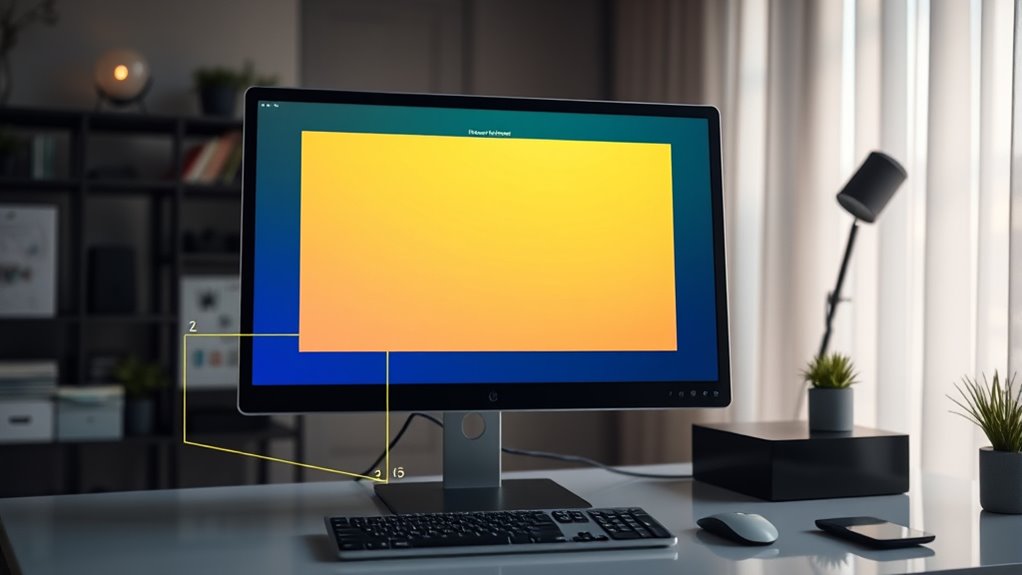
Accessible modal dialogs and overlays are essential components of inclusive web design, ensuring that all users, including those with disabilities, can interact with your site effectively. When implementing these elements, proper ARIA labeling becomes crucial. By using ARIA attributes like `aria-labelledby` and `aria-describedby`, you provide screen readers with clear context about the dialog’s purpose and content. This helps users understand what the modal is for and guides them through the interaction without confusion. Make certain that the labels are descriptive and concise, so users quickly grasp the intent of the overlay. Clear ARIA labeling not only improves accessibility but also enhances overall usability, making your modal dialogs more intuitive.
Focus trapping is another vital aspect of creating accessible overlays. When a modal dialog appears, it should capture the user’s focus, preventing them from navigating outside the overlay until they close it. This means you need to trap the focus within the modal, so keyboard users can cycle through the dialog’s interactive elements without accidentally moving to elements behind the overlay. Implementing focus trapping involves managing keyboard events, especially the Tab and Shift+Tab keys, to loop focus within the dialog. This prevents disorientation and ensures that keyboard users can complete their tasks efficiently. Without focus trapping, users might find themselves lost or unable to interact with the modal properly, which can be frustrating and lead to a poor experience.
Additionally, understanding accessibility standards is essential for designing effective overlays that meet legal and ethical requirements. You should also set the initial focus to the most relevant element within the modal when it opens, such as a close button or a form input, to streamline user interaction. When the modal closes, return focus to the element that triggered it, maintaining a logical flow. Additionally, make certain that the overlay itself is accessible via keyboard navigation, with proper focus indicators so users always know where they are. Combining ARIA labeling with focus trapping creates a seamless, accessible experience that respects users’ navigation preferences and needs.
As an affiliate, we earn on qualifying purchases.
Frequently Asked Questions
How Do I Test Modal Accessibility Across Different Browsers?
You test modal accessibility across different browsers by using tools like screen readers, browser developer tools, and accessibility testing extensions. Make certain your modal uses proper ARIA roles, such as `dialog`, and manages focus correctly. Check browser compatibility by validating your code in Chrome, Firefox, Safari, and Edge. This way, you confirm that ARIA roles function properly and your modal remains accessible, regardless of the user’s browser choice.
What Are Best Practices for Keyboard Navigation Within Modals?
Your keyboard focus must stay trapped within the modal, preventing users from accidentally escaping. Use a logical tab order that flows naturally, cycling focus from the last element back to the first, like a continuous loop. Guarantee all interactive elements are reachable with Tab and Shift+Tab. These practices ensure smooth keyboard navigation, making your modal accessible and user-friendly for everyone. Don’t let poor focus control ruin the experience!
How Can I Ensure Screen Reader Compatibility With Overlays?
To facilitate screen reader compatibility with overlays, you should use appropriate ARIA attributes like aria-modal and aria-labelledby to clearly identify the overlay’s purpose. Implement focus trapping to keep keyboard navigation within the overlay, preventing users from navigating outside it unintentionally. Regularly test with screen readers to verify that content is announced correctly and that focus management works smoothly, providing an accessible experience for all users.
Are There Common Accessibility Pitfalls to Avoid in Modal Design?
Think of a modal as a lighthouse guiding users safely through a storm. Common pitfalls include neglecting proper ARIA roles, which can leave screen readers lost, and failing to implement focus traps, causing users to get stuck or lose context. Always make sure your modal has correct ARIA labels, roles, and that focus stays within the dialog until it’s closed. Avoid these mistakes to keep your modal accessible and user-friendly.
How Do I Handle Focus Management When Closing Modals?
When closing modals, you should trap focus within the dialog until it’s dismissed. Use JavaScript to return focus to the element that triggered the modal or a logical fallback. Make sure to update aria attributes, like aria-hidden, to reflect the modal’s state. This way, screen readers understand the change, and focus management remains seamless, ensuring accessibility for all users.
As an affiliate, we earn on qualifying purchases.
Conclusion
By designing accessible modal dialogs and overlays, you open the door to a more inclusive web experience. Remember, accessibility isn’t just a feature—it’s the key that unleashes equal access for everyone. When you prioritize usability, you don’t just follow best practices; you create a space where all users can thrive. So, will you be the gatekeeper who champions inclusivity, or let barriers stand in the way? The choice is yours—make it with intention.
As an affiliate, we earn on qualifying purchases.
As an affiliate, we earn on qualifying purchases.
Fall Picks
fall essentials
As an affiliate, we earn on qualifying purchases.