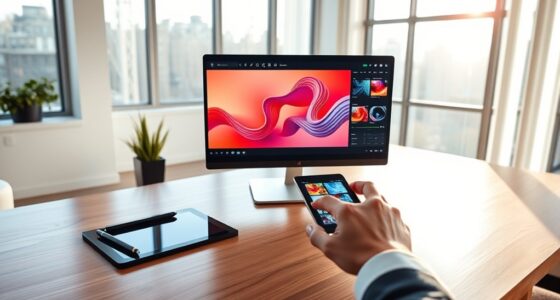
Using collaborative whiteboard apps allows you and your remote design team to brainstorm, organize ideas, and communicate visually in real time. These tools support multiple input methods such as sketches, sticky notes, and flowcharts, making teamwork more dynamic and inclusive. Their intuitive interface makes it easy to switch between techniques and stay focused. To discover how these features can boost your team’s productivity and creativity, keep exploring the options available.
Key Takeaways
- Utilize real-time collaboration features like live cursors and instant updates to coordinate design ideas effectively.
- Leverage visual tools such as mind maps, sketches, and sticky notes to enhance brainstorming sessions remotely.
- Choose intuitive, user-friendly interfaces to ensure seamless onboarding and productive team interactions.
- Integrate whiteboard apps with project management tools for streamlined workflow and idea tracking.
- Promote inclusive participation by encouraging diverse input methods like drawing, typing, and linking ideas directly.

Collaborative whiteboard apps have transformed the way teams brainstorm, plan, and communicate remotely. When you’re working with a distributed design team, these tools become indispensable for fostering creativity and streamlining your workflow. They allow everyone to contribute ideas in real-time, making brainstorming sessions more dynamic and inclusive. By leveraging the right brainstorming techniques within these apps, you can encourage diverse perspectives and generate innovative solutions faster than ever before. For example, using mind maps or affinity diagrams directly on the whiteboard helps organize thoughts visually, enabling your team to see connections and identify patterns easily. These techniques can be combined with sticky notes or digital sketches, creating a versatile space for ideation. The key is to choose an app with a flexible interface that supports multiple input methods, so your team can adapt their brainstorming approach as needed. Additionally, a focus on environmental impact ensures that the tools you select promote sustainable and eco-friendly collaboration practices.
User interface design plays a critical role in how effectively you utilize a collaborative whiteboard app. A clean, intuitive interface minimizes the learning curve, so your team spends less time figuring out how to use the tool and more time generating ideas. Look for apps that offer a straightforward layout, with easily accessible tools like drawing, text input, and shape creation. Features such as drag-and-drop functionality, customizable templates, and real-time cursors help keep the experience seamless. When the user interface is designed well, it encourages spontaneous collaboration by making it simple for everyone to contribute without frustration. Additionally, good UI design ensures that your team can switch between different brainstorming techniques effortlessly, whether it’s sketching wireframes, creating flowcharts, or annotating images. Integration with other tools like project management or design software further enhances productivity, allowing your team to link ideas directly to tasks or prototypes.
collaborative whiteboard app for remote teams
As an affiliate, we earn on qualifying purchases.
As an affiliate, we earn on qualifying purchases.
Frequently Asked Questions
How Secure Are Collaborative Whiteboard Apps for Sensitive Projects?
Collaborative whiteboard apps are generally secure for sensitive projects, thanks to data encryption and access controls. You can trust that your data stays protected during transmission and storage. Plus, robust access controls ensure only authorized team members can view or edit your boards. However, always choose apps with strong security features and regularly update permissions to keep your sensitive information safe from potential breaches.
Can Whiteboard Apps Integrate With Existing Project Management Tools?
Did you know that 78% of teams find integration capabilities essential? Whiteboard apps often support seamless integration with popular project management tools through plugins, making your workflow smoother. You can easily connect your whiteboard to tools like Trello, Asana, or Jira, enhancing collaboration. With robust plugin support, it’s simple to customize and streamline your project processes, ensuring your team stays aligned and productive without switching platforms.
What Are the Best Practices for Onboarding New Team Members?
You should start with a thorough team member orientation, ensuring new members understand your whiteboard app’s features and integrations. Create an onboarding checklist that covers account setup, collaboration protocols, and best practices. Encourage hands-on practice and offer ongoing support. Regularly check in to address questions and gather feedback. This approach helps new team members become productive quickly and fosters seamless collaboration within your remote design team.
How Do Whiteboard Apps Handle Offline Access or Synchronization Issues?
Think of whiteboard apps as a busy train station: when offline mode kicks in, your work is like a train waiting at the platform, queued for synchronization. They handle offline access by storing your changes locally, then syncing once you’re back online, but synchronization challenges can cause delays or conflicts. To avoid issues, stay connected when possible, and use apps with robust offline features and conflict resolution.
Are There Accessibility Features for Team Members With Disabilities?
Many whiteboard apps include accessibility features like screen reader compatibility and customizable color contrast options. You can navigate the interface with assistive technologies and adjust visual settings to meet individual needs. These features help guarantee that team members with disabilities can participate fully in collaborative sessions, making remote design more inclusive. Always check the app’s accessibility settings to tailor the experience and promote equal collaboration for everyone.

65" Smart Board, 4K UHD Interactive Whiteboard All-in-One Touchscreen Built-in PC, Android 11 & Windows 10 8+256GB 20MP Camera Digital Whiteboard for Classroom Office Home Business Boardroom Meeting
【 4K UHD Display – Clear View & Eye Protection 】To solve the pain points of screen glare…
As an affiliate, we earn on qualifying purchases.
As an affiliate, we earn on qualifying purchases.
Conclusion
With collaborative whiteboard apps, you’ll feel like you have a superpower—able to brainstorm, sketch, and innovate with your team in real-time from anywhere. No more endless email chains or missed ideas; these tools turn your remote team into a creative powerhouse. Get ready to revolutionize your design process, impress clients, and make impossible projects seem like child’s play. Embrace these apps, and watch your team’s genius explode beyond the limits you thought were possible!

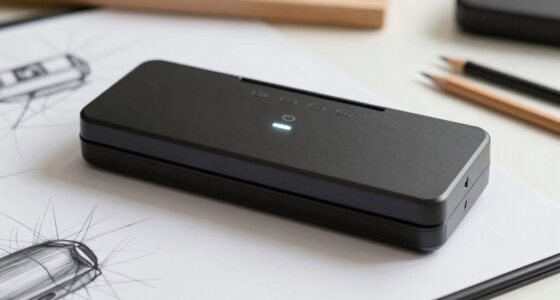
Portable Interactive Whiteboard – Smart Teaching Whiteboard, Long Focus Interactive Screen, Auto Calibration, Easy to Setup, Ideal for Home, Office, Classrooms, Conference Room, Presentation
[Wide Compatibility] This interactive whiteboard is compatible with Windows XP, Win7, Win 8, Win 10 and Win 11…
As an affiliate, we earn on qualifying purchases.
As an affiliate, we earn on qualifying purchases.

DexBoard 48 x 36 Inches Magnetic Whiteboard for Home Office Collaboration, Classroom Teaching – 4 x 3 ft Anti-Ghosting Dry Erase Board with Aluminum Frame for Brainstorming and Agile Management
【Effortless Clean-Up for Daily Use】 Engineered with a premium coating that resists ghosting and staining, making it the…
As an affiliate, we earn on qualifying purchases.
As an affiliate, we earn on qualifying purchases.