
Low-code and no-code tools empower you to quickly create prototypes using drag-and-drop interfaces, eliminating the need for extensive coding skills. They let you assemble screens, forms, and interactions effortlessly, making it easier to visualize ideas, gather feedback, and test functionalities early. These platforms foster collaboration among diverse teams, speeding up development cycles and improving communication with stakeholders. Keep exploring to discover how these tools can transform your prototyping process and boost your project’s success.
Key Takeaways
- Enable rapid development and iteration of prototypes without extensive coding knowledge.
- Use drag-and-drop interfaces for easy assembly of UI components and workflows.
- Foster collaboration among non-technical team members for inclusive prototyping.
- Provide real-time visual feedback to refine concepts quickly and efficiently.
- Integrate with databases and APIs for realistic, functional prototypes.
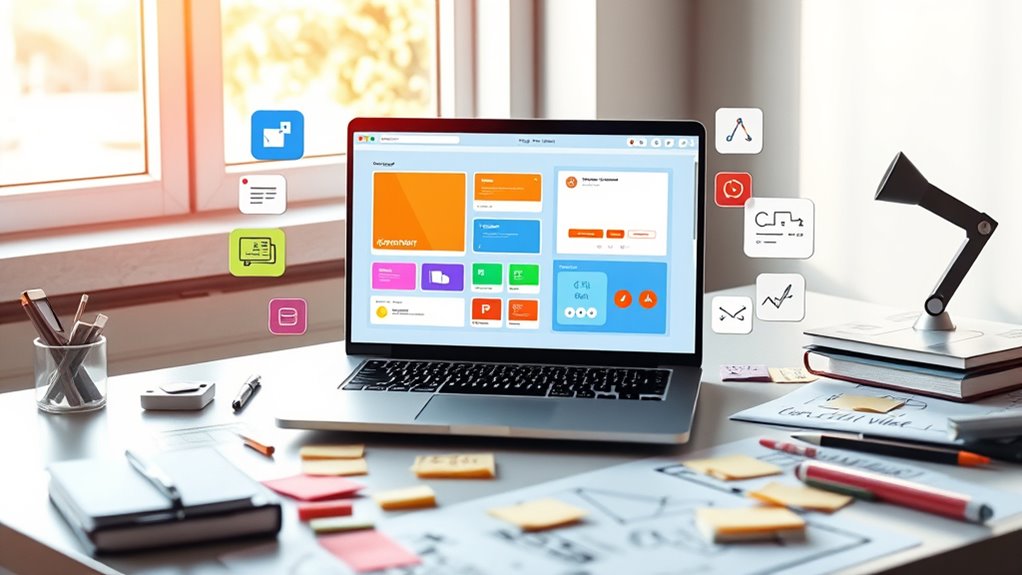
In today’s fast-paced development environment, low-code and no-code tools have become essential for rapid prototyping. These platforms allow you to turn ideas into functional models quickly, without diving deep into complex coding. One of the key features that make these tools so accessible and efficient is their drag and drop interfaces. Instead of writing lines of code, you simply select components from a visual palette and position them on your workspace. This intuitive approach streamlines the design process, enabling you to focus on your app’s structure and user experience rather than technical details. With drag and drop, you can effortlessly assemble screens, forms, and interactions, making visual prototyping straightforward and fast.
Using visual prototyping through these tools, you gain immediate feedback and can iterate rapidly. You don’t need to wait for developers to implement your ideas; instead, you can create a working model that demonstrates flow and functionality. This hands-on method helps you identify potential issues early, saving time and resources down the line. Additionally, visual prototyping enhances communication with stakeholders. When everyone can see and interact with a prototype, it’s easier to gather input and make adjustments before moving into full development. These tools often include pre-built templates and components, further accelerating the process and reducing the need for custom coding.
Visual prototyping enables quick feedback, early issue detection, and improved stakeholder communication, streamlining the development process.
Another advantage of low-code and no-code platforms with drag and drop interfaces is their accessibility. You don’t need to be a developer or have extensive technical skills to create functional prototypes. Business analysts, designers, and product managers can all contribute directly to the design process, fostering collaboration and innovation. Furthermore, many platforms offer integrations with other tools, like databases or APIs, which you can connect visually to enrich your prototype. This makes it possible to simulate real-world scenarios and test functionalities without complex setup.
In essence, these tools democratize the prototyping process. They empower you to experiment freely, iterate faster, and communicate your ideas more clearly. Visual prototyping with drag and drop interfaces reduces barriers, allowing you to focus on solving user problems and refining your concept. Whether you’re validating an idea, presenting to stakeholders, or preparing for development, low-code and no-code platforms are invaluable in accelerating your journey from concept to tangible model. They help you stay agile, responsive, and innovative in a competitive landscape. Maximize space and organization

Build No-Code AI Apps: Turn Ideas Into Tools Using Bubble, Glide, Webflow & GPTs (The No-Code AI Agent Builder)
As an affiliate, we earn on qualifying purchases.
As an affiliate, we earn on qualifying purchases.
Frequently Asked Questions
Can Low-Code Tools Replace Professional Developers Entirely?
Low-code tools can’t fully replace professional developers because AI’s role is limited in handling complex customization challenges. While these tools speed up simple prototyping, you still need developers for intricate coding, advanced integrations, and tailored solutions. You might find low-code helpful, but for sophisticated projects, your expertise stays essential to overcome customization challenges and ensure high-quality results.
What Are the Limitations of No-Code Prototyping Compared to Traditional Methods?
Imagine you’re designing a complex app with no-code tools. You might quickly create a prototype, but scalability challenges could arise as your project grows, and customization restrictions may prevent you from tailoring features exactly to your needs. Unlike traditional methods, no-code solutions often lack the flexibility to handle intricate, large-scale projects, limiting your ability to adapt and expand seamlessly. This makes them less suitable for highly personalized or evolving applications.
How Secure Are Data and Information in Low-Code Platforms?
You can trust that data and information in low-code platforms are generally secure, thanks to features like data encryption and access controls. These platforms often use robust encryption methods to protect your data both at rest and in transit. Additionally, access controls ensure only authorized users can view or modify sensitive information, giving you peace of mind while developing your prototypes. However, always review the platform’s security practices to make certain they meet your needs.
Are There Industry-Specific Low-Code Tools Optimized for Particular Sectors?
Did you know that 70% of organizations now prefer sector-specific tools? Industry-tailored solutions are designed to meet unique needs of sectors like healthcare, finance, or manufacturing. These sector-specific tools optimize workflows, improve compliance, and enhance user experience. They allow you to develop prototypes that align perfectly with industry standards, making your processes more efficient and effective. You’ll find these industry-specific low-code platforms invaluable for rapid, sector-focused prototyping.
How Steep Is the Learning Curve for Non-Technical Users?
You’ll find the learning curve for non-technical users is quite manageable, especially with a focus on user experience. These tools are designed to be intuitive, helping you develop skills quickly without extensive coding knowledge. As you explore, your skill development accelerates, making it easier to prototype ideas efficiently. Overall, most users can become proficient fast, thanks to user-friendly interfaces and guided workflows that prioritize ease of use.

Effortless App Development with Oracle Visual Builder: Boost productivity by building web and mobile applications efficiently using the drag-and-drop approach
As an affiliate, we earn on qualifying purchases.
As an affiliate, we earn on qualifying purchases.
Conclusion
In just minutes, you can turn your wildest ideas into fully functional prototypes without writing a single line of code. These tools are so powerful, they make traditional development look like ancient history. With low-code and no-code platforms, you could revolutionize your entire workflow, save years of effort, and impress everyone with your lightning-fast creations. So why wait? Jump in today and unleash the unstoppable innovator within you—your future self will thank you!

Low Code Development with Mendix: Developing state of the art innovative apps at speed with the Mendix low code development platform (English Edition)
As an affiliate, we earn on qualifying purchases.
As an affiliate, we earn on qualifying purchases.

Prototyping With Visual Basic
Used Book in Good Condition
As an affiliate, we earn on qualifying purchases.
As an affiliate, we earn on qualifying purchases.