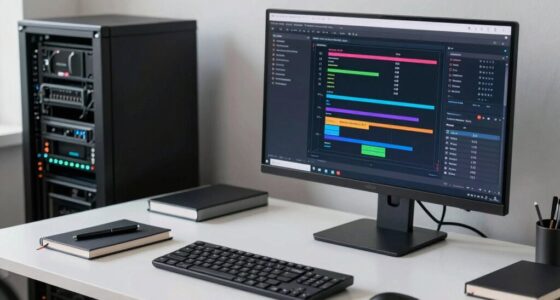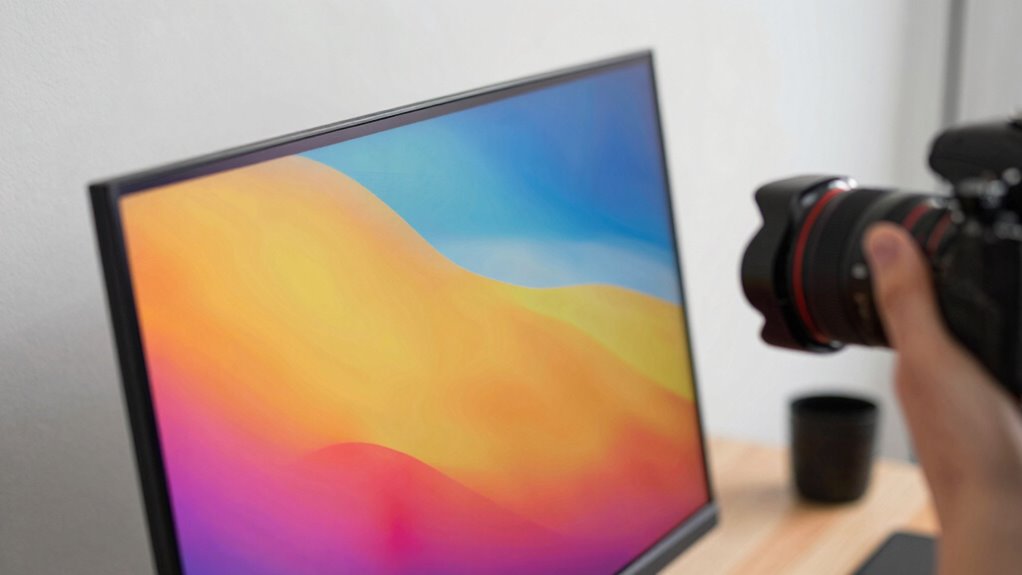

You might think high specs mean your monitor shows accurate colors, but that’s not always the case. Specs like resolution, brightness, or contrast don’t guarantee true color accuracy or consistent performance. Calibration adjusts your display to match true colors and guarantees reliable results across sessions and devices. It’s a cost-effective way to improve quality and trust in your visuals. If you want to understand how calibration enhances your workflow, keep exploring this important topic.

Get art and craft supplies delivered free with Prime
- Fast, free delivery on millions of items
- Prime Video, Amazon Music and more included
- Member-only deals all year
Key Takeaways
- Calibration ensures true color accuracy, which specs alone cannot guarantee.
- Proper calibration maintains consistent performance over time despite hardware aging.
- Relying solely on specs may be misleading; calibration aligns display output with real-world color standards.
- Calibration improves overall image quality and reliability for color-sensitive tasks like editing.
- It offers a cost-effective way to optimize display performance without hardware upgrades.

When you work with digital images or rely on your monitor for color-sensitive tasks, calibration becomes essential. Even if your monitor boasts impressive specifications—like high resolution, a wide color gamut, or a fast refresh rate—these numbers alone don’t guarantee accurate color reproduction. Without proper calibration, you risk sacrificing color accuracy, which can compromise your work’s quality and consistency. Calibration ensures that what you see on your screen matches the true colors of the original image or project, providing you with reliable visual feedback. This process isn’t just about tweaking settings; it’s about creating a standard for your display that maintains consistent, true-to-life colors across different sessions and devices.
Many people assume that specs like brightness and contrast are enough to ensure quality, but these are only part of the story. Visual consistency across your workflow depends heavily on calibration. For example, if you’re a photographer or designer, the colors you see during editing need to reflect what will appear on other screens or in print. Without calibration, your monitor might display overly saturated or washed-out colors, leading you to make adjustments based on inaccurate visuals. Over time, this can cause a disconnect between your work and the final output, wasting time and resources. Proper calibration aligns your display to a standard, so your color choices are predictable and dependable. Additionally, understanding the importance of industry standards** helps ensure your work remains compatible and accurate across different platforms and mediums. Recognizing the limitations of specs is crucial, as they often don’t account for real-world performance variations. Furthermore, monitor calibration** can be a cost-effective way to improve your overall image quality without needing to upgrade your entire setup.
You also need to understand that monitor specs can be misleading. Manufacturers often advertise impressive features, but those don’t necessarily translate to accurate color reproduction out of the box. Many monitors require calibration to reach their full potential. Calibration tools, like colorimeters or spectrophotometers, help you measure and correct your display’s output. This process adjusts gamma, white point, and color balance, ensuring your monitor produces consistent and accurate colors. With calibration, you gain confidence that your visual representation remains steady, regardless of ambient lighting or time of day. Moreover, proper calibration practices can extend your monitor’s lifespan by preventing unnecessary wear caused by incorrect settings.
In addition, regular calibration can help account for monitor aging, which can gradually affect color accuracy over time. Ultimately, specs alone don’t tell the whole story. Your work’s success depends on your ability to see accurate colors consistently. Calibration bridges the gap between hardware capabilities and actual performance, making sure your monitor’s output aligns with industry standards. It’s an investment in your workflow, quality, and peace of mind. When you prioritize calibration, you’re not just relying on specs—you’re actively controlling your visual environment to achieve true color accuracy and reliable visual consistency every time.
As an affiliate, we earn on qualifying purchases.
Frequently Asked Questions
How Often Should I Calibrate My Monitor?
You should calibrate your monitor at least once a month to maintain ideal color temperature and brightness uniformity. Regular calibration ensures your display’s colors stay accurate, especially if you work with color-sensitive tasks. Environmental factors like lighting changes and monitor aging can affect performance. So, by calibrating frequently, you keep your display consistent, reliable, and true to your needs, preventing dull or inaccurate visuals over time.
Can Calibration Improve Color Accuracy for Professional Work?
Yes, calibration can considerably improve color accuracy for your professional work. By regularly calibrating your monitor using proper calibration techniques, you guarantee consistent color reproduction and reduce discrepancies across different devices. This process helps maintain color consistency, making your images and designs look true to life. Proper calibration is essential for professional tasks like photography, graphic design, and video editing, where precise color accuracy directly impacts your work quality.
Does Calibration Affect Monitor Lifespan?
You might be surprised, but calibration can actually affect your monitor’s lifespan. By maintaining proper color consistency, calibration reduces strain on internal components, preventing uneven wear. When you regularly calibrate your monitor, you help preserve hardware longevity and overall performance. It’s a proactive step that not only guarantees accurate visuals but also extends your monitor’s life, making calibration an essential part of your display maintenance routine.
What Tools Are Best for Monitor Calibration?
You should use tools like calibration software and color profiles for the best monitor calibration results. Calibration software such as Datacolor SpyderX or X-Rite i1Display Pro guides you through adjusting your display’s settings accurately. Color profiles help guarantee consistent color reproduction across devices. By actively calibrating with these tools, you’ll achieve precise color accuracy, making your work look consistent and professional, especially in photography, design, or video editing.
Is Calibration Necessary for Gaming Monitors?
Yes, calibration is essential for gaming monitors. You want color consistency for accurate visuals and smooth gameplay, which calibration techniques provide. When you calibrate regularly, you enhance your gaming experience by ensuring colors are true-to-life, contrast is balanced, and motion remains fluid. Skipping calibration can lead to dull or inaccurate visuals, diminishing immersion. So, by calibrating your monitor, you keep your gaming visuals sharp, vibrant, and true to life.
As an affiliate, we earn on qualifying purchases.
Conclusion
So, remember, your monitor isn’t just a window—it’s a living canvas that breathes color and detail into your world. Calibrating it is like tuning a fine instrument, ensuring every hue strikes true and every shadow whispers softly. Specs alone are just a skeleton; calibration breathes life into them, transforming your display into a vibrant, trustworthy partner. Without it, you’re wandering in a fog of false colors—so take control and bring clarity to your digital universe.
spectrophotometer for display calibration
As an affiliate, we earn on qualifying purchases.
As an affiliate, we earn on qualifying purchases.
monitor color calibration software
As an affiliate, we earn on qualifying purchases.
As an affiliate, we earn on qualifying purchases.
Halloween Picks
halloween
As an affiliate, we earn on qualifying purchases.