
A common mistake you might make is buying a monitor without considering calibration needs, assuming factory settings are enough. Skipping calibration tools or ignoring the importance of regular adjustments can lead to dull, oversaturated, or inaccurate colors. This affects your work quality and credibility, especially in visual projects. If you continue exploring, you’ll discover how proper calibration tools and practices can save you time and produce true-to-life colors.

Get art and craft supplies delivered free with Prime
- Fast, free delivery on millions of items
- Prime Video, Amazon Music and more included
- Member-only deals all year
Key Takeaways
- Assuming factory settings are sufficient, neglecting the need for proper calibration tools.
- Overlooking the importance of external calibration devices like colorimeters.
- Buying high-resolution monitors without considering their calibration capabilities.
- Ignoring potential color drift over time, leading to inaccurate colors later.
- Believing monitor design or resolution replaces the need for calibration.
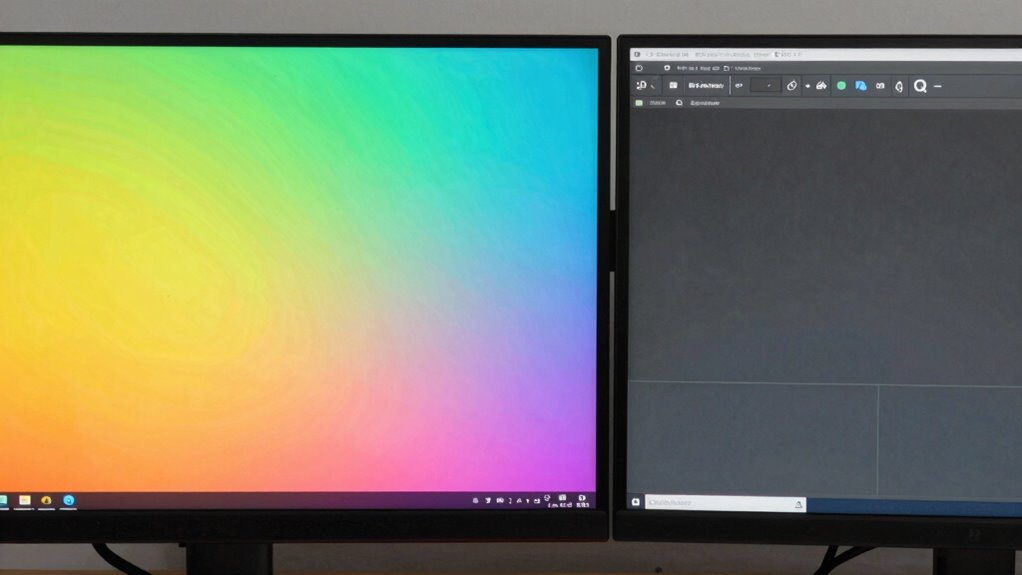
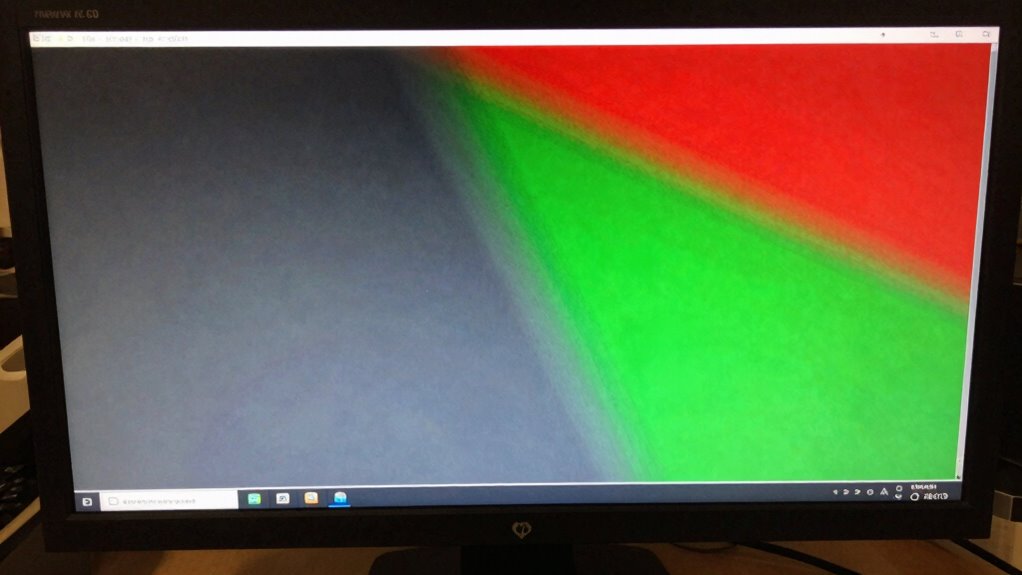
Many people overlook the significance of proper monitor calibration, only to realize later that their display settings have led to color inaccuracies and poor image quality. This oversight often stems from assuming that a new monitor is ready to go out of the box, without considering the need for calibration tools or fine-tuning. When you skip this step, you risk working with colors that aren’t true to life, which can be especially problematic if you’re involved in photography, design, or any visual work that demands precision. You might think the colors look fine or rely on default settings, but those defaults are rarely accurate enough for professional or even casual accurate color work.
Proper monitor calibration is essential for accurate colors, especially in professional visual work.
One common mistake is purchasing a monitor without considering its calibration capabilities or the need for external calibration tools. Many monitors boast high resolution or sleek designs, but if they lack good color accuracy straight out of the box, you’re better off investing in calibration tools. These tools—including colorimeters and spectrophotometers—are essential for achieving consistent, accurate colors. Without them, you’re left to guess whether your display is showing true hues, which can lead to frustration and wasted time. You might spend hours tweaking settings manually but still not get the precise calibration you need, especially since monitors can drift over time. Proper calibration is crucial for maintaining consistent color accuracy over the lifespan of your monitor. Additionally, understanding the importance of color accuracy helps ensure your work remains reliable across different projects and platforms. Recognizing the impact of calibration drift is also vital, as monitors tend to shift in color accuracy over months and years, emphasizing the need for regular recalibration. Regular calibration can also help prevent visual fatigue, which often results from prolonged exposure to poorly calibrated displays. Moreover, many professionals underestimate the importance of monitor calibration in achieving true-to-life colors, which can compromise the quality of their work.
People often assume that calibration is a complicated or unnecessary process, but that’s not true. Using proper calibration tools simplifies the process and guarantees you get reliable results. A good calibration device measures your monitor’s output and helps adjust it for maximum color accuracy. This way, you can trust that what you see on-screen matches the intended colors, whether for editing photos or preparing presentations. Ignoring calibration tools often results in inconsistent displays, making it difficult to share files or produce work that looks the same across different devices or platforms.
Failing to calibrate your monitor properly can also lead to problems down the line if you try to sell or showcase your work. When the display isn’t calibrated, your images may appear dull, oversaturated, or washed out on other screens. This misalignment damages your credibility and could mean you spend more time fixing colors later. Investing in calibration tools from the start might seem like an extra expense, but it’s a vital step to guarantee your monitor delivers true color accuracy. In the end, neglecting this step is a purchasing mistake that hampers your work quality and productivity.
As an affiliate, we earn on qualifying purchases.
Frequently Asked Questions
How Often Should I Recalibrate My Monitor?
You should recalibrate your monitor every 4 to 6 weeks to maintain ideal calibration frequency. Regular calibration ensures your color accuracy stays consistent, especially if you work in photography, design, or any field requiring precise colors. Environmental changes, software updates, and monitor aging can affect calibration, so frequent checks help you keep colors true and your work professional. Don’t wait too long—consistency is key for accurate color reproduction.
What Tools Are Best for Monitor Calibration?
You should use tools like the X-Rite i1Display Pro or Datacolor SpyderX to guarantee ideal color accuracy and hardware compatibility. These calibration devices are user-friendly, provide precise results, and work seamlessly with most monitors. They help you achieve consistent, accurate colors, which is vital for professional work. Investing in a reliable calibration tool prevents color mismatches, ensuring your display maintains accurate color reproduction over time.
Does Monitor Calibration Improve Gaming Performance?
Yes, monitor calibration can improve gaming performance by enhancing color accuracy, making visuals more vibrant and true to life. When your monitor is properly calibrated, you’ll notice better contrast and clearer details, giving you a competitive edge. This gaming enhancement helps you see enemy movements and environment details more precisely, ultimately boosting your gameplay experience. Just guarantee you use the right calibration tools and settings for maximum results.
Can I Calibrate a Laptop Monitor Effectively?
Your laptop monitor can be calibrated effectively, turning it into a canvas of vibrant color accuracy and display consistency. Think of calibration as tuning a musical instrument—you’ll fine-tune brightness, contrast, and color settings to achieve a harmonious display. While external calibration tools help, many laptops have built-in calibration options. With patience and proper tools, you can markedly improve your screen’s visual quality, making every detail pop with clarity.
Is Calibration Necessary for Color-Sensitive Work?
Yes, calibration is vital for color-sensitive work because it guarantees accurate color representation. When you calibrate your monitor, you improve color accuracy, which is fundamental for professional editing, photography, or design projects. Without calibration, colors may appear mismatched or inconsistent, leading to mistakes. Regular calibration helps maintain the integrity of your work, giving you confidence that what you see on your screen reflects true colors.
As an affiliate, we earn on qualifying purchases.
Conclusion
So, next time you’re tempted to buy that new monitor, remember—calibration isn’t just an afterthought. It could be the difference between stunning visuals and disappointing color accuracy. Are you truly ready to invest in a display that delivers perfection, or will you fall into the trap of neglecting calibration? The choice is yours, but one thing’s certain: overlooking this step might just cost you more than you think. Will you take the leap?
spectrophotometer for monitor calibration
As an affiliate, we earn on qualifying purchases.
As an affiliate, we earn on qualifying purchases.
As an affiliate, we earn on qualifying purchases.
Halloween Picks
halloween
As an affiliate, we earn on qualifying purchases.