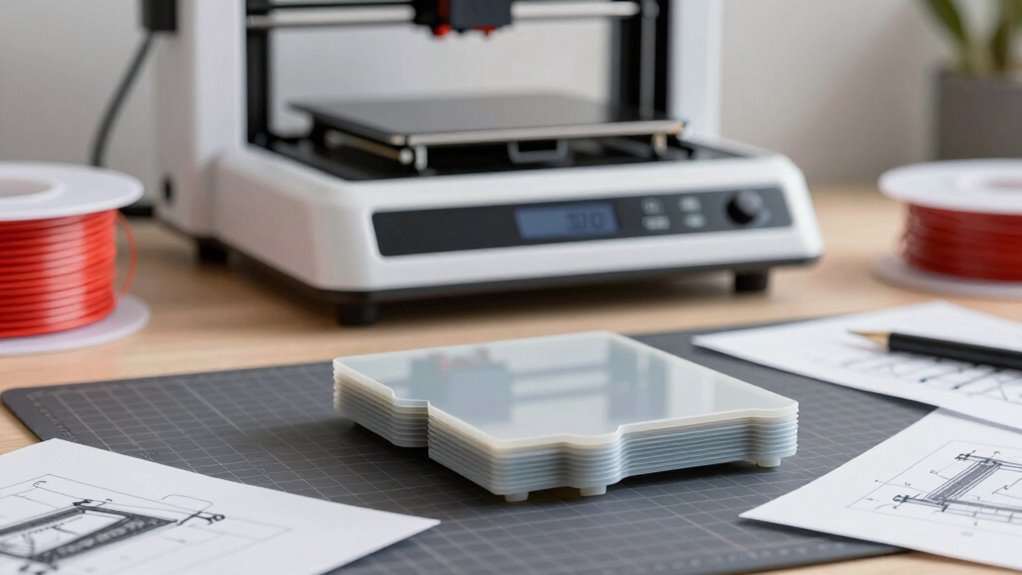

One common mistake is rushing into a purchase without understanding your specific project needs. You might choose a printer based only on price or speed, ignoring essential factors like material compatibility, calibration, and build quality. This can lead to failed prototypes and wasted resources. Instead, focus on selecting equipment suited to your materials and calibration requirements. Keep this in mind—there’s much more to take into account for successful prototyping if you stick around.

Get art and craft supplies delivered free with Prime
- Fast, free delivery on millions of items
- Prime Video, Amazon Music and more included
- Member-only deals all year
Key Takeaways
- Focusing solely on price without considering material compatibility and project requirements.
- Neglecting proper printer calibration, leading to inconsistent and failed prototypes.
- Choosing a printer based on features like speed or build volume rather than material handling capabilities.
- Overlooking the importance of understanding material properties and their impact on prototype quality.
- Failing to evaluate whether the printer supports necessary filament types and environmental conditions.

Many people jump into 3D printer prototyping without fully understanding their project needs, often leading to costly mistakes. One of the biggest pitfalls is rushing into a purchase without carefully considering material selection. The type of filament or resin you choose directly impacts the quality, durability, and functionality of your prototype. For example, if you’re creating a part that needs to withstand stress, you’ll want a strong, impact-resistant material like ABS or PETG, not just the cheapest option. Conversely, for detailed, aesthetic models, PLA might be sufficient. Skipping this step can result in prototypes that don’t meet your expectations or fail prematurely, forcing you to reprint with different materials—costing you both time and money. Ensuring you select the right material properties for your project is essential for success. Additionally, understanding the material compatibility of your printer can prevent issues related to extruder clogging or poor adhesion, which are common pitfalls for beginners. Proper knowledge of material characteristics can help you make more informed choices and avoid costly trial-and-error.
Choosing the right material is crucial to ensure your prototype’s quality, durability, and functionality.
Another vital factor often overlooked is printer calibration. Even the best material won’t perform well if your printer isn’t properly calibrated. Many users assume their machine is ready to go straight out of the box, but calibration is an ongoing process. You need to regularly check and adjust bed leveling, nozzle height, and extrusion settings to guarantee precise prints. Poor calibration can cause issues like warping, stringing, or layer misalignment, which compromise the quality of your prototype. Investing time in calibration upfront saves you from wasting filament and reduces the likelihood of failed prints, ultimately making your prototyping process smoother and more predictable.
When selecting a printer, it’s tempting to focus solely on features like print speed or build volume, but understanding your material needs and calibration requirements should be your top priorities. A machine that can handle a variety of filament types with ease—thanks to compatible extruders and heated beds—offers flexibility as your project evolves. Meanwhile, if you’re working with complex geometries or small, intricate parts, a printer with precise calibration capabilities will help you achieve high-quality results consistently.
Many beginners make the mistake of choosing a printer based on price alone, without considering how well it suits their material and calibration needs. This often results in frustration, wasted resources, and subpar prototypes. You’ll benefit most by investing in a machine that aligns with your project requirements and by dedicating time to learn proper calibration techniques. Doing so guarantees your prototypes are accurate, functional, and professional-looking, giving your project the best chance to succeed from the start.
3D printer filament compatibility
As an affiliate, we earn on qualifying purchases.
As an affiliate, we earn on qualifying purchases.
Frequently Asked Questions
How Do I Determine the Right 3D Printer for My Project?
To find the right 3D printer for your project, focus on design flexibility and cost analysis. Consider what materials and detail levels your prototypes need, ensuring the printer offers the necessary design options. Then, compare costs, including initial investment and ongoing expenses. By balancing flexibility with budget constraints, you’ll choose a printer that meets your project’s specific requirements without overspending or limiting your creative options.
What Are the Hidden Costs of 3D Printer Prototyping?
Imagine opening a drawer to find overlooked receipts—that’s what hidden costs in 3D printing feel like. Beyond the initial price, you should consider accurate cost estimation for materials, which can be pricier if durability is key. Maintenance and frequent upgrades add up, and energy consumption isn’t always obvious. These hidden expenses can turn your project into a budget-busting surprise, so plan carefully to keep costs predictable.
How Long Does It Typically Take to Prototype With a 3D Printer?
It typically takes anywhere from a few hours to several days to prototype with a 3D printer, depending on your material selection and print speed. Faster print speeds reduce overall time, but may impact quality. If you choose more complex materials, expect longer print times. Planning your project with these factors in mind helps you avoid delays and guarantees you get your prototype ready efficiently.
Which Materials Are Best Suited for Specific Prototyping Needs?
Imagine choosing between a sleek, smooth surface or a durable, high-strength part—your material choice makes all the difference. For detailed prototypes, resin offers excellent surface finish and precision, while ABS or PETG provides strength and filament compatibility for functional testing. Consider your prototype’s surface finish and material compatibility to select the best material, ensuring your 3D print meets both aesthetic and functional needs effectively.
How Can I Avoid Common Technical Issues During Printing?
To avoid common technical issues during printing, focus on proper filament selection to match your printer and project needs. Guarantee good print bed adhesion by leveling the bed and using adhesion aids like glue or tape. Regularly check and clean your nozzle, maintain consistent temperature settings, and monitor print progress. These steps help prevent issues like warping, poor adhesion, or clogs, leading to smoother, higher-quality prints.
best 3D printer calibration tools
As an affiliate, we earn on qualifying purchases.
As an affiliate, we earn on qualifying purchases.
Conclusion
So, don’t let a moment of hesitation turn into a costly mistake. Remember, choosing the right 3D printer for your prototype isn’t just about specs—it’s about vision, precision, and future growth. Think of it as planting a seed; the right choice nurtures your ideas into reality. Avoid rushing, ask the right questions, and invest wisely. After all, in the world of innovation, your best prototype begins with making smart decisions today.
As an affiliate, we earn on qualifying purchases.
3D printer for complex geometries
As an affiliate, we earn on qualifying purchases.
As an affiliate, we earn on qualifying purchases.
Halloween Picks
halloween
As an affiliate, we earn on qualifying purchases.