
Integrating sound design with motion graphics is essential for creating immersive and engaging stories. You should synchronize audio elements like sound effects, background noises, and musical cues with visual movements to enhance realism and emotional impact. Using targeted sound cues can guide viewer attention, clarify the narrative, and add energy to key moments. When you align sound and visuals thoughtfully, your projects become more dynamic and memorable. Keep exploring to discover more ways to elevate your motion graphic work.
Key Takeaways
- Select appropriate audio elements that complement and enhance the visual narrative of motion graphics.
- Precisely synchronize sound effects with visual movements to create a seamless and immersive experience.
- Use sound design techniques like rising tones or chimes to emphasize key moments and transitions.
- Support storytelling by aligning background noises and effects with scene actions for realism.
- Leverage sound to guide viewer attention, evoke emotions, and reinforce the overall message of the motion graphic.
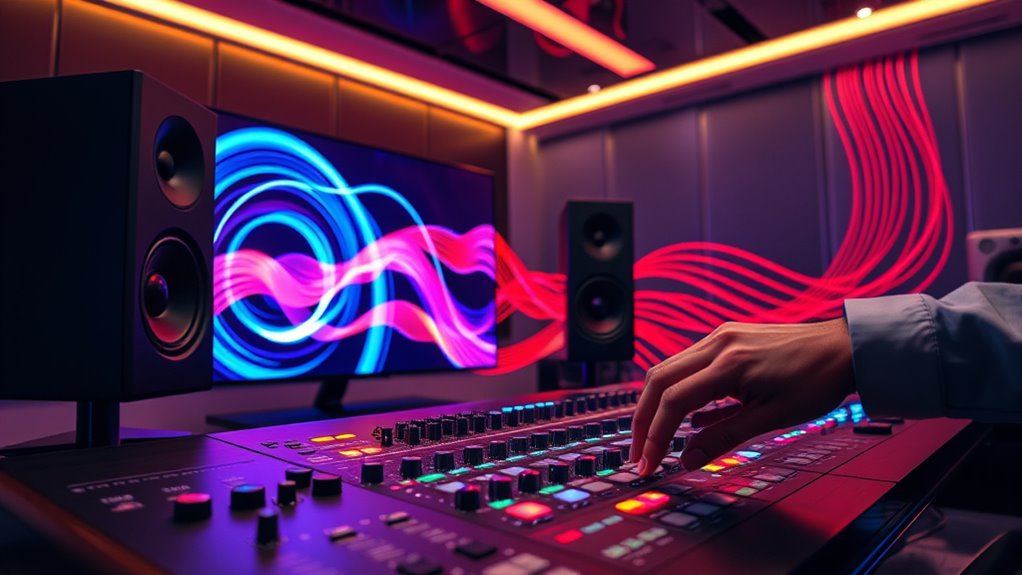
Sound design and motion graphics work together to create a more immersive and engaging viewer experience. When you integrate these elements effectively, you harness the power of audio synchronization to enhance your visual storytelling. This means that every sound, from subtle background noises to impactful sound effects, aligns perfectly with the motion graphics on screen. As a result, viewers don’t just see what’s happening—they feel it, making the story more compelling and memorable.
Effective sound and motion collaboration creates immersive, memorable visual stories that resonate emotionally.
Imagine your motion graphics illustrating a dynamic scene—perhaps a city skyline at sunset or a futuristic gadget in action. When you add synchronized sound effects that match the movement, such as the hum of machinery or footsteps echoing in the distance, you deepen the scene’s realism. Audio synchronization isn’t just about matching sounds with visuals; it’s about creating a seamless flow that guides your audience’s attention and emotional response. When done right, sound cues reinforce the narrative, emphasize key actions, and create a sense of continuity that keeps viewers engaged.
In terms of visual storytelling, integrating sound design allows you to communicate ideas more efficiently. For example, using a rising tone to indicate tension or a chime to signify a revelation helps viewers interpret the story without relying solely on visuals or dialogue. This layered approach enhances clarity and emotional impact, making your message more effective. As you craft your motion graphics, think about how sound can serve as a narrative tool—highlighting transitions, emphasizing movement, or setting the mood.
Your goal should be to create a harmonious relationship between sound and visuals. This involves selecting the right audio elements and timing them precisely. When working on your project, focus on how each sound element supports the visual story you’re telling. For instance, if a graphic shows a rapid movement or an explosion, the accompanying sound should match that energy, amplifying its effect. When audio and visuals are synchronized perfectly, they work together to tell a cohesive story that resonates with your audience. Additionally, understanding sound design techniques can help elevate the overall quality and impact of your motion graphics projects.

Sound Design for Moving Image: From Concept to Realization (Required Reading Range)
As an affiliate, we earn on qualifying purchases.
As an affiliate, we earn on qualifying purchases.
Frequently Asked Questions
How Do I Choose the Right Sound Effects for My Motion Graphics?
You should choose sound effects that align with the visual elements by considering sound symbolism and emotional resonance. Think about what each sound communicates and how it enhances the mood or message. Listen carefully to various options, selecting those that naturally complement movement or shift. Avoid overloading scenes, and prioritize sounds that evoke the desired emotional response, ensuring your audience feels connected and engaged with your motion graphics.
What Software Tools Facilitate Seamless Sound and Motion Integration?
Did you know that over 70% of successful motion graphics incorporate precise sound synchronization? To achieve this, you can use software like Adobe After Effects with Adobe Audition, which allows seamless sound and motion integration through synchronized timeline editing. Other tools like Final Cut Pro and DaVinci Resolve also excel in audio editing and syncing, making it easier for you to craft compelling, cohesive visuals with perfectly matched sound effects.
How Can Sound Influence the Viewer’s Emotional Response to Motion Graphics?
Sound greatly influences your viewer’s emotional response to motion graphics by creating emotional resonance and boosting audience engagement. When you choose the right sound effects, music, or voiceovers, you evoke specific feelings like excitement, fear, or nostalgia. This connection makes your visuals more compelling, encouraging viewers to stay engaged and emotionally invested in your message. Thoughtful sound design enhances the overall impact, making your motion graphics unforgettable.
What Are Common Challenges When Syncing Sound With Animated Visuals?
Syncing sound with visuals can be tricky, as timing discrepancies often cause confusion, and audio misalignment muddles the message. You might struggle to match the beat with the bounce or the tone with the tempo. Precise planning and persistent patience are key. Double-check your timing, tweak changeover, and test repeatedly to guarantee your sound and visuals stay synchronized, creating a seamless, stunning, and synchronized synergy.
How Do I Optimize Audio Quality for Online Motion Graphic Projects?
To optimize audio quality for online motion graphic projects, start with proper audio calibration to guarantee sound levels match your visuals. Use noise reduction tools to eliminate background noise and improve clarity. Always monitor your audio on different devices to catch inconsistencies. Compress files effectively without sacrificing quality, and consider encoding formats that maintain high fidelity. These steps help deliver crisp, professional sound that enhances your motion graphics.
audio editing software for video
As an affiliate, we earn on qualifying purchases.
As an affiliate, we earn on qualifying purchases.
Conclusion
By weaving sound design seamlessly into your motion graphics, you create a symphony that stirs emotions and captivates viewers. Think of it as a dance where visuals and audio move in perfect harmony, each elevating the other. When you master this integration, your work transforms into a vibrant tapestry of sights and sounds that leave a lasting impression. Embrace the blend, and watch your creations resonate like a beautiful melody echoing in the minds of your audience.

Replaceable Voice Motion Sensor PIR Infrared Sound Player Haunted House Scream Box Speaker with USB Download Function Christmas MP3 Horror Happy Music Motion Activated Voice Playe
[Infrared Detection] Sensitive motion sensor will play the voice automatically when people come to certain areas. Detection range…
As an affiliate, we earn on qualifying purchases.
As an affiliate, we earn on qualifying purchases.

Video Capture Card, 4K HDMI Audio Capture Card Video Recorder with Mic and HDMI Loop-Out for Gaming/Live Streaming/Conference, Works for Nintendo Switch/PS5/Camera/Xbox/OBS
【High – Resolution 4K HDMI Video Capture Card】 This advanced video capture card is engineered to interface seamlessly…
As an affiliate, we earn on qualifying purchases.
As an affiliate, we earn on qualifying purchases.