
To make easing choices work in real projects, match easing styles to your animation goal—sharp for quick responses, gentle for smooth shifts—and keep consistency across similar animations to guarantee cohesion. Test your animations on various devices for responsiveness, and use familiar easing functions to support the intended flow and user experience. Avoid overusing complex easing, and focus on subtlety for natural results. If you keep exploring, you’ll discover even more ways to refine your animations effectively.

Get art and craft supplies delivered free — and shop member deals
- Fast, free delivery on millions of items
- Access to Prime Big Deal Days deals on October 6–7
- Prime Video, Amazon Music and more included
Key Takeaways
- Match easing styles to the animation’s purpose, such as quick easing for buttons and slow easing for transitions.
- Use consistent easing across similar animations to maintain visual cohesion and clarity.
- Test easing choices across multiple devices to ensure smooth performance and responsiveness.
- Prioritize subtle, purposeful easing over complex functions to create natural, user-friendly interactions.
- Iterate and refine easing based on user feedback and visual flow to enhance overall user experience.

Easing choices can considerably impact the feel and flow of your animations, but applying them effectively in real projects often proves challenging. When you select the right easing, you create animation consistency that feels natural and smooth, which directly enhances user experience. Conversely, poorly chosen easing can make your animations appear abrupt, disjointed, or unprofessional, disrupting the seamless flow you’re aiming for. To make easing work for you, it’s essential to understand how different types influence motion and perception.
Start by considering the purpose of each animation. Are you guiding users’ attention, providing feedback, or adding aesthetic appeal? For instance, quick, sharp easing might work well for a button click response, giving a snappy feel that signals action. On the other hand, slow, gentle easing suits transitions that need to feel more fluid and deliberate, such as opening menus or content fade-ins. Matching easing styles to their context helps maintain animation consistency, ensuring users perceive your interface as cohesive and intuitive.
Pay attention to timing and pacing. Easing doesn’t just affect how an animation starts or ends; it influences the overall rhythm. For example, ease-in accelerates motion at the start, creating a sense of buildup, while ease-out decelerates toward the end, giving a soft landing. Combining these thoughtfully can add a layer of polish that makes interactions feel more polished and professional. Keep in mind that abrupt changes in easing styles can confuse users or break the visual flow, harming their overall experience. Understanding how easing types influence perception can help you select the most appropriate options. Additionally, understanding animation principles such as timing and easing can help you craft more engaging and believable interactions. Recognizing the importance of visual consistency across animations further ensures a unified user experience. Being aware of battery and performance considerations is also crucial, especially for mobile platforms, to prevent animations from causing sluggishness or excessive power drain.
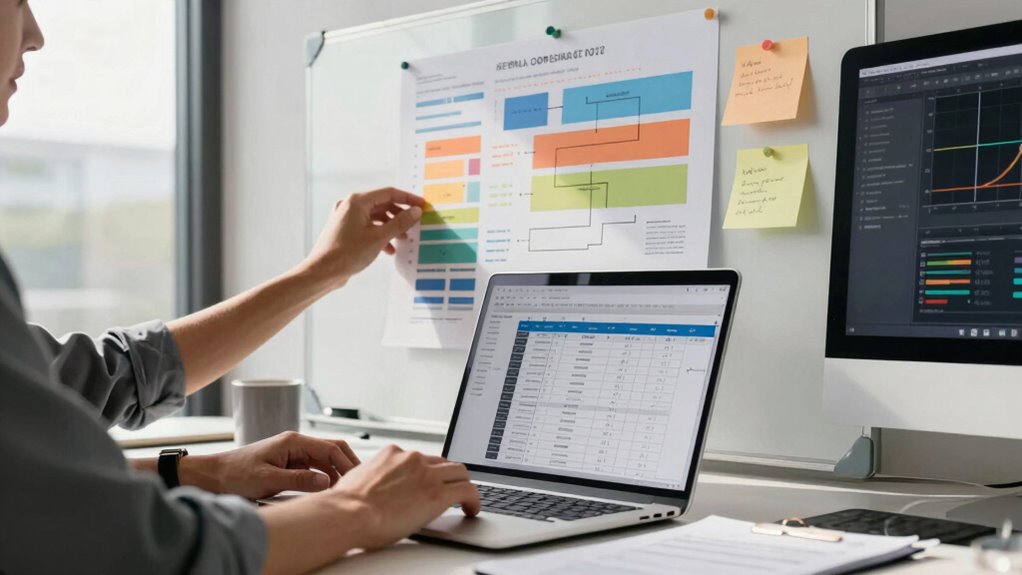
Another key is to test your easing choices across devices and screen sizes. What looks smooth on a desktop may feel sluggish or jerky on a mobile device. Device responsiveness ensures that your animations perform well regardless of the platform, maintaining a unified user experience. Use tools or plugins that allow you to preview and tweak easing curves easily. This iterative process helps you refine your animations, ensuring they feel natural and contribute positively to the overall interface.
Lastly, remember that subtlety often wins over complexity. Overusing complex easing functions or trying to match every motion perfectly can lead to unnecessary complications. Focus on a few well-chosen easing styles that reinforce your brand’s tone and support user goals. When you prioritize clarity, consistency, and purpose, your easing choices will naturally enhance animation quality and user satisfaction, making your interface both engaging and reliable.
As an affiliate, we earn on qualifying purchases.
Frequently Asked Questions
How Do I Test Easing Effects Across Different Devices?
To test easing effects across different devices, you should prioritize device compatibility and use effective testing methodologies. Start by previewing animations on various devices and browsers to identify inconsistencies. Use tools like BrowserStack or Sauce Labs for cross-platform testing, ensuring your easing effects look smooth everywhere. Additionally, gather feedback from real users on different devices to fine-tune the experience, making sure your easing choices work seamlessly across all platforms.
What Are Common Mistakes When Applying Easing in Projects?
A common mistake when applying easing is sacrificing animation consistency, which can make shifts feel jarring. You might also overlook the importance of precise timing adjustments, causing animations to feel unnatural or rushed. Always test your easing effects across different devices, and fine-tune timing to guarantee smooth, cohesive animations. Remember, small tweaks in easing curves can substantially improve the overall feel, so don’t skip thorough testing and adjustments.
How Can Easing Improve User Experience Effectively?
Easing enhances user experience by making gesture shifts feel smoother and more natural, akin to the flow of a well-orchestrated symphony. It guides users effortlessly through interactions, reducing cognitive load. By thoughtfully incorporating easing, you address accessibility considerations, ensuring transitions aren’t abrupt or confusing for all users. This creates an intuitive interface, encouraging engagement and trust, much like a trusty steed that makes every ride more comfortable and enjoyable.
Are There Tools to Help Visualize Easing Functions?
Yes, there are visualization tools and easing libraries that can help you see how easing functions behave. Tools like Cubic Bezier generators and online visualization apps let you preview easing curves interactively. Many easing libraries, such as GSAP or Anime.js, include built-in visualizers or demos, so you can experiment and understand how different easing options influence your animations. These resources make it easier to select the right easing for your project.
How Do I Choose Easing for Complex Animations?
Ironically, choosing easing for complex animations isn’t as mysterious as it seems. You simply analyze your animation timing, considering how each movement should feel, then select easing algorithms that match those needs. Experiment with different easing types—like cubic-bezier or spring—to see what complements your motion best. Trust your instincts, test thoroughly, and remember that subtle tweaks often yield the most natural, engaging results.
motion design animation controllers
As an affiliate, we earn on qualifying purchases.
As an affiliate, we earn on qualifying purchases.
Conclusion
Now that you understand the importance of easing choices, it’s time to tailor shifts that truly transform your projects. By balancing boldness with subtlety and experimenting with different styles, you’ll craft engaging, cohesive motions. Remember, perfecting your easing choices isn’t just about technique — it’s about creating compelling, consistent experiences that connect with your audience. So, stay strategic, stay spirited, and let your smooth, seamless movements make your projects memorable and meaningful.
responsive animation testing devices
As an affiliate, we earn on qualifying purchases.
As an affiliate, we earn on qualifying purchases.
As an affiliate, we earn on qualifying purchases.
Fall Picks
fall essentials
As an affiliate, we earn on qualifying purchases.