
When designing motion for accessibility, focus on making animations clear and simple to prevent sensory overload. Avoid rapid flashing or unpredictable movements, and use consistent patterns to help users understand the flow. Incorporate controls like pause or slow-down options and guarantee high contrast for better visibility. Pair animations with descriptive text or audio to support diverse needs. Exploring these principles further helps you create inclusive visuals that everyone can engage with comfortably.
Key Takeaways
- Use simple, predictable animations that avoid flashing or rapid movements to prevent sensory overload and seizures.
- Incorporate user controls like pause, rewind, or slow down to accommodate individual accessibility preferences.
- Ensure high contrast and clear visibility of animated elements to support users with visual impairments.
- Pair animations with descriptive audio or text for a comprehensive, multi-layered accessibility approach.
- Design animations that minimize cognitive load by being smooth, minimalistic, and reinforcing key messages clearly.
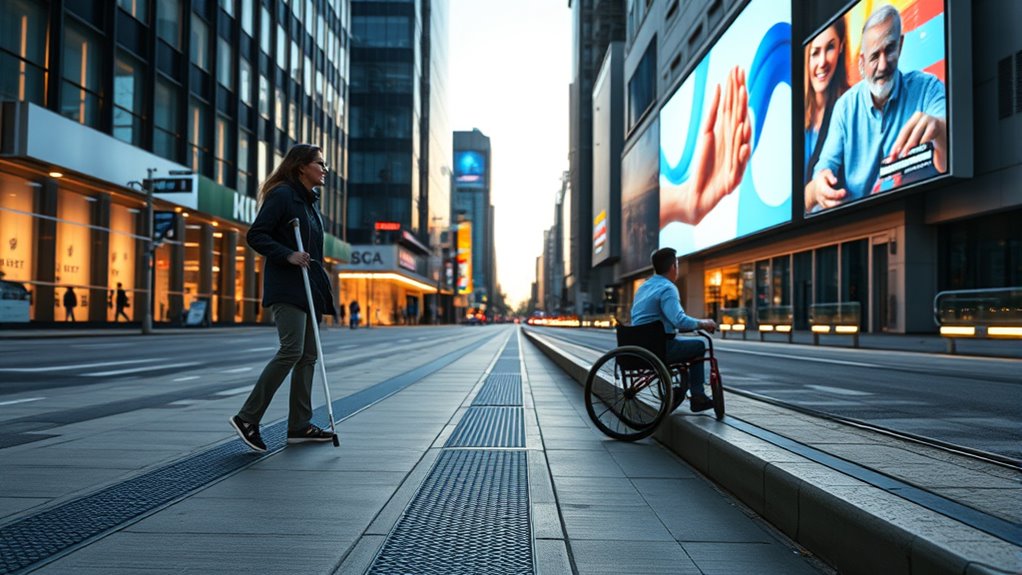
Have you ever considered how motion design can be more inclusive? When creating visuals that move, it’s essential to think beyond aesthetics and focus on accessibility. Many people experience visual impairments that make it difficult to interpret complex animations, so your designs should be mindful of these limitations. Simple, clear motion can help users better understand information without overwhelming their senses. For example, avoiding rapid or flashing animations reduces the risk of triggering seizures or discomfort, which is imperative for inclusive design. You want your motion to guide attention, not distract or disorient.
Simple, clear motion enhances accessibility and prevents sensory overload in inclusive design.
Another critical aspect is managing cognitive load. If your animations are overly complicated or unpredictable, they can increase mental effort for viewers, especially those with cognitive disabilities or processing difficulties. You should aim for smooth, predictable movements that reinforce your message without demanding excessive focus. Consider using consistent motion patterns and minimalistic animations that highlight key points without cluttering the visual field. This helps users stay engaged without feeling overwhelmed, making your design more accessible.
Incorporating features like pause, rewind, or slow-down options also supports users who need more time to process motion content. Providing controls gives viewers the agency to engage with your design at their own pace, reducing cognitive strain. Additionally, using contrast effectively can improve visibility for those with visual impairments, ensuring important elements stand out clearly against the background. When combined with thoughtful animation, these simple adjustments make your motion design more inclusive and easier to interpret.
It’s also worth thinking about how motion interacts with other accessibility features. For example, pairing animations with descriptive audio or text can assist users who rely on alternative formats. This layered approach ensures that your message reaches a broader audience, regardless of their specific needs. Remember, accessibility isn’t an afterthought; it’s an integral part of responsible design. By thoughtfully reducing visual complexity, controlling motion speed, and supporting diverse viewing preferences, you allow more people to experience your content fully.
Additionally, considering the visual impairments when designing motion can significantly enhance usability. When you prioritize reducing cognitive load and accommodating visual impairments, your motion design becomes more inclusive, engaging, and effective. You have the power to shape visuals that inform, entertain, and connect, all while respecting the diverse ways people perceive and process information. By making these small but impactful adjustments, you ensure that your motion design is welcoming and accessible to all audiences.
Top picks for "accessibility consideration motion"
Open Amazon search results for this keyword.
As an affiliate, we earn on qualifying purchases.
Frequently Asked Questions
How Can Motion Design Improve Accessibility for Users With Cognitive Disabilities?
You can improve accessibility for users with cognitive disabilities by reducing cognitive load through simple, predictable motion patterns. Use smooth, non-intrusive animations to enhance visual comprehension without overwhelming users. Avoid rapid or flashing movements, and provide options to turn off motion. This helps users process information more easily, making your design more inclusive and ensuring everyone can navigate and understand your content comfortably.
What Tools Are Best for Testing Motion Design for Accessibility Compliance?
Imagine your motion design as a bridge needing to support all travelers. To guarantee it’s accessible, you use compliance tools like WAVE or aXe, which act as inspectors checking for weaknesses. Screen readers help test how well your animations communicate with visually impaired users. These tools reveal if your design meets accessibility standards, ensuring everyone can cross smoothly without confusion or barriers.
How Do Color Choices in Motion Impact Users With Color Vision Deficiencies?
Your color choices in motion impact users with color vision deficiencies by influencing readability and emotional response. You should prioritize high color contrast to guarantee key elements stand out, making content accessible. Be mindful of color symbolism, avoiding reliance solely on color to convey information, as it may be missed by some users. Combining contrasting hues with clear visual cues helps create inclusive, effective motion designs that everyone can enjoy.
Are There Guidelines for Incorporating Motion Accessibility in Mobile App Design?
Yes, you should follow guidelines for motion accessibility in mobile app design. Focus on fostering fluid, functional features like gesture feedback and animation timing that respect user needs. Guarantee animations are gentle, not jerky, and provide options to reduce or turn off motion. Test your app with diverse users to ensure inclusivity. Prioritizing precise, purposeful motion promotes accessibility, making your app more user-friendly for everyone.
How Can Designers Balance Aesthetic Appeal With Accessibility in Motion Design?
You can balance aesthetic appeal with accessibility in motion design by maintaining gesture sophistication while ensuring smooth, predictable animations. Focus on visual harmony, so motions enhance rather than distract, helping users understand interactions. Use gentle shifts and consistent patterns, allowing all users to follow the flow easily. Incorporate user preferences, like reduced motion settings, to respect diverse needs, creating an inclusive experience without sacrificing visual beauty.
Conclusion
Now that you understand the importance of accessibility in motion design, imagine the difference it can make. Your next project could either open doors or unintentionally shut them. Will you choose to prioritize inclusivity and create designs that everyone can experience fully? The key is in your hands—are you ready to make that bold move? The future of motion design depends on your choices. What will you do next?