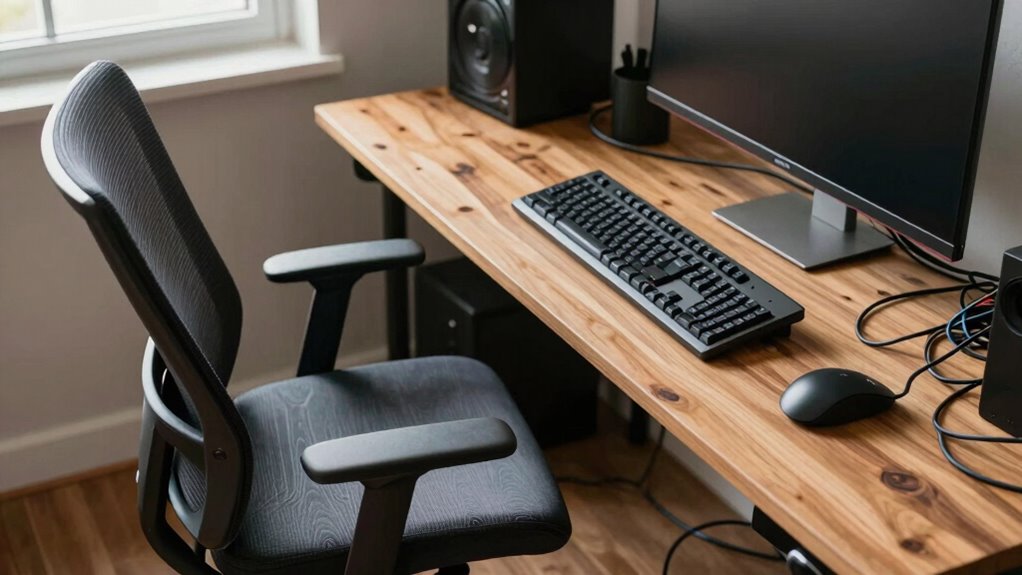

One common mistake you make when setting up your ergonomic desk is purchasing equipment without thinking about your specific needs. For example, buying an adjustable monitor stand or keyboard without considering proper height and positioning can lead to discomfort or strain. You might also overlook how your workspace layout affects posture and movement. Continuously optimizing your setup is key to long-term comfort. Stay tuned to discover how to avoid these pitfalls and create a truly ergonomic workspace.

Get art and craft supplies delivered free with Prime
- Fast, free delivery on millions of items
- Prime Video, Amazon Music and more included
- Member-only deals all year
Key Takeaways
- Purchasing adjustable accessories without understanding proper ergonomic principles leads to ineffective setup.
- Overlooking the importance of monitor height and placement causes neck and eye strain.
- Focusing solely on furniture aesthetics rather than ergonomic support results in discomfort.
- Ignoring workspace organization and movement space increases risk of poor posture and fatigue.
- Buying ergonomic equipment without proper guidance can reinforce bad habits and reduce health benefits.
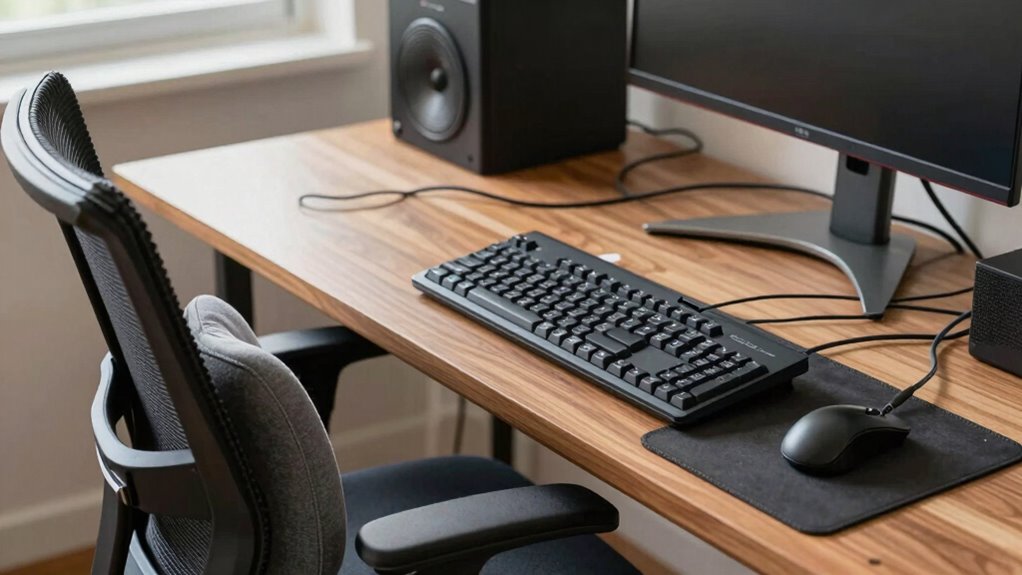
Setting up an ergonomic desk might seem straightforward, but many people make common mistakes that can compromise comfort and health. One of the biggest errors is ignoring proper keyboard positioning. If your keyboard isn’t aligned correctly, you risk unnecessary strain on your wrists, shoulders, and neck. You might find yourself reaching forward or tucking your elbows too tightly, which can lead to discomfort over time. The key is to keep your keyboard at a height that allows your arms to rest comfortably at a 90-degree angle, with your wrists straight. Many overlook this simple detail, but it’s essential for preventing repetitive strain injuries. Adjusting your keyboard height or using a wrist rest can make a significant difference.
Proper keyboard height and wrist support prevent strain and improve comfort during long work sessions.
Similarly, monitor height is often overlooked, yet it’s critical for maintaining good posture. Positioning your monitor too low or too high forces you to tilt your head up or down, creating neck tension and eye strain. The monitor should be at eye level so that your gaze naturally falls on the top third of the screen. When your monitor is correctly positioned, you avoid craning your neck or leaning forward, which helps prevent long-term musculoskeletal issues. Many people don’t bother with monitor risers or adjustable stands, sticking with a poorly positioned screen that causes unnecessary discomfort. Taking the time to set your monitor at the right height can help you work more comfortably for extended periods.
Another common mistake is neglecting the overall desk setup. People often place their keyboard and monitor in positions that feel convenient at first but aren’t ergonomically sound. It’s tempting to just put things where they’re easily reachable, but that can lead to awkward postures. Instead, you should consider the entire workspace to guarantee your keyboard, monitor, chair, and desk work together to support good posture. This might mean investing in adjustable accessories or rearranging your workspace periodically. Additionally, proper workspace organization can prevent clutter and promote better ergonomic habits. Creating an environment with adequate space for movement can help you avoid adopting poor postures out of necessity. Paying attention to ergonomic principles when arranging your workspace ensures that all components work harmoniously to reduce strain. Ensuring your workspace is ergonomically optimized can significantly reduce fatigue and improve productivity.
Many overlook the importance of removing clutter and creating enough space for proper movement. If your workspace feels cramped, you’ll naturally adopt poor postures, which can lead to discomfort and fatigue. Proper ergonomic setup isn’t only about individual components but also about creating an environment that encourages correct habits. When you pay attention to details like keyboard positioning and monitor height, you’re not just improving comfort—you’re actively protecting your health in the long run. Avoid shortcuts, make small adjustments, and your body will thank you for it.
Popular right now

KitchenAid Artisan Series 5-Quart Tilt-Head Stand Mixer, Dried Rose (KSM150PS)

KitchenAid Classic Series 4.5 Quart Tilt-Head Stand Mixer K45SS, Onyx Black

Apple AirPods Pro 3 Wireless Earbuds with Active Noise Cancellation
As an affiliate, we earn on qualifying purchases.
Frequently Asked Questions
How Often Should I Adjust My Ergonomic Desk Setup?
You should adjust your ergonomic desk setup whenever you notice discomfort or after every few hours of work to maintain ergonomic comfort. Adjusting frequency depends on your activities and body signals, but don’t wait too long—small, regular tweaks prevent strain and promote better posture. Make it a habit to check and modify your setup at least once or twice daily, ensuring your workspace adapts to your needs and keeps you comfortable.
Are Budget-Friendly Ergonomic Options Effective?
Yes, budget-friendly ergonomic options can be effective if you choose wisely. Affordable solutions like adjustable chairs, supportive cushions, or monitor risers often provide ergonomic benefits without breaking the bank. Focus on key features that promote good posture, such as adjustable height and lumbar support. While they might lack some premium features, with proper setup and adjustments, these affordable options can markedly improve your comfort and ergonomic effectiveness.
Can Poor Posture Affect Long-Term Health?
Yes, poor posture can considerably impact your long-term health. It often leads to muscle strain and misaligned spinal alignment, causing chronic pain and discomfort. When you slouch or sit improperly, you put extra stress on your muscles and spine, which can develop into serious issues over time. To protect your health, focus on maintaining good posture, using ergonomic setups, and regularly stretching to minimize these risks.
What Signs Indicate My Desk Setup Is Incorrect?
Did you know that over 80% of office workers experience discomfort from poor desk setups? You might notice persistent neck or back pain, numbness, or frequent headaches, indicating your ergonomic accessories and desk height are off. If your chair feels too high or low, or your monitor causes strain, it’s time to reevaluate. Proper ergonomics ensures comfort, reduces fatigue, and prevents long-term health issues.
How Do I Customize My Ergonomic Setup for Different Tasks?
To customize your ergonomic setup for different tasks, adjust your desk accessories like monitor stands, keyboard height, and chair support accordingly. Focus on lighting ergonomics by ensuring your workspace is well-lit without glare, reducing eye strain. Switch between sitting and standing positions if possible, and use ergonomic accessories to support your posture. Regularly reassess and tweak your setup to stay comfortable and productive across various tasks.
Conclusion
Remember, your ergonomic setup is the foundation of your comfort and productivity—like a sturdy tree rooted deep in the ground. Avoid rushing into choices that sway with trends or overlook your needs. When you select wisely, you’re planting seeds for long-term health and focus. Nurture your workspace with care, and watch your workday grow stronger and more balanced, just like a flourishing tree standing tall through every season.