

Creating accessible digital environments for cognitive disabilities means simplifying complexity to make content clear and easy to understand. Use straightforward language, organize information logically, and include visual cues like icons to guide users. Clear and consistent layouts help users navigate independently and confidently. Incorporate assistive technologies to support diverse needs. Focusing on these principles enables everyone to participate fully. Continue exploring how thoughtful design can make a real difference in accessibility for all.
Key Takeaways
- Use clear, simple language and visual cues to make content easier to understand and navigate.
- Incorporate assistive technologies like screen readers and text-to-speech tools to support diverse cognitive needs.
- Design interfaces with consistency and minimal clutter to reduce cognitive load and prevent overwhelm.
- Involve users with cognitive disabilities early in the design process for tailored, effective solutions.
- Provide customizable options such as font size and contrast, and continuously test for accessibility improvements.
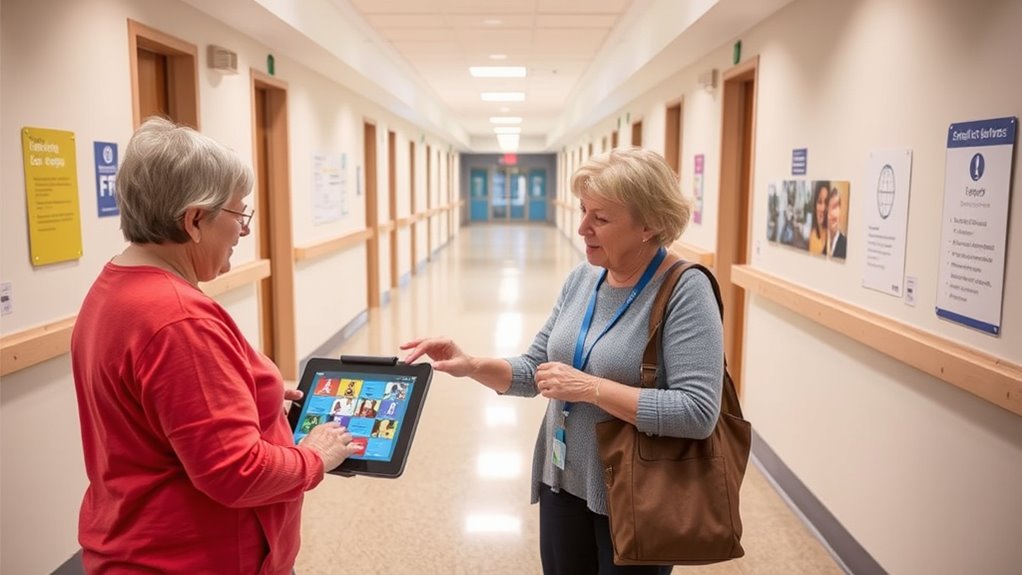
Making digital content accessible for people with cognitive disabilities guarantees everyone can navigate, understand, and engage with information effectively. When you design with this goal in mind, you create an inclusive environment where users aren’t overwhelmed by complexity or confusion. One of the most effective ways to achieve this is by integrating assistive technology that simplifies interactions and supports varied cognitive needs. Tools like screen readers, text-to-speech software, and simplified navigation options can help users process information more easily. These technologies act as tailored aids, removing barriers so users can focus on the content itself rather than struggling with technical hurdles. However, assistive technology alone isn’t enough. The foundation of accessible design is user centered design—putting the needs, preferences, and limitations of your users at the heart of your development process. By involving people with cognitive disabilities early and often, you gain valuable insights into what works and what doesn’t, allowing you to craft interfaces that are intuitive, straightforward, and respectful of diverse cognitive abilities.
Focusing on user centered design means you pay close attention to clarity, simplicity, and consistency in your content. You want users to feel confident and not overwhelmed by cluttered layouts or confusing instructions. Use clear, simple language, and break down complex ideas into manageable chunks. Visual cues, such as icons and consistent layouts, guide users naturally through tasks, reducing cognitive load. When you design with these principles in mind, you empower users to navigate your content independently, fostering a sense of control and confidence. Incorporating assistive technology that aligns with these design choices further enhances accessibility, providing additional layers of support tailored to individual needs. Supporting celebrity transformations can serve as an inspiring example of adapting to change and overcoming challenges, which reinforces the importance of flexibility and resilience in design.
It’s essential to test your digital content with real users who have cognitive disabilities. Observing how they interact with your site or app offers direct feedback, revealing whether your efforts to simplify are effective. This iterative approach ensures that your design remains user friendly and truly accessible. You should also consider customizing options within your platform, such as adjustable font sizes, color contrast settings, or simplified modes, giving users flexibility based on their preferences. Ultimately, creating accessible digital content isn’t a one-time effort but an ongoing commitment to understanding and accommodating diverse cognitive needs. When you combine assistive technology with user centered design, you build digital environments where everyone can participate fully, confidently, and comfortably.

USB Fingerprint Reader for Windows 10/11 ONLY, Windows Hello Fingerprint Scanner for PC Login, Match-in-Sensor Security, Plug & Play, 4ft Extension Cable (Not for Mac/Linux)
Windows Hello–Based Fingerprint Login: Designed exclusively for Windows Hello on Windows 10/11 PCs. Unlock your computer with a…
As an affiliate, we earn on qualifying purchases.
As an affiliate, we earn on qualifying purchases.
Frequently Asked Questions
How Can Technology Improve Accessibility for Cognitive Disabilities?
Technology improves accessibility for cognitive disabilities by providing assistive apps that simplify tasks and enhance understanding. You can use devices with user-friendly interfaces designed to reduce confusion and promote independence. These tools often include visual aids, reminders, and step-by-step guides, making daily activities easier. By customizing features to your needs, technology helps you navigate challenges more effectively, fostering greater inclusion and confidence in your abilities.
What Are Common Misconceptions About Cognitive Disabilities?
Think of cognitive disabilities as a shifting maze rather than a fixed wall. Many believe they’re rare or only affect certain individuals, but that’s a misconception. You can help by supporting stigma reduction and participating in awareness campaigns. Recognizing that these disabilities are diverse and manageable fosters understanding. When you challenge stereotypes, you open paths for more inclusive environments, making it easier for everyone to navigate life’s complex maze with confidence and support.
How Do Cultural Differences Affect Accessibility Strategies?
You should consider how cultural perceptions influence accessibility strategies, as different cultures may have unique attitudes towards cognitive disabilities, affecting acceptance and support. Language barriers can also hinder effective communication, making it harder for you to deliver inclusive resources. By recognizing these differences, you can adapt your approach, ensuring your strategies are culturally sensitive and accessible, ultimately helping you reach and support diverse populations more effectively.
What Role Do Caregivers Play in Improving Accessibility?
You play a crucial role in improving accessibility by acting as caregiver advocates and emotional supporters. While technology and policies set the foundation, your understanding and patience bridge gaps, making environments more navigable. Your advocacy can influence change, ensuring needs are recognized. Providing emotional support helps individuals feel confident and valued, encouraging independence. Your active involvement transforms accessibility from mere guidelines into real, lived experiences, empowering those with cognitive disabilities to thrive.
How Is Progress in Accessibility for Cognitive Disabilities Measured?
You measure progress in accessibility for cognitive disabilities through assessment metrics that evaluate how well environments and tools support users’ needs. User feedback is essential, as it provides direct insights into real-world experiences and challenges. By combining these assessment metrics with ongoing feedback, you can identify areas for improvement, track advancements over time, and guarantee that accessibility efforts effectively enhance independence and inclusion for individuals with cognitive disabilities.

Lyriq Assistive Text-to-Speech Reader
Q. What kind of documents can I read with LyriQ? A. LyriQ can read any printed textbooks, magazines,…
As an affiliate, we earn on qualifying purchases.
As an affiliate, we earn on qualifying purchases.
Conclusion
Making your content accessible for cognitive disabilities isn’t just about compliance—it’s about truly including everyone. When you simplify complexity, you break down barriers and create a welcoming environment for all users. Think about it: isn’t it more rewarding to foster understanding rather than confusion? By taking these small but meaningful steps, you guarantee your message reaches everyone. After all, isn’t accessibility the key to a more inclusive and compassionate world?

Digital Marketing: The Success Guide to Mastering Strategy, Use of AI, and Building a Profitable Customer Base
As an affiliate, we earn on qualifying purchases.
As an affiliate, we earn on qualifying purchases.

acer SH273 P1si 27" IPS Full HD (1920 x 1080) Zero-Frame Gaming Office Monitor | AMD FreeSync Technology | Up to 144Hz Refresh | 1ms (VRB) | Tilt, Height Adjustment & Swivel | HDMI & VGA Ports
Vibrant Images: Crisp, true-to-life colors come alive in Full HD 1080p resolution. Movies and games appear more real…
As an affiliate, we earn on qualifying purchases.
As an affiliate, we earn on qualifying purchases.