Using animation to explain progressions and feedback helps you visualize how systems move between states and respond to inputs in a clear, engaging way. Animations demonstrate the cause-and-effect relationships, highlighting how components shift and react over time. They make complex processes easier to understand by showing flow and timing, reducing confusion. If you keep exploring, you’ll discover how these visual tools can make even the most complicated systems more accessible and easier to grasp.

Get art and craft supplies delivered free — and shop member deals
- Fast, free delivery on millions of items
- Access to Prime Big Deal Days deals on October 6–7
- Prime Video, Amazon Music and more included
Key Takeaways
- Use animations to visually depict system state changes and flow, making transitions easier to understand.
- Highlight cause-and-effect relationships during transitions to clarify system responses.
- Animate feedback loops to show how systems react to inputs and adjust accordingly.
- Incorporate moving elements to maintain viewer engagement and emphasize process sequences.
- Visualize the evolution of system states over time to bridge theoretical concepts with practical understanding.
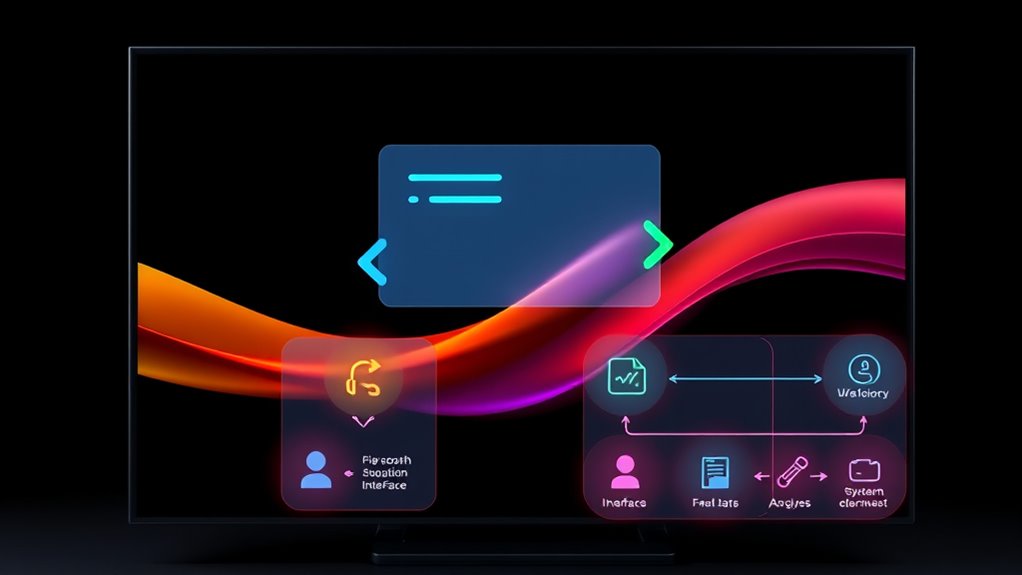
Animations are powerful tools for clarifying complex shifts and feedback in various contexts. When you’re trying to explain a process or system, animations help your audience see how a state change occurs and how the system responds at each step. Instead of relying solely on static diagrams or lengthy descriptions, animations visually demonstrate the flow from one condition to another, making it easier for viewers to grasp dynamic concepts. You can show how a change in input triggers a specific response, highlighting the cause-and-effect relationship that might be hard to understand through text alone.
Animations clarify complex processes by visually illustrating state changes and system responses, making concepts easier to understand.
Focusing on state change, animations reveal how components within a system shift from one condition to another. For example, when illustrating a software process, you can animate the movement of data through different modules, showing how each part updates and adapts. This visual progression helps your audience understand that a certain action leads to a different system state, emphasizing the cause behind the change. It’s not just about showing static snapshots but illustrating the progression over time, which captures the flow and timing of transitions clearly.
Likewise, animations excel at demonstrating system response. When a user interacts with a device, for example, an animation can depict how the system reacts—whether it’s a button press triggering a visual change or a sensor detecting an input and subsequently activating a process. By animating these responses, you provide a real-time visualization that contextualizes abstract feedback loops. This makes it easier for viewers to see how the system processes inputs and adjusts accordingly, reinforcing their understanding of the feedback mechanisms involved.
Using animations to illustrate state change and system response also enhances engagement. Moving elements attract attention and help viewers follow along without getting lost in technical jargon. As you animate transitions, you give your audience a clear, step-by-step view of what’s happening behind the scenes, reducing confusion and increasing clarity. This is especially important in educational settings or technical presentations, where understanding the sequence and timing of events is vital.
In essence, well-designed animations serve as a bridge between theoretical concepts and practical understanding. They allow you to depict how systems evolve over time, how states shift, and how responses are generated—all in an accessible, digestible format. When you focus on visualizing state change and system response, you’re providing your audience with a clear, engaging way to comprehend complex processes that might otherwise seem abstract or intimidating. Additionally, incorporating visualization techniques can further enhance comprehension by offering different perspectives on the same data. Ultimately, animations make the invisible visible, helping your viewers see the full picture of dynamic systems in action.
animation software for presentations
As an affiliate, we earn on qualifying purchases.
As an affiliate, we earn on qualifying purchases.
Frequently Asked Questions
How Can Animation Reduce User Confusion During Transitions?
Animation reduces user confusion during shifts by maintaining visual continuity, helping you follow changes smoothly. It guides your attention, making it clear what’s happening next, which lowers cognitive load. Instead of abrupt shifts, animations create a seamless flow, allowing you to process information easily. This keeps your focus on the task, minimizes misunderstandings, and makes the overall user experience more intuitive and less frustrating.
What Are the Best Animation Styles for Feedback?
Bright, subtle animations like fades and slides work best for feedback, providing clear visual cues without overwhelming users. You should prioritize visual consistency, ensuring animations match your overall design language, and leverage color psychology to evoke appropriate emotions—green for success, red for errors. These styles make feedback intuitive, reinforcing user confidence and understanding while maintaining a cohesive and engaging experience.
How Does Animation Impact Accessibility for All Users?
Animation impacts accessibility by enhancing clarity but can pose challenges for users with motion sensitivity. You should guarantee good color contrast to make animations visible and distinguishable. Adding options to reduce motion helps users with motion sensitivity avoid discomfort. By balancing engaging animations with accessibility features, you create an inclusive experience that accommodates diverse needs, making your content accessible and enjoyable for everyone.
Can Animation Be Overused or Become Distracting?
Yes, animation can be overused or become distracting, especially when it causes visual overstimulation or cognitive overload. You might find your users overwhelmed if animations are too fast, frequent, or flashy, making it hard to focus on essential content. Striking a balance is key—use animations thoughtfully to enhance understanding without overwhelming, ensuring they serve a purpose rather than just adding unnecessary visual noise.
What Tools Are Recommended for Creating Transition Animations?
You should try tools like Adobe After Effects, Principle, or Figma for creating transition animations, as they help you refine visual design and control animation timing effectively. These tools offer intuitive interfaces and powerful features, letting you craft smooth, engaging transitions that enhance user experience. By focusing on precise timing and seamless visual flow, you guarantee your animations support your content without becoming distracting or overwhelming.
As an affiliate, we earn on qualifying purchases.
Conclusion
So, next time you’re stuck trying to grasp complex progressions or feedback loops, just remember—animation’s magic wand. Who needs textbooks or lectures when you can watch shapes dance and flow, revealing secrets that once seemed impossible? It’s almost unfair—why struggle with static diagrams when lively visuals can do all the heavy lifting? Embrace the animated revolution, and watch your understanding leap from confusion to clarity—because, after all, who doesn’t love a good show?
feedback loop visualization animations
As an affiliate, we earn on qualifying purchases.
As an affiliate, we earn on qualifying purchases.
As an affiliate, we earn on qualifying purchases.
Fall Picks
fall essentials
As an affiliate, we earn on qualifying purchases.