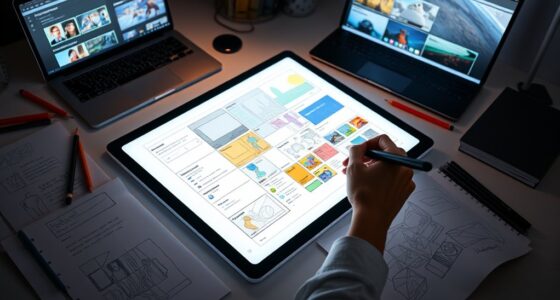
Micro-interactions add delight by incorporating subtle animations and gestures that make your user interface feel more natural and engaging. When you include small visual cues like bounce effects or gentle progress indicators, you boost user satisfaction and confidence. These thoughtful touches turn simple actions into enjoyable moments, creating trust and reducing frustration. If you keep exploring, you’ll discover how these tiny details can transform digital experiences into mesmerizing and seamless encounters.
Key Takeaways
- Incorporate tiny animations like bouncing or color changes to provide visual confirmation of user actions.
- Use subtle motion to make interactions feel natural, enhancing overall user engagement and satisfaction.
- Implement animated loading indicators to reassure users during wait times without disrupting flow.
- Design gesture feedback with visual cues such as snapping or highlighting to guide users seamlessly.
- Add playful micro-animations to create delightful moments, transforming ordinary interactions into memorable experiences.

Micro-interactions are small, focused moments in a user interface that guide and enhance your experience. They’re the subtle touches that make digital interactions feel natural and intuitive. When you tap a button or swipe to refresh a page, it’s these micro-interactions that provide immediate feedback, confirming your actions and keeping you engaged. Two key elements in designing effective micro-interactions are gesture feedback and loading indicators. These tiny animations and responses make your interaction seamless, helping you understand what’s happening behind the scenes without confusion or frustration.
Gesture feedback is all about providing visual or haptic cues when you perform an action. For example, when you drag to reorder items or swipe to delete, you want a clear response that your gesture registered. That’s where gesture feedback shines. A subtle bounce or a color change reassures you that your command was successful. If you tap a button, you might see it briefly depress or change shade, confirming your touch. These small cues prevent ambiguity and make the interface feel responsive. Good gesture feedback also guides you intuitively—if you’re dragging an item and it snaps into place, it’s a visual cue that you’ve completed the action correctly. In essence, gesture feedback transforms a simple tap or swipe into a meaningful interaction, making the experience more satisfying and less frustrating.
Loading indicators are another crucial micro-interaction. Whenever you initiate an action that takes time—loading a new page, submitting a form, or syncing data—you need a way to communicate progress. Loading indicators, like spinning wheels, progress bars, or animated dots, serve this purpose perfectly. They tell you that the system is working and that you should wait momentarily. Well-designed loading indicators are unobtrusive but informative; they reassure you that the app isn’t frozen or broken. Plus, animated indicators can add a touch of delight, turning a potentially dull wait into a subtle moment of entertainment. The key is balancing visibility with subtlety—an overly aggressive indicator might annoy, while one that’s too faint might leave you wondering if the app is responding. When done right, loading indicators keep your confidence high, reduce anxiety about delays, and improve overall satisfaction.
Additionally, understanding how mindfulness plays a role in user interface design can enhance these micro-interactions by encouraging users to be more present and engaged with their actions. Together, gesture feedback and loading indicators are powerful tools in micro-interaction design. They create a more natural, engaging experience that feels almost human. When your interface responds promptly and clearly to your actions, it builds trust and encourages continued use. These tiny animations and responses might seem insignificant, but they have a profound impact on usability and enjoyment. Incorporating thoughtful micro-interactions transforms a basic app into a delightful digital experience, making every tap, swipe, and wait feel intentional and satisfying.
Top picks for "micro interaction delight"
Open Amazon search results for this keyword.
As an affiliate, we earn on qualifying purchases.
Frequently Asked Questions
How Do Micro-Interactions Impact Overall User Engagement?
Micro-interactions boost your overall user engagement by providing instant gesture feedback and smooth animation timing. When you see quick responses to your actions, like a button highlighting or a checkmark appearing, it makes the experience more satisfying and intuitive. These subtle animations encourage you to interact more confidently, creating a seamless and enjoyable journey that keeps you engaged and encourages continued use of the app or website.
What Are Common Mistakes to Avoid in Micro-Interaction Design?
Did you know that 75% of users abandon apps due to poor usability? To avoid common micro-interaction mistakes, prioritize accessibility considerations—ensure animations are smooth and don’t hinder navigation. Be mindful of animation timing; overly fast or slow progressions can frustrate users. Keep micro-interactions subtle and purposeful, avoiding excessive effects that distract or confuse. Focus on creating seamless, accessible experiences that enhance usability without overwhelming your users.
How Can Micro-Interactions Be Optimized for Accessibility?
You can optimize micro-interactions for accessibility by ensuring your design employs accessible design principles, like sufficient contrast and readable text. Use inclusive animations that are subtle, avoiding flashing or rapid movements that could trigger seizures or discomfort. Provide options to turn off animations if needed, and incorporate descriptive labels for screen readers. These steps make your micro-interactions more inclusive, allowing all users to enjoy a seamless, engaging experience.
What Tools Are Best for Designing Micro-Interactions?
You should use tools like Figma, Adobe XD, or Principle to design micro-interactions, as they allow you to craft gesture feedback and control animation timing precisely. These tools enable you to prototype subtle animations that enhance user experience, ensuring smooth progression and responsive feedback. By experimenting with timing and gesture cues, you’ll create engaging micro-interactions that feel natural and delightful, improving overall usability and user satisfaction.
How Do Micro-Interactions Influence Brand Perception?
Think of micro-interactions as the handshake of your digital brand; they shape perceptions instantly. When done well, they foster brand loyalty and deepen emotional connections. For example, a subtle animation when a user completes a task can make your brand feel more human and attentive. These small details leave lasting impressions, turning casual users into committed fans and elevating your brand’s reputation effortlessly.
Conclusion
By now, you see how micro-interactions turn simple moments into delightful experiences, much like a friendly nod from a vintage typewriter. These subtle animations add personality, making users feel truly connected. Remember, just like a well-placed polaroid captures a memory, a small detail can leave a lasting impression. So, embrace these tiny touches—they’re your secret weapon to creating interfaces that feel warm, welcoming, and genuinely engaging in this digital age.