
Accessibility in virtual and augmented reality experiences ensures everyone can enjoy and participate, regardless of physical or sensory differences. You can benefit from features like haptic feedback, which lets you feel virtual objects, or voice controls that enable hands-free interaction. Customizable settings, subtitles, and alternative controls help address diverse needs. By embracing these inclusive tools, developers make immersive worlds more engaging for all. Keep exploring to discover how these innovations continue shaping accessible VR and AR experiences.
Key Takeaways
- Accessibility features like haptic feedback and speech recognition enhance inclusivity by supporting diverse physical and sensory needs.
- Customizable visual, audio, and control options accommodate users with various disabilities and sensory sensitivities.
- Alternative input methods such as eye-tracking and gesture recognition assist users with limited mobility.
- Real-time subtitles and sign language support improve accessibility for users with hearing impairments.
- Collaboration among developers and users drives ongoing improvements and innovations in accessible VR/AR experiences.
As virtual and augmented reality technologies become more widespread, ensuring these experiences are accessible to everyone is essential. You want to feel immersed, engaged, and included, regardless of your physical abilities or sensory differences. Developers are increasingly focusing on features like haptic feedback and speech recognition to make these worlds more accessible. Haptic feedback, for example, allows you to feel vibrations or pressure cues through controllers or wearable devices, giving you a tactile sense of virtual objects, environments, or interactions. This technology is especially valuable for users with visual impairments, as it provides an additional layer of information beyond sight. When you reach out to grasp a virtual object, the subtle vibrations can confirm your action or alert you to obstacles, making navigation more intuitive and reducing frustration. Incorporating visual and audio customization options further enhances accessibility for diverse users. Speech recognition also plays a vital role in accessibility. Instead of relying solely on manual controls or complex menus, you can simply speak commands or describe what you want to do. This technology can help users with mobility challenges or those who find traditional controllers cumbersome. It allows for hands-free interaction, enabling you to move through virtual spaces, select options, or communicate with virtual characters using natural language. As speech recognition algorithms improve, they become more accurate at understanding diverse accents, speech patterns, and even contextual cues, creating a more seamless experience. When combined with other accessibility features, speech recognition helps create a more inclusive environment where everyone can participate actively.
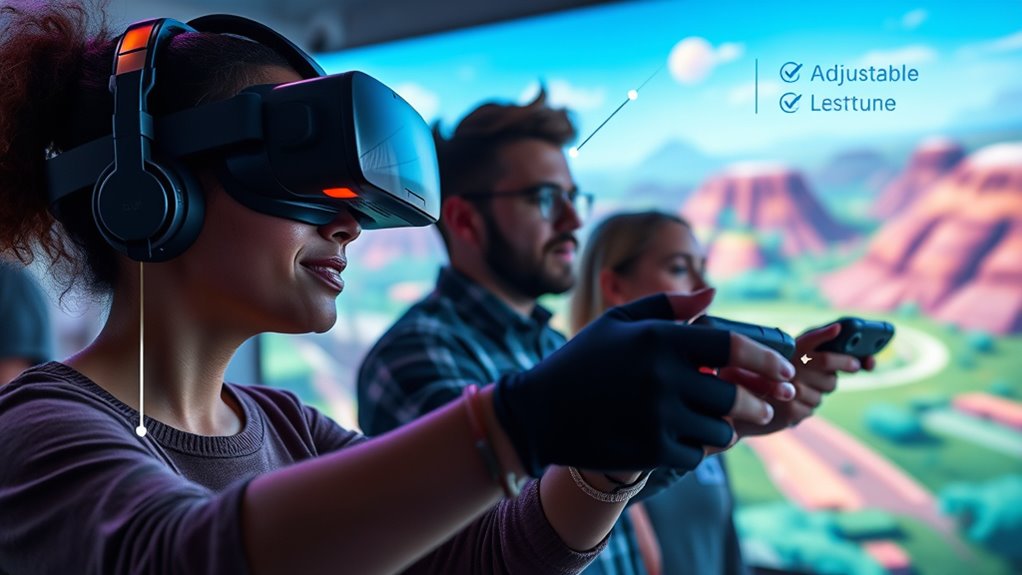
Haptic feedback enhances virtual interactions, aiding those with visual impairments and making navigation more intuitive and engaging.
Beyond these features, developers are exploring ways to customize experiences to meet individual needs. For example, adjustable visual and audio settings can cater to users with different sensory sensitivities. Real-time subtitles or sign language interpretation can assist users with hearing impairments, while alternative control schemes like eye-tracking or gesture recognition can help those with limited hand mobility. The goal is to eliminate barriers so that you can focus on the experience itself, not on overcoming technological limitations. As these innovations become more mainstream, you’ll find that VR and AR are becoming more inclusive, allowing everyone to explore, learn, and connect in virtual worlds.
Ultimately, creating accessible virtual and augmented reality experiences requires ongoing effort and collaboration between developers, users, and advocacy groups. By integrating features like haptic feedback and speech recognition, the industry takes meaningful steps toward ensuring that immersive technology is a tool for everyone, not just a select few. Your participation and feedback will continue to shape a future where virtual environments are as inclusive as they are exciting.
Top picks for "accessibility virtual augment"
Open Amazon search results for this keyword.
As an affiliate, we earn on qualifying purchases.
Frequently Asked Questions
How Can Vr/Ar Be Made Affordable for Disabled Users?
You can make VR/AR more affordable for disabled users by promoting cost-effective solutions like off-the-shelf hardware upgrades and open-source software. Adaptive hardware, such as affordable controllers or alternative input devices, helps reduce costs while increasing accessibility. Supporting innovations in low-cost VR/AR devices and encouraging manufacturers to prioritize affordability guarantees disabled users gain access without financial barriers, making immersive experiences more inclusive and widely available.
ARe There Standardized Accessibility Guidelines for VR and AR?
Did you know only 30% of VR and AR developers follow established accessibility standards? Currently, there aren’t universal guidelines for accessibility in these experiences. However, many platforms encourage user customization, allowing you to adjust text size, audio, and controls. While standardized accessibility guidelines are still evolving, focusing on user customization helps guarantee these technologies are inclusive, making sure everyone can enjoy immersive experiences comfortably.
How Do Vr/Ar Developers Test Accessibility Features Effectively?
You test accessibility features in VR and AR by conducting usability testing with diverse users, including those with disabilities. You gather user feedback to identify barriers and areas for improvement. Observing how users interact with your experience helps you refine features, ensuring everyone can navigate comfortably. Regular testing and listening to feedback allow you to create more inclusive, accessible virtual and augmented reality experiences.
Can Vr/Ar Experiences Be Customized for Individual Disabilities?
Yes, VR and AR experiences can be customized for individual disabilities by incorporating adaptive interfaces and customizable controls. You can tailor the interface to suit specific needs, like adjusting visual or audio feedback, or enabling alternative input methods. This flexibility helps you engage more comfortably and effectively, ensuring that your experience is accessible regardless of your abilities. Developers are increasingly designing these features to make immersive technology inclusive for everyone.
What Future Innovations Will Improve Accessibility in Vr/Ar?
Imagine a future where VR and AR adapt seamlessly to your needs. Innovations like advanced haptic feedback and gesture recognition will enhance accessibility by providing more natural, inclusive interactions. For example, a user with limited mobility could navigate virtual worlds using subtle gestures, while haptic cues offer precise feedback. These advancements will make immersive experiences more intuitive and accessible for everyone, ensuring no one is left behind.
Conclusion
As you explore virtual and augmented reality, it’s remarkable how accessibility isn’t just an afterthought but woven into the experience itself. When developers prioritize inclusivity, they create worlds where everyone can thrive—sometimes in unexpected ways. It’s almost poetic how technology, meant to transport you, also has the power to bridge gaps you didn’t realize existed. In this coincidence, accessibility becomes not just a feature, but the very foundation of truly immersive experiences.