
The key difference between average and excellent version control lies in strategy, discipline, and collaboration. Excellent systems follow structured branching, like Git Flow, and encourage small, meaningful commits that explain why changes were made. They handle conflicts systematically and promote clear workflows, code reviews, and testing before merging. This organized approach keeps your project predictable, reduces errors, and boosts team collaboration. Keep exploring to uncover how these best practices can transform your development process.
Key Takeaways
- Excellent systems implement strategic branching models like Git Flow, reducing clutter and simplifying parallel development.
- Consistent, small, and well-documented commits improve traceability and facilitate easier troubleshooting.
- Systematic conflict resolution and merging practices ensure reliable integration of changes.
- Structured workflows and clear branch roles promote organized collaboration and minimize conflicts.
- Emphasizing code reviews, testing, and disciplined tool usage enhances overall development quality and stability.
Have you ever wondered what truly sets apart average version control systems from the excellent ones? The difference often lies in how you manage your workflow, particularly through branching strategies and commit discipline. An average system might let you create branches haphazardly, leading to a jumble of features, bug fixes, and experiments. But an excellent system enforces a well-thought-out branching strategy, such as Git Flow or trunk-based development, which keeps your work organized and predictable. When you adopt clear branching strategies, you know exactly where to develop new features, fix bugs, or prepare releases, minimizing confusion and reducing merge conflicts. This structure helps your team work in parallel without stepping on each other’s toes, making the entire process smoother and more efficient. Implementing branching strategies effectively can significantly boost your project’s stability and collaboration. A disciplined approach to commit messages also ensures clarity and traceability, which are vital for long-term project health. Consistent management of your version control, including understanding how to handle conflicts and merges, further enhances the reliability of your development process. Good commit discipline involves more than just frequency; it also means writing meaningful messages that provide context and reasoning behind each change, enabling better collaboration and troubleshooting. This discipline, when combined with disciplined workflows, creates a robust development environment that minimizes errors. Average version control might see developers making sporadic, inconsistent commits, often with vague messages like “fixed stuff” or “misc fixes.” This practice makes it harder to track changes, troubleshoot issues, or understand why certain decisions were made. Excellent version control emphasizes disciplined commits—small, focused, and meaningful. You should commit frequently, with clear messages that explain *why* the change was made, not just *what* was changed. This habit creates a detailed history that’s easy to follow, audit, and revert if needed. When your commits are well-structured and purposeful, it’s easier for everyone on your team to review changes, identify issues early, and maintain a high standard of code quality. The combination of solid branching strategies and commit discipline results in a workflow that’s predictable, transparent, and resilient. Instead of chasing chaos, you create a system where each team member has a clear understanding of where they stand and what to do next. You’re less likely to face conflicts or broken builds because changes are isolated and integrated systematically. Excellent version control also encourages best practices, like code reviews and testing before merging, which further elevates your project’s quality. Ultimately, it’s not just about having the tools but about how you use them—structured workflows and disciplined habits turn average systems into powerful, reliable tools that support your team’s success.
Git flow branching model software
As an affiliate, we earn on qualifying purchases.
As an affiliate, we earn on qualifying purchases.
Frequently Asked Questions
How Do Version Control Systems Handle Large Binary Files?
You handle large binary files in version control systems by using specialized tools like Git Large File Storage (LFS), which replace large files with lightweight pointers. This approach keeps binary storage efficient and prevents slowdowns. You avoid storing entire large files directly in your repo, making version control smoother, faster, and more manageable for large files, ensuring your project remains agile and responsive.
What Are Common Pitfalls When Transitioning to Advanced Version Control?
When shifting to advanced version control, you might face pitfalls that seem like insurmountable mountains. You could struggle with inconsistent branching strategies, leading to chaos, or neglect commit best practices, causing confusion and lost work. Overlooking these areas risks derailing your workflow and collaboration. To avoid this, establish clear, disciplined branching strategies and stick to commit best practices. This keeps your system streamlined, reliable, and ready for complex projects.
How Does Automation Influence Version Control Efficiency?
Automation boosts your version control efficiency by streamlining processes through automated workflows. It minimizes manual interventions, reducing errors and making updates faster and more reliable. When you implement automation, you lessen the chances of mistakes that can cause conflicts or delays, ensuring your team works smoothly. Overall, automation enhances accuracy, saves time, and helps maintain consistent version histories, elevating your version control from average to excellent.
Can Version Control Improve Team Collaboration Beyond Code Management?
Yes, version control can substantially boost team collaboration beyond just managing code. By streamlining team communication and integrating collaboration workflows, it guarantees everyone stays updated and can track changes efficiently. You’ll find it easier to coordinate tasks, resolve conflicts quickly, and maintain a clear history of contributions. This fosters a more cohesive environment where team members work seamlessly together, ultimately improving project outcomes and reducing misunderstandings.
What Security Measures Are Essential for Protected Version Control Repositories?
Like guarding the gates of a fortress, you need strong access controls and encryption protocols to protect your version control repositories. Implement role-based access, enforce two-factor authentication, and regularly review permissions. Use encryption for data at rest and in transit to prevent unauthorized access. These measures guarantee that only trusted team members can make changes, keeping your code safe from breaches and maintaining your project’s integrity.
version control commit message templates
As an affiliate, we earn on qualifying purchases.
As an affiliate, we earn on qualifying purchases.
Conclusion
Mastering excellent version control is like tending a well-oiled machine—you keep everything running smoothly by paying attention to detail, consistency, and collaboration. When you go beyond the basics, you guarantee your project flows seamlessly, avoiding chaos and confusion. Think of it as planting a sturdy tree—you nurture it carefully, and it grows into something strong and dependable. By embracing these practices, you turn your version control from average to truly outstanding.
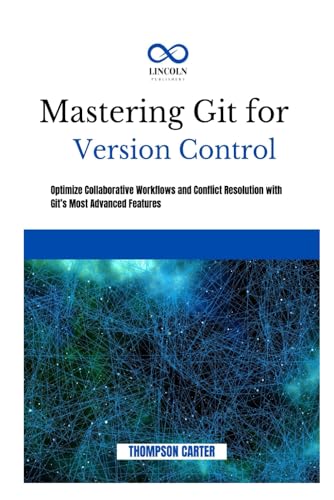
MASTERING GIT FOR VERSION CONTROL: Optimize Collaborative Workflows and Conflict Resolution With Git’s Most Advanced Features
As an affiliate, we earn on qualifying purchases.
As an affiliate, we earn on qualifying purchases.

"Looks Good To Me": Constructive code reviews
As an affiliate, we earn on qualifying purchases.
As an affiliate, we earn on qualifying purchases.