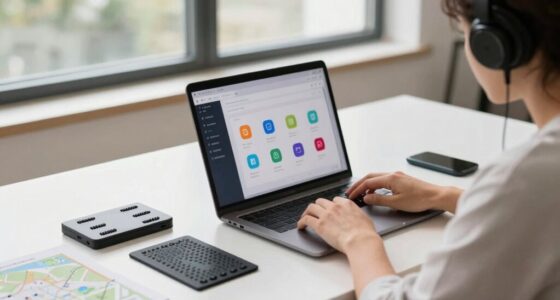
To reduce animations and visual stimuli for motion sensitivity, start by disabling or limiting flashing and rapid-moving graphics on screens. Use environment settings to minimize bright lights and busy backgrounds. Adjust your device defaults to more static visuals and smooth progressions. Wearing tinted glasses can also lessen visual overload. Maintaining proper posture and focusing on stable, non-moving objects helps further. If you keep exploring, you’ll discover even more strategies to ease your symptoms effectively.

Get art and craft supplies delivered free with Prime
- Fast, free delivery on millions of items
- Prime Video, Amazon Music and more included
- Member-only deals all year
Key Takeaways
- Minimize or disable moving animations and flashing content on websites and devices to reduce visual overstimulation.
- Use browser extensions or settings to block or slow down animations and auto-play videos.
- Adjust device display settings with tinted filters or reduced motion options to lessen visual triggers.
- Opt for static, calm environments with minimal background patterns and avoid rapid visual changes.
- Incorporate proper posture and focus on stable, non-moving objects to decrease sensory conflict during visual overstimulation.

Have you ever noticed how some objects or movements suddenly catch your eye while others go unnoticed? That’s the power of visual triggers in action. For someone with motion sensitivity, these triggers can become overwhelming, causing discomfort or dizziness. Visual triggers are elements in your environment that draw your gaze or create a sense of motion, even when nothing is physically moving. Bright lights, flashing screens, busy backgrounds, or rapidly changing images can all serve as visual triggers. When these triggers are prominent, they can overstimulate your visual system, leading to a cascade of symptoms like vertigo, nausea, or disorientation. Recognizing these triggers is the first step toward managing your symptoms effectively. Being aware of how visual triggers impact your sensory system can help you develop more effective coping strategies.
To reduce the impact of visual triggers, you might need to make some adjustments to your surroundings. Begin by minimizing or controlling the visual stimuli around you. Use softer lighting, avoid flashing or flickering screens, and steer clear of overly busy or patterned backgrounds. Wearing tinted glasses or filters can also help lessen the intensity of visual triggers, making your environment more comfortable. It’s important to create a space that feels calm and predictable, reducing the likelihood of sudden or intense visual stimuli that can trigger symptoms.
Postural adjustments play an essential role in managing motion sensitivity. When your body is aligned properly and your posture is balanced, your vestibular system works more smoothly, reducing the likelihood of feeling unsteady or dizzy. Practice sitting or standing with your shoulders back, chest open, and head level. Avoid looking down or up for extended periods, as this can increase sensory conflict and exacerbate symptoms. If you’re in a situation with lots of visual stimuli, try to position yourself so that your gaze is directed toward a stable, non-moving object—like a plain wall or a fixed point in the distance. This helps your brain process visual information more effectively and reduces the sensation of motion or imbalance.
Making these postural adjustments isn’t just about physical positioning; it’s about creating a sense of stability that your vestibular system can rely on. When your body is aligned, and visual triggers are minimized, your brain receives clearer, less conflicting signals. This can greatly decrease symptoms and help you feel more in control. Combining the management of visual triggers with proper postural adjustments creates a powerful strategy for reducing motion sensitivity. You’ll likely notice that small changes in your environment and how you hold your body can lead to noticeable improvements. It takes some patience, but over time, these adjustments can help you navigate your surroundings with less discomfort and greater confidence.
Frequently Asked Questions
Can Motion Sensitivity Improve Over Time Without Intervention?
Yes, motion sensitivity can improve over time without intervention, thanks to natural recovery processes. Your body may adapt gradually, reducing symptoms as your brain adjusts to sensory input. Using adaptive strategies, like minimizing rapid movements or visual stimuli, can support this improvement. Consistent rest, gentle activity, and patience help your vestibular system recover naturally, making symptoms less intense over time without formal treatment.
Are There Specific Types of Animations More Likely to Trigger Symptoms?
Imagine a gentle breeze versus a thunderstorm—some animations feel just like that. You’re more likely to be triggered by fast-moving visuals, flashing images, or complex patterns. Visual triggers like spinning icons or rapid scene changes can worsen symptoms. Clothing textures, especially rough or moving fabrics, can also set off discomfort. Pay attention to these visual cues and textures, and choose animations that are calmer and more stable to reduce your symptoms.
What Are the Long-Term Effects of Reducing Motion on Daily Activities?
Reducing motion can help you manage symptoms long-term, allowing you to adapt better to daily activities. Using adaptation strategies like gradual exposure and environmental modifications such as stabilizing visuals or minimizing busy backgrounds can improve your comfort and confidence. Over time, these changes can decrease sensitivity, making everyday tasks easier and less stressful. Consistent adjustments help you regain independence, ensuring you’re better equipped to handle motion in various environments.
How Do Different Vestibular Disorders Vary in Motion Sensitivity?
Did you know that about 70% of people with vestibular disorders experience varying levels of motion sensitivity? Different disorders, like Meniere’s disease or vestibular neuritis, impact visual processing and sensory integration uniquely. You might find that some conditions cause heightened sensitivity to movement, while others have minimal effects. Understanding these differences helps tailor your approach to reducing motion stimuli, easing symptoms and improving daily comfort.
Can Technology Help Customize Motion Reduction for Individual Needs?
Yes, technology can help by using adaptive algorithms that analyze your responses to motion stimuli. This allows apps and devices to offer user customization, tailoring motion reduction to your specific sensitivities. You can adjust settings based on your comfort level, ensuring a more comfortable experience. This personalized approach helps manage your symptoms effectively, giving you greater control and minimizing discomfort during digital interactions.
Conclusion
By reducing animations and motion effects, you can markedly ease your vestibular symptoms and reclaim control over your daily life. Think of it as hitting the pause button on chaos—your world becomes clearer and calmer. Don’t underestimate the power of simple changes; they can transform your experience from overwhelming to manageable. Take charge now, and watch your motion sensitivity diminish like a shadow vanishing at dawn. Your journey to relief starts with small, intentional steps.
Fall Picks
fall essentials
As an affiliate, we earn on qualifying purchases.