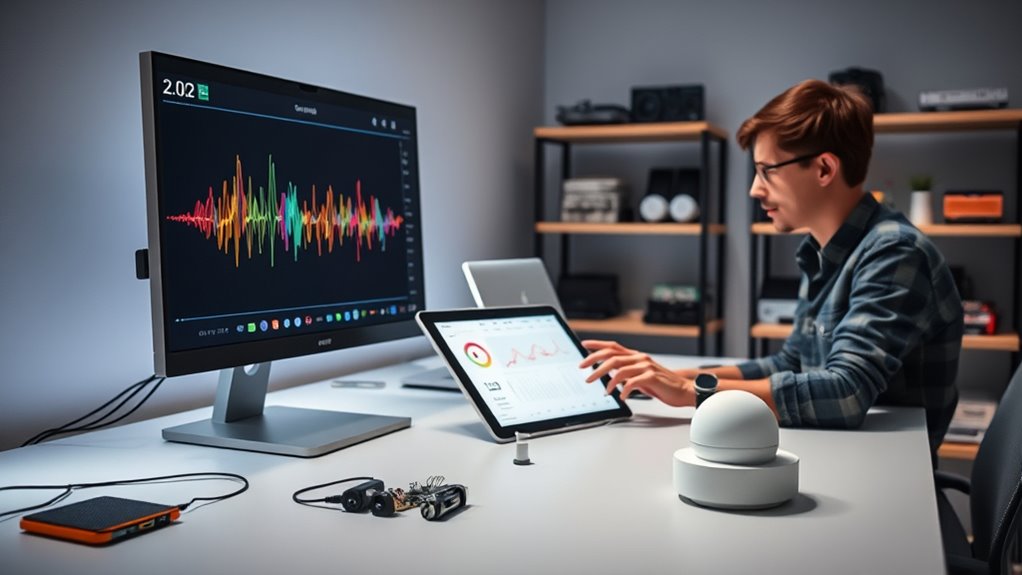

Prototyping voice interfaces with specialized platforms helps you quickly design, test, and refine your voice interactions. These tools let you simulate real conversations, adjust prompts, and test different accents or background noise, so your interface feels natural and effective. They also integrate with AI and NLP tech, making it easier to improve accuracy. Keep exploring to discover how these platforms can take your voice projects from concept to real user engagement effortlessly.
Listen free for 30 days with Audible
Thousands of audiobooks and originals — cancel anytime.
As an affiliate, we earn on qualifying purchases.
Key Takeaways
- Specialized platforms enable realistic simulation of voice interactions for testing and refining dialogue flows.
- They provide visual editors and drag-and-drop tools to design complex voice conversation trees easily.
- Integration with AI and NLP allows testing different recognition models and improving response accuracy.
- Platforms support simulation of diverse speech patterns, accents, and background noises to enhance robustness.
- They facilitate iterative development, helping create natural, user-friendly voice interfaces efficiently.

Have you ever wondered how to turn a simple idea into a functional voice interface? The key lies in effective prototyping, especially when you’re aiming to create seamless voice interactions that enhance user experience. Specialized platforms make this process more accessible and efficient, allowing you to transform your concepts into working prototypes quickly. These tools provide a structured environment where you can design, test, and refine voice interaction flows without needing extensive coding skills. By focusing on how users will naturally speak and interact with your system, you can identify potential pain points early and optimize the overall experience.
Effective voice prototyping transforms ideas into seamless, user-friendly interactions without extensive coding skills.
When you select a platform for prototyping voice interfaces, consider its ability to simulate real user interactions. A good platform enables you to create conversational flows that mimic actual voice commands, responses, and follow-up questions. This way, you gain insights into how users might behave, helping you craft more intuitive and engaging interactions. As you build your prototype, pay close attention to the clarity of prompts and responses. Clear, concise voice prompts improve the user experience by reducing confusion and making the interface feel more natural. These platforms often include visual editors and drag-and-drop features, which simplify the process of designing complex dialogue trees, so you don’t get bogged down in technical details.
Another advantage of specialized platforms is the ability to test your voice interface in realistic scenarios. You can simulate different accents, speech patterns, and background noises to see how your system responds. This testing phase is essential because it uncovers issues that could hinder voice interaction, such as misinterpretation or lag. When you refine your prototype based on these tests, you improve the system’s accuracy and responsiveness, directly boosting the user experience. A well-prototyped voice interface feels natural and effortless to use, encouraging users to engage more frequently.
Moreover, these platforms often integrate with voice recognition and natural language processing (NLP) engines, enabling you to experiment with different AI models and understand their impact on user interaction. This flexibility allows you to fine-tune how your system understands and responds to user inputs, ensuring that the final product resonates with your target audience. Additionally, understanding the importance of sound vibrations and their effects can help you optimize audio feedback and responses for a more immersive experience. As you iterate on your prototype, you’ll develop a deeper understanding of user expectations and behaviors, guiding you toward a more refined and user-centric design.
Top picks for "prototyp voice interfac"
As an affiliate, we earn on qualifying purchases.
Frequently Asked Questions
How Do I Choose the Best Platform for My Voice Prototype?
To choose the best voice platform for your prototype, start with voice platform selection by considering compatibility with your target devices and ease of use. Evaluate each option through prototype evaluation, testing features like natural language understanding and response accuracy. Focus on scalability and integration capabilities, ensuring the platform aligns with your project goals. By comparing these aspects, you can select the platform that best meets your needs and gives you the most effective prototype.
What Are Common Pitfalls in Voice Interface Prototyping?
You might encounter pitfalls like over-relying on speech recognition, which can lead to misinterpretations, or neglecting user personalization, making interactions feel generic. Avoid designing too complex commands that confuse users or ignoring feedback during testing. Always test with real users, refine speech recognition accuracy, and incorporate personalization to guarantee your voice interface feels natural and helpful, reducing frustration and improving engagement.
How Can I Test Voice Interfaces With Real Users Effectively?
To test voice interfaces effectively, you should create a clear voice flow that guides users naturally. Involve real users early in user testing to gather authentic feedback on their interactions. Observe how they navigate the voice interface, identify confusion points, and refine the flow accordingly. This hands-on approach helps you improve usability, guarantees the interface meets user needs, and ultimately creates a more seamless voice experience.
What Are the Costs Associated With Specialized Prototyping Platforms?
The costs of specialized prototyping platforms vary widely, so you should conduct a thorough cost analysis and compare platforms carefully. Some charge monthly subscriptions, ranging from $20 to $200, while others offer pay-per-use options. Consider features, scalability, and customer support in your platform comparisons. Be mindful of hidden costs like integrations or additional tools, and always balance your budget with the platform’s capabilities to guarantee effective voice interface prototyping.
How Do I Ensure Accessibility in Voice Interface Prototypes?
Sure, because everyone loves making their voice interfaces as exclusive as a private club. To guarantee accessibility, you need to prioritize inclusive design and consider user diversity. Test your prototypes with a wide range of voices, accents, and speech patterns. Use clear, simple language and offer alternative input methods. By doing so, you create an experience where all users feel welcome, not just the ones who sound like you.
Conclusion
By prototyping voice interfaces with specialized platforms, you streamline design, refine interactions, and enhance user experiences. You test ideas quickly, identify issues early, and iterate confidently. You save time, reduce errors, and build better products. Embrace these tools to innovate faster, improve usability, and stay ahead in voice technology. With focused prototyping, you turn concepts into reality, challenges into opportunities, and visions into engaging, intuitive voice interfaces that users love.
NFL season / tailgating Picks
team gear
As an affiliate, we earn on qualifying purchases.