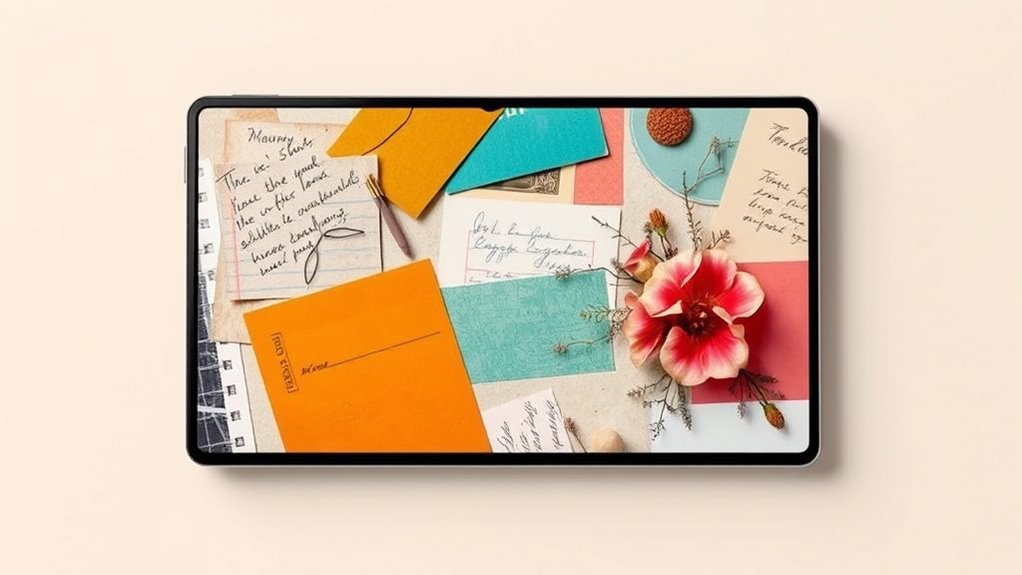

Digital scrapbooking blends traditional craft techniques with modern digital tools to create stunning collages filled with textured backgrounds, vintage overlays, and seamless photo integration. You can enhance your pages with handmade textures, like scanned fabric or torn paper, combined with aged effects to add depth and character. This approach allows for endless creativity and a unique, layered aesthetic that tells your story beautifully. Keep exploring to discover how these elements can transform your digital projects into artful keepsakes.
Key Takeaways
- Digital scrapbooking combines photos, embellishments, and backgrounds to create personalized, textured collage-style layouts.
- Handmade textures and vintage overlays add depth, authenticity, and nostalgic charm to modern digital collages.
- Blending techniques and layered elements foster eclectic, rich visual aesthetics in digital scrapbooking projects.
- Merging traditional craft textures with digital tools results in unique, tactile-looking collage compositions.
- This approach enhances storytelling by incorporating personality, history, and artistic flair into modern design.

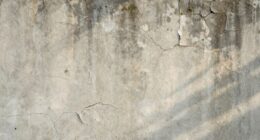
Digital scrapbooking is a creative way to preserve your memories using your computer and specialized software. It allows you to craft personalized pages that reflect your style and story, blending photos, embellishments, and backgrounds seamlessly. One of the key elements in achieving a unique, textured look is incorporating handmade textures. These can be scanned from physical materials like fabric, paper, or even painted surfaces, then digitized for use in your designs. Handmade textures add an authentic, tactile feel to your digital layouts, making them stand out from standard, flat backgrounds. You can layer these textures behind photos or as part of your embellishments, creating depth and visual interest that echoes traditional scrapbooking techniques while keeping everything digital.
Vintage overlays are another powerful tool to evoke a nostalgic or timeless aesthetic in your digital scrapbooks. These overlays can include elements like distressed edges, faded patterns, or aged paper effects that instantly add character and warmth to your pages. When combined with handmade textures, vintage overlays help create a cohesive, layered look that mimics the charm of antique scrapbooks. You might choose a vintage overlay with subtle creases or torn edges to give your layout an aged feel, or incorporate faded floral patterns to complement family or heritage themes. Overlaying these elements with a light opacity can blend them seamlessly into your background, enhancing the overall collage aesthetic.
As you experiment, you’ll find that blending handmade textures with vintage overlays offers endless creative possibilities. For example, applying a handmade paper texture as the base and then adding a vintage overlay with scratches and stains can transform a simple photo into a piece of art. Adjusting opacity and using blending modes in your software allows you to fine-tune the appearance, ensuring each element harmonizes with your design. This approach not only elevates the visual appeal but also infuses your digital layouts with personality and a sense of history. Additionally, understanding asset division strategies can inspire you to carefully curate elements within your digital projects, ensuring a balanced and harmonious composition.
Using these elements intentionally helps you achieve an eclectic, layered collage that feels both personal and stylish. Whether you’re documenting a special event or creating a visual story, handmade textures and vintage overlays serve as essential tools to enhance your digital scrapbooking projects. They bridge the gap between traditional craftsmanship and modern technology, empowering you to craft layouts that are rich in texture, depth, and character—making your memories truly timeless.
Top picks for "digital scrapbook collage"
Open Amazon search results for this keyword.
As an affiliate, we earn on qualifying purchases.
Frequently Asked Questions
What Are the Best Software Tools for Digital Scrapbooking?
You should try software like Adobe Photoshop and Canva for digital scrapbooking, as they excel in vector editing and template customization. Photoshop offers advanced tools for detailed collage creation, while Canva provides user-friendly templates you can easily personalize. Both platforms let you manipulate images, add text, and craft unique designs, making them ideal for creating stunning digital scrapbooks that reflect your style and creativity.
How Can I Incorporate Personal Photos Effectively?
You can incorporate personal photos effectively by carefully selecting meaningful images that tell a story. Use thoughtful layout techniques like overlapping, framing, and balancing to create visual interest. Mix different sizes and orientations to add dimension. Don’t forget to leave some space for embellishments or journaling. By combining intentional photo selection with creative layout techniques, your digital scrapbook will feel personal, engaging, and visually cohesive.
What Are Popular Themes for Digital Collages?
Play with popular themes like nature motifs and vintage elements to create mesmerizing digital collages. You can blend blooming flowers, leafy landscapes, and wildlife imagery for a fresh, organic feel. Vintage elements like old postcards, antique keys, and faded photographs add nostalgic charm. Combining these themes sparks storytelling and personal expression, making your collages uniquely appealing. Experiment with different combinations to discover what resonates best with your style and mood.
How Do I Balance Visual Clutter in Collage Design?
To balance visual clutter, use layering techniques thoughtfully by varying transparency and depth to create hierarchy. Focus on focal point strategies, like highlighting a central element with bold colors or size, so the eye knows where to land first. Keep surrounding elements supporting but not overwhelming. Regularly step back to assess your collage, ensuring that your focal points stand out and clutter is minimized for a clean, cohesive look.
Can Digital Scrapbooking Be Printed Professionally?
Yes, you can definitely print digital scrapbooking projects professionally. Focus on print quality by choosing high-resolution images and using a reputable printing service. Select the right paper, such as glossy or matte, to enhance your design’s look and feel. Make sure your file is in the correct color mode and resolution for printing. This way, you’ll get vibrant, crisp results that showcase your collage aesthetics beautifully.
Conclusion
Digital scrapbooking transforms how you preserve memories, blending creativity with modern technology. Did you know that 65% of users find digital tools more inspiring than traditional methods? This shift highlights how collage aesthetics in modern design make your projects more personalized and engaging. Embrace digital scrapbooking to gain access to endless possibilities, express your unique style, and keep memories vibrant for years to come. It’s a creative revolution you won’t want to miss.